
Best Temporary Email Services 2026: A Selection of the Best Solutions for Anonymity
Often, registration via email is required to use services or view information on internet platforms. But for those who care about privacy and don't want to sort through mountains of spam in their inbox later, this method is definitely not suitable.
The solution is to use a temporary disposable email, which is issued for a certain period and then deleted with all its contents. Modern temporary email services may differ in the life cycle of the mailbox, as well as the ability to not only receive letters, but also send them. We have compiled a selection of 5 platforms to show the best solutions and tell you how to use them safely.
Why Do You Need a Temporary Email
Temporary email is useful for one-time access to the desired platform. But before using the services of email services, you need to understand that you should not connect them to resources that you are going to use for a long time: at best, you will simply lose access to your account, at worst, your confidential information will fall into the wrong hands.
In what cases will you need a temporary disposable email:
- If you need multi-accounting on websites, forums, and social networks. For arbitrageurs, such services are literally a must-have, as they are for lovers of neural networks. Google no longer allows you to create an endless number of mailboxes, requiring a link to previously unused phone numbers. You have to wriggle out if suddenly an advertising account is banned on Facebook or more tokens are needed for free generation of creatives.
- To receive one-time verification codes. Sometimes a temporary password must be entered for authorization. A temporary email without registration is ideal for not littering your main email.
- To protect personal information. Don't want to reveal extra data, or are you afraid that the site may be hacked and account data will fall into the hands of third parties? A disposable email is the easiest solution.
- If you want to participate in a contest, get a bonus or discount. Often, when buying goods or services, online stores offer to leave their email, where a promotional code or the result of the drawing will come. Often it is then difficult to get rid of endless spam, especially if the database is leaked to the Internet.
- For testers in development. When checking the operability of registrations on a website or application, it is more convenient to use temporary email than to then delete unnecessary mailings from your main one.
- In marketing. Before launching email mailings, it is important to test their sending to make sure that the desired appearance of all elements is preserved and the information is transmitted in the correct form.
- Maintaining anonymity on the Internet. If you want to leave a review or make a one-time order without disclosing personal data.
Criteria for Choosing a Temporary Email Service
What to pay attention to when choosing an email service:
- Ease of use — a clear and not overloaded with advertising website interface;
- Anonymity — registration without entering personal data and payment with cryptocurrency when connecting paid functions;
- Security — strict privacy policy of the service, protection against interception of letters, data encryption, and deletion of letters after a certain time;
- Functionality — the lifespan of a temporary email, the ability to send letters, whether there is support for attachments and creating your own domains.
Based on these criteria, we have compiled a review of the best temporary email services 2026 has to offer for maintaining your digital privacy
5 Best Temporary Email Services
Internxt
Iternxt is a cloud storage that encrypts files. The development team shares the philosophy of a private digital environment, so all their tools adhere to the standard of encryption with zero disclosure. This means that no one but you will have access to the data. One of the team's services is temporary email, which helps maintain the cleanliness and security of your main mailbox.
To use the service, you do not need to register, just go to the page and copy the generated email:
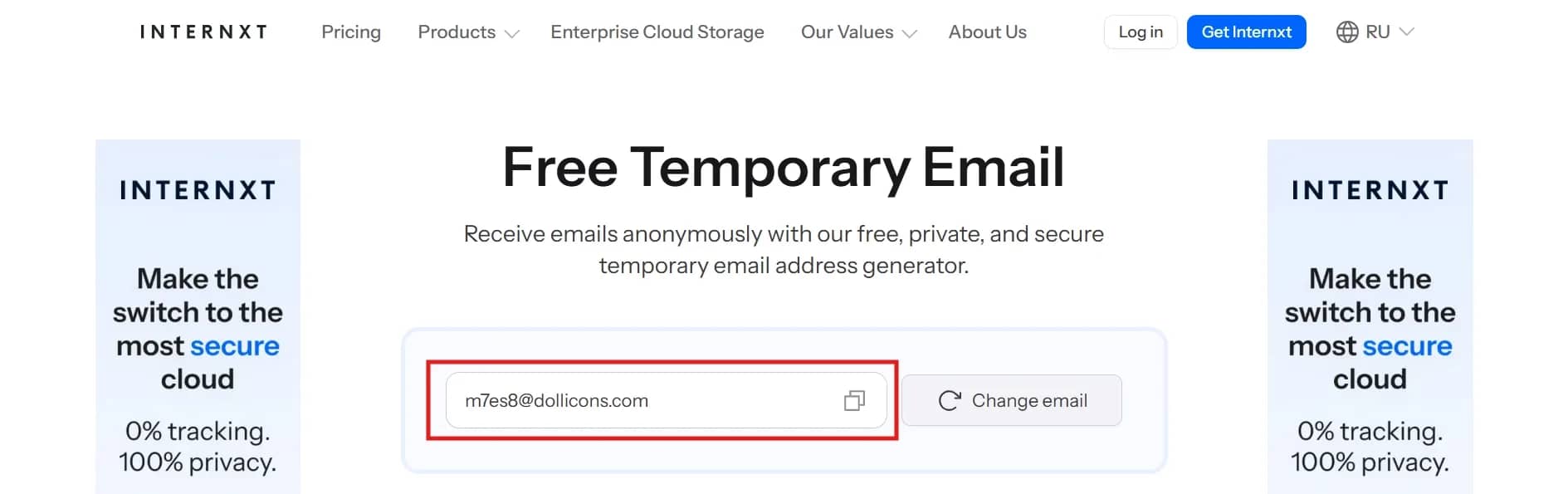
You cannot send emails from the Internxt mailbox, only receive and view incoming messages in the block below:
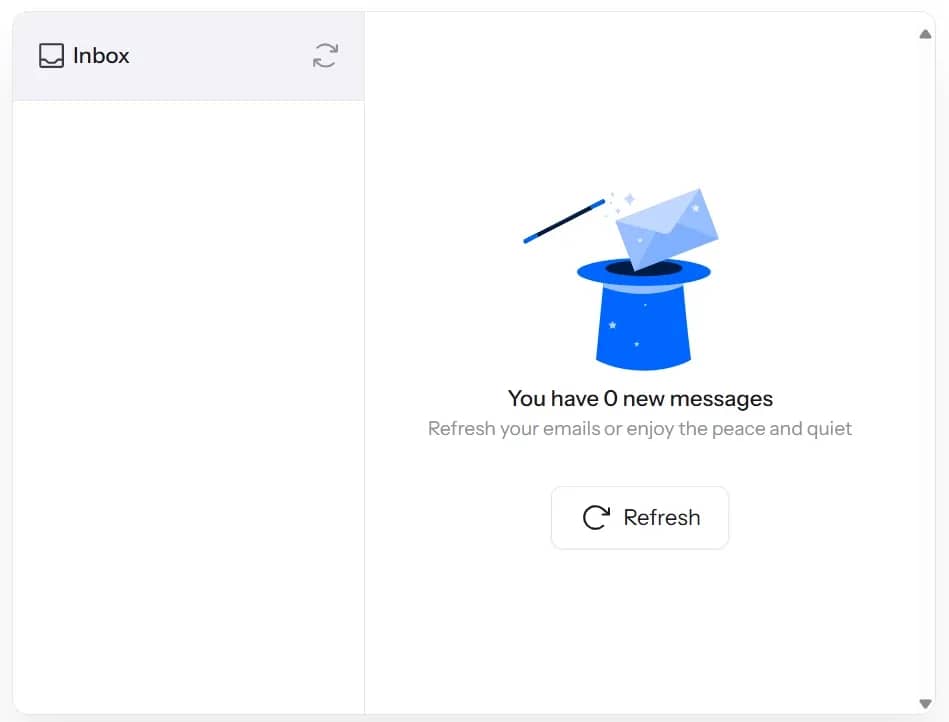
As soon as you generate a new mailbox, all previous messages will be lost, keep this in mind.
Internxt Assessment:
- Ease of use — basic understandable service without unnecessary hassles.
- Anonymity — you do not need to go through any authorization, just generate an Email and you can immediately use it.
- Security — the company uses post-quantum cryptography, which is an advanced technology in the field of data security. Even the product developers cannot access your emails.
- Functionality — the lifespan of the mailbox depends on how actively you use it. The email will be automatically deleted after 3 hours of inactivity or when the tab is closed. There is no ability to send letters, as well as create your own domain, and the service does not support attachments to letters.
- Features — incoming letters are not updated automatically, you will need to do this manually.
- Cost — free, but the number of emails is limited.
Emailnator
Emailnator is a temporary email service that can create addresses with its own domain, as well as with @gmail and @googlemail. The developers claim that they use exclusively real Gmail addresses to avoid problems on sites that can recognize disposable mailboxes and may not allow you to register, such as Facebook, Amazon, X, Instagram, TikTok, and Google.

Despite the undeniable advantage of Google domains, keep in mind that access to mail will be not only for you, but also for other users, since they give a really existing mailbox for use. So, you should definitely not send any confidential information there.
You can use the service completely free of charge, but if you need a large number of mailboxes, save the address, or you are simply not ready to watch a 30-second ad, there is an opportunity to get extended access to Emailnator features:
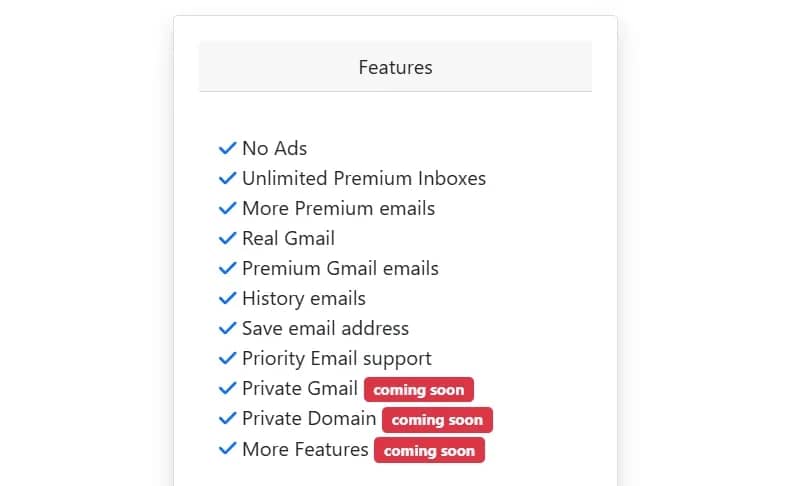
Registration will be required to pay for the subscription, but you can enter a backup email and a fake name, you will be immediately transferred to your personal account to replenish your account.
Emailnator Assessment:
- Ease of use — the site is outdated, a lot of advertising that cannot be skipped.
- Anonymity — for free use, you do not need to register and share data. You can pay for a subscription via PayPal or cryptocurrency.
- Security — possible access by unauthorized users when using Gmail mailboxes for free is not encouraging, but a subscription can fix this situation.
- Functionality — mail with the service domain will "live" only 10 minutes, but Gmail addresses can serve without restrictions, plus sending letters is available.
- Features — the ability to create a whole package of disposable addresses, attachments are not accepted, you cannot delete received letters.
- Cost — free with restrictions and advertising or $2.99 per month.
Mail.tm
Mail.tm is a platform where you can create temporary email without registration. When you click on the link to the site, an anonymous email is automatically generated.
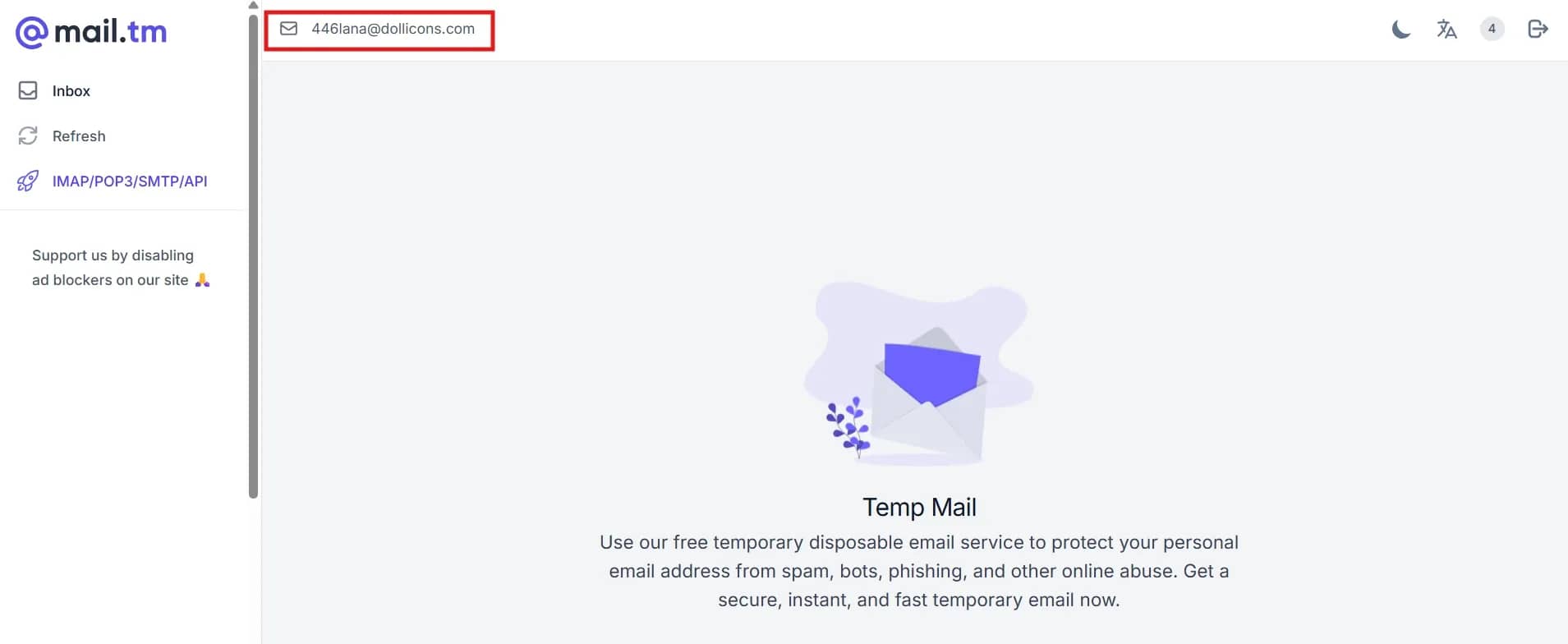
The service has a fairly simple function: the name of the mail, a folder with incoming letters, and a button to update the mailbox. Letters arrive as soon as Mail.tm receives them, due to optimization for maximum delivery speed.
Mail.tm Assessment:
- Ease of use — a simple and understandable site, there is advertising.
- Anonymity — registration in the service is not required.
- Security — emails are deleted after 7 days of storage on the server, when generating an email, the password is created automatically in your browser, stored in encrypted form, and no one but you has access to it.
- Functionality — temporary email will live forever, as long as you remember the password from it and do not personally delete the mailbox. Accepts letters with attachments, but there is no way to send letters and create your own domains.
- Features — generating a password for each mailbox. Forgetting it, you will lose access to letters. The mail can store data up to 40 MB in volume.
- Cost — free, but you can create only one mail at a time.
Temp mail
Temp mail is one of the most popular services that helps you quickly create a temporary disposable email. Registration is not required, the mailbox is generated automatically when you click on the link.
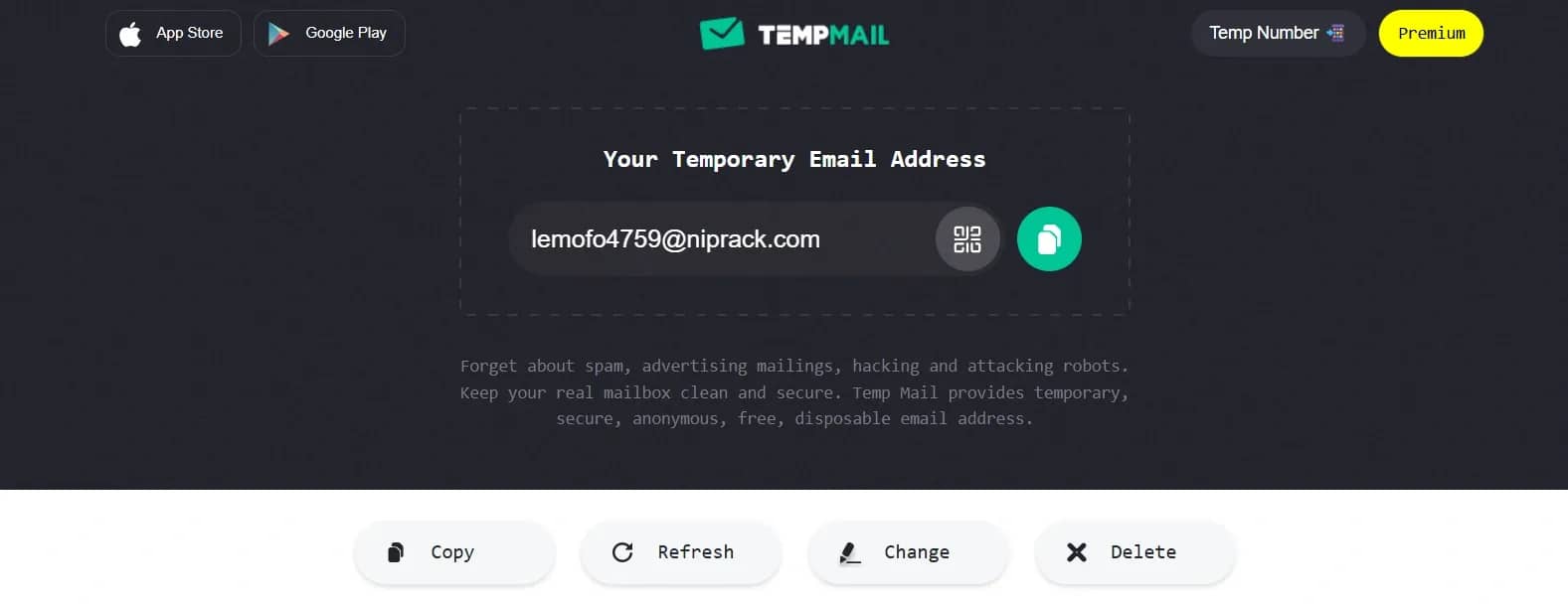
You have the option to delete incoming letters and change the email address if a new one is needed. There is also the creation of a QR code with the address, if you want to go to the page on another device.
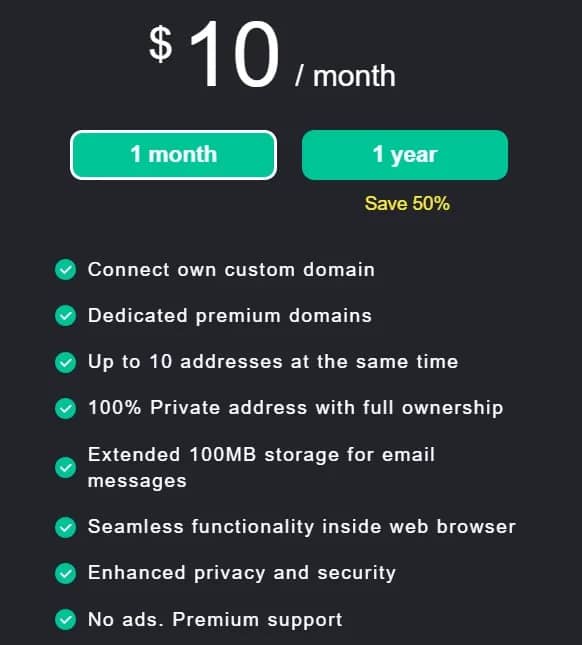
Extended functionality will cost you $10 per month. For this money you get:
Temp mail Assessment:
- Ease of use — understandable functionality, there is advertising.
- Anonymity — registration is not needed to create a mailbox, and you can pay with cryptocurrency when purchasing a subscription.
- Security — increased confidentiality and security can be obtained by subscription.
- Functionality — the lifespan of the mail lasts 1 hour. There is no way to send letters, and creating your own domains is available only by subscription.
- Features — the service automatically updates incoming messages every 10 seconds.
- Cost — you can create only one mail for free, there is also a monthly subscription costing $10.
Inboxes
Inboxes is a service for creating temporary email. It is convenient that incoming messages of disposable mail are not deleted and you can use email as long as the domain remains active.
To start working with the service, you need to click on the "Get my first inbox!" button on the main page, you do not need to register on the website:
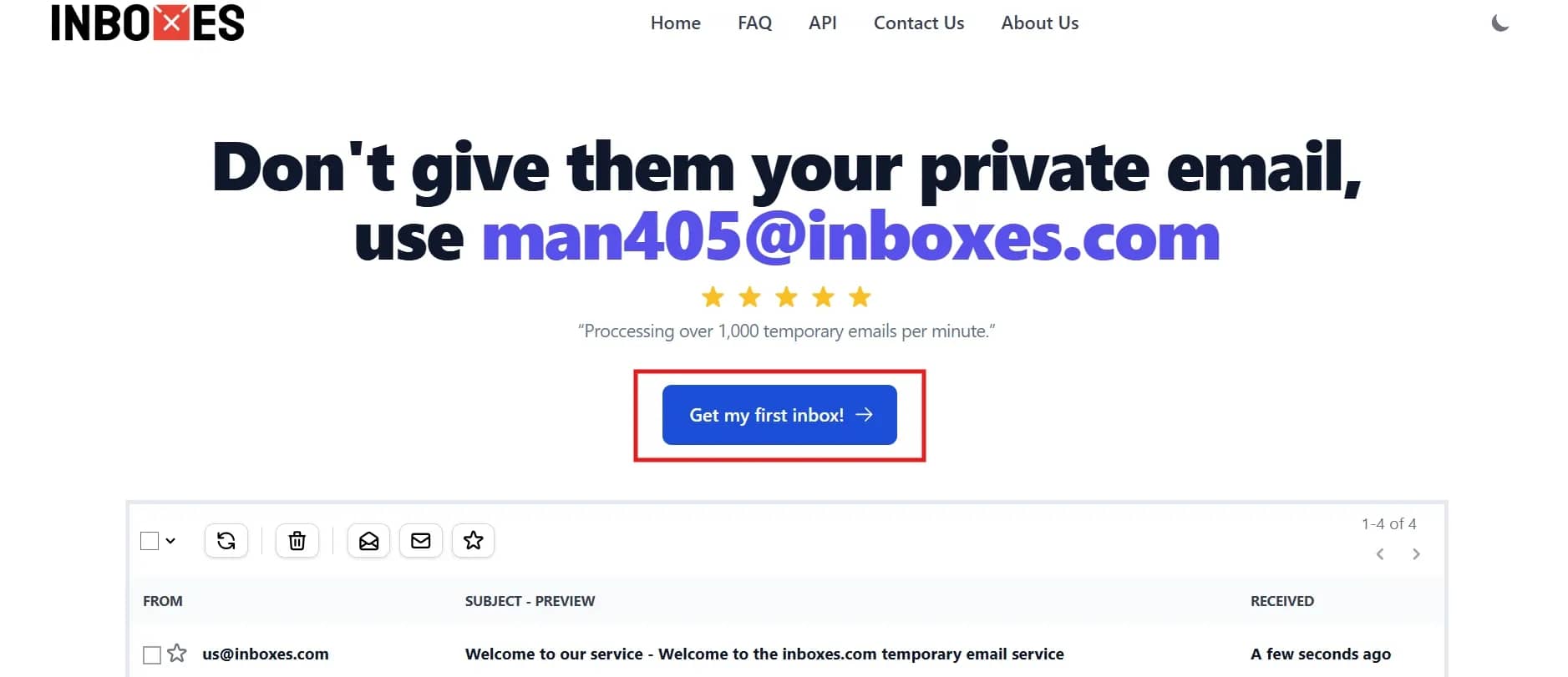
You have the option to select one of 19 domains, as well as come up with a username or ask Inboxes to generate it for you. You can use the mail as long as the domain remains active: for the correct operation of the service, the domains are periodically restarted, but you will be warned about this a month in advance so that you have time to save the necessary data.
Inboxes Assessment:
- Ease of use — a convenient site, but a lot of advertising.
- Anonymity — you do not need to register to use the service.
- Security — the site does not collect confidential information and does not have access to the content of letters.
- Functionality — access to anonymous mail is retained until you clear the inbox folder yourself. There is no way to send letters, but there is support for attachments.
- Features — individual letters can be deleted after 7 days, but the service does not give explanations what exactly. It is possible to choose one of 19 domains and enter a username. Perpetual use of the mailbox is available, and for one session you can have up to 10 folders with incoming messages, which implies the use of several accounts simultaneously.
- Cost — free.
How to Use Temporary Email Safely
When relying on temporary email services, it is vital to know how to protect your personal information:
- You should not use temporary email to register for important services, such as banking applications, cryptocurrency exchanges, Microsoft/Google/Apple accounts to which your devices are connected, in social networks, and messengers.
- Do not transmit confidential information through disposable mail!
- Carefully double-check the senders of letters to avoid phishing.
- Remember how long the life cycle of disposable mail lasts. If you need to save important emails, do not forget to do so, then you will not be able to access the necessary information.
- Do not link accounts when registering on various services, it is better to use different disposable addresses.
Conclusion
Before using a temporary email service, remember that not all solutions will be able to provide you with anonymity. Some disposable mailbox domains may be blocked by sites where you want to register, and some platforms may secretly collect data about users. If you need a reliable service that definitely works, take advantage of the offer from our selection.
Frequently asked questions
- Temporary email is an anonymous email address that works from a few minutes to a month, which, after the specified period, is deleted with all its contents. It can be used when registering on services where one-time access is sufficient. Helps not to litter your main email with spam and maintain anonymity.
- The use of temporary disposable mail is legal. It is used to ensure anonymity, protect against spam, and maintain data confidentiality. Temporary email services are absolutely legal and do not violate the law. The only thing is that certain sites may block registration using such addresses, as they violate the internal rules of the platforms.
- It all depends on the service: some provide this opportunity, but most are focused exclusively on receiving letters. If you want to anonymously send a letter, we advise you to use the Emailnator website.
- To protect anonymity when using a temporary email address, use it in conjunction with a VPN or anti-detect browser to avoid saving digital fingerprints and cookies.

How to Check Your Antidetect Browser for Fingerprint Leaks
Even the strongest antidetect setup can fail without testing. Fingerprint mismatches, automation traces, and hidden leaks often go unnoticed until it’s too late. This article shows why you should check antidetect browser, where users slip up, and which platforms can help you stay invisible.

Can You Have Multiple eBay Accounts? How to Manage Them Safely
eBay allows sellers to operate multiple accounts, provided each one follows its policies and maintains transparent activity. What began as a simple option for separating sales or audiences has evolved into a complex ecosystem where strategy, compliance, and reputation intertwine.

How to Buy a Domain Anonymously with Cryptocurrency — Best Services of 2026
If you need anonymous registration so that your name cannot be linked to the site, you need to choose not only a suitable registrar but also pay with cryptocurrency.