
The email market in 2026: who buys, how much they cost, and why they have become harder to register
A separate line of work in an anti-detect browser is creating emails for registrations: an email is created, and through it, profiles are registered on other platforms, codes are received, actions are confirmed, and access is restored. Mail is a working consumable, for which there is a stable, high demand.
In this material, we will look at how the mail account market works: who buys them, who sells them, what makes up the price, and what lots are currently on the display windows.
Who buys mail and how they make money from it
Ready-made mail accounts are purchased by specialists and teams working with farming, testing, and multi-accounting: among them are media buyers, SMM specialists, resellers, digital agencies, service owners, and farming departments.
In some cases, mail is needed to register a profile, accept a code, and test a hypothesis. In others — as part of the working infrastructure, to which access can always be obtained. Separately, mail is bought with access via IMAP or SMTP: they are needed for simultaneous work with a large number of inboxes through software.
The seller either registers the mail themselves or buys from suppliers, sorts them by parameters, and puts them on the display window. They are sold through account stores, digital goods marketplaces, closed chats, Telegram channels, and resellers. The display window usually looks like a catalog: the type of mail, domain, account parameters, price per piece, etc., are indicated.
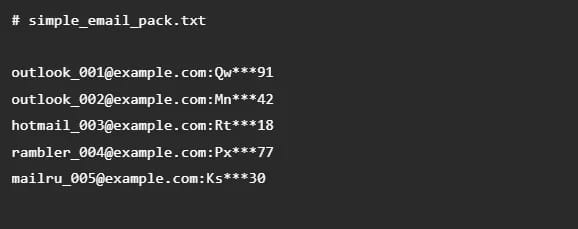
After payment, the buyer receives the data for logging into the account. In cheap lots, this is most often a login and password, in more expensive ones — additional accesses and parameters: recovery email, OAuth2, cookies, 2FA, etc.
The seller's earnings are the difference between the cost price and the selling price. If a person registers mail themselves, they need to pay for the entire infrastructure: proxies, confirmations, software, manual verification, and replacement of defects. For resellers, the model is simpler: they buy accounts in bulk from suppliers, sort them by type, and sell them for more. In both cases, the commission of the service where the accounts are listed must be additionally taken into account.
Why registering mail has become so difficult (and expensive)
Now, many major platforms check not only the registration form but also the entire account environment: IP, device, browser fingerprint, GEO, behavior, and session history.
Anti-bot systems have become tougher
Today, Google or Microsoft security systems operate on the basis of machine learning. The platforms analyze dozens of behavioral factors: how quickly text is entered, whether there are micropauses between clicks, whether the mouse cursor moves naturally, what fonts are installed in the system, and how graphics are rendered.
If the algorithm sees mechanical, perfectly even timings or the slightest mismatch in browser fingerprints — the entire pool of registered accounts is instantly flagged as suspicious.
Total dependence on proxies and anti-detect
Registering mail today is a matter of high-quality infrastructure. Cheap datacenter IPv4s will lead to bans: the market has almost completely switched to expensive residential and mobile proxies.
But proxies alone will not save you if your anti-detect browser has leaks. One of the problem areas is UDP traffic. In simple terms, the internet connection works through different types of data transmission. Part of the traffic goes via TCP: this is a more familiar and simpler option for proxying. And UDP is particularly important for setups under Google services: the QUIC protocol, which helps speed up connection in Chrome and Google products, works on top of UDP.
A poor anti-detect routes only TCP, because proxying UDP is technically more difficult. If the browser cannot correctly run UDP through a proxy, it will either let this traffic go directly and leak your real IP address, or simply block it.
For Google, blocking UDP is a trigger for suspicious activity. The algorithm sees the following picture: a user knocks, pretending to be an ordinary person with the latest version of Chrome or an Android smartphone. But for some reason, the user has QUIC completely disabled and no UDP packets are going through: this is how bots, emulators, and server scripts in data centers behave.
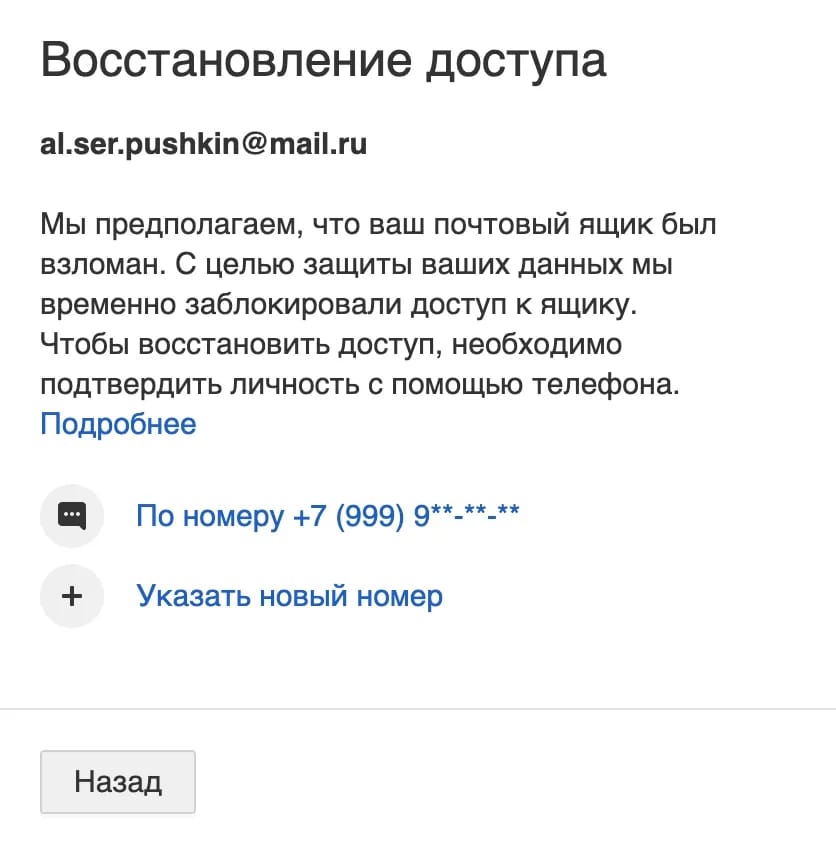
The result is predictable: the profile's trust drops to zero even at the stage of loading the registration page. Google will either immediately send you to SMS verification, which no virtual number will pass, or issue a shadow or real ban.
This is exactly why support for UDP connections has become one of the main criteria when choosing an anti-detect browser. When you use Linken Sphere, the anti-bot sees an absolutely natural connection picture. This gives a huge boost to trust and multiplies the percentage of successful registrations.
Problematic Gmail: why it is difficult to automate
But even if you set up the perfect workflow, bought premium residential proxies, and your anti-detect flawlessly processes UDP traffic, the problems will still not disappear. Registering Gmail on a large scale is practically impossible now: there are two main reasons.
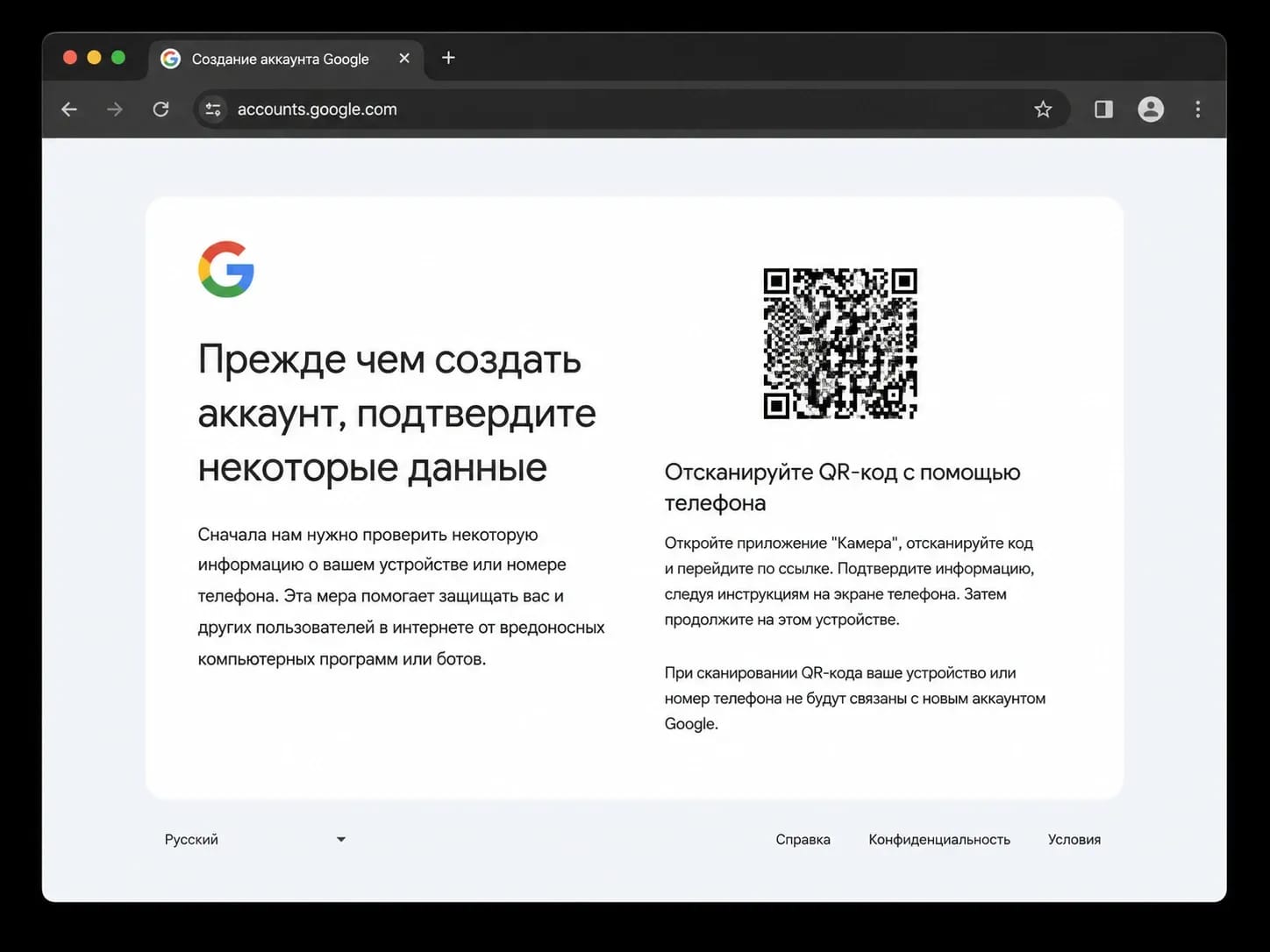
Cross-device checks. Google is increasingly rolling out checks that cannot be bypassed by a simple clicker: the platform asks to confirm registration by scanning a QR code from a physical mobile phone. For the algorithm, this guarantees that a live person with a real device in hand is in front of it, and not a bot. Simulating such behavior programmatically is extremely difficult.
The problem of virtual numbers. The usual spamming of codes through cheap SMS activators no longer works: Google detects used pools of numbers instantly and simply does not send SMS to them. Real physical SIM cards are needed now.
Template scripts on BAS or Zennoposter, which used to create thousands of accounts through browser emulation, cannot pass such checks. Now, creating a trusted Gmail is a semi-manual job with farms of real mobile devices, expensive proxies, and constant operator control.
Shadow bans
Another headache is delayed sanctions. An account does not always fly into a ban or to a check right at the moment of creation: the mail can be successfully registered, pass the verification by the seller's checker, and get onto the store window with the "valid" status.
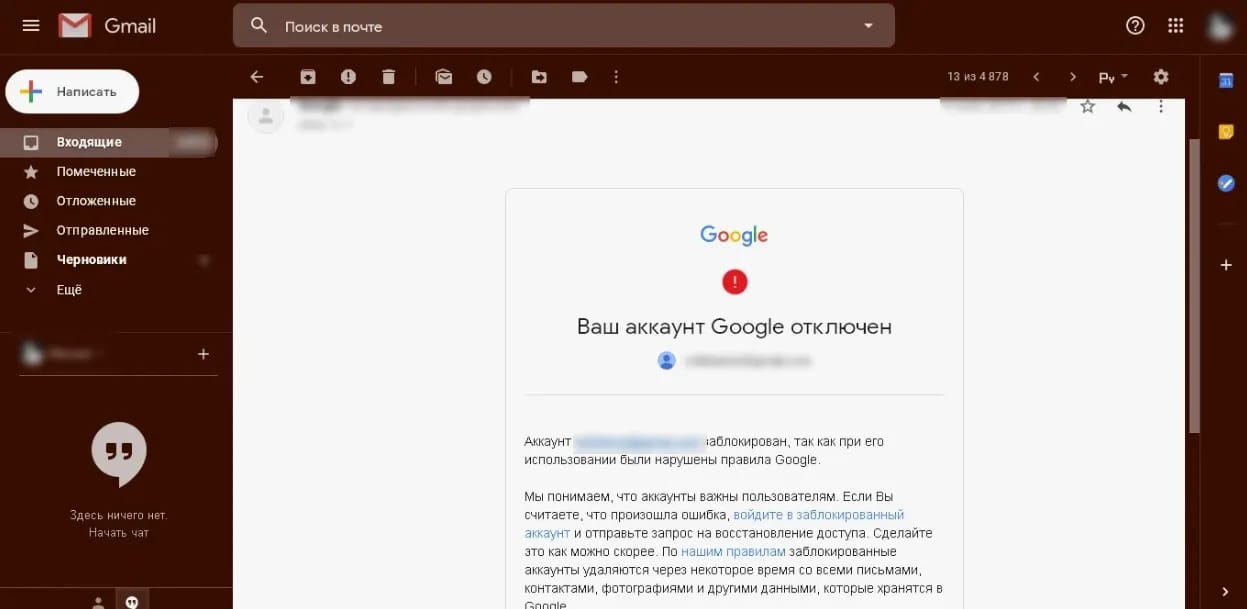
However, a block or a request for number verification can arrive at another moment: during the first authorization from new hardware, when changing the password, or at the exact second of linking an ad account. The anti-bot system simply waits for a trigger like an IP or fingerprint change to nullify the profile's trust. It is this mechanic that provokes most registry disputes in the niche: the seller is sure they delivered working goods, while the buyer sincerely believes they were sold used garbage.
The end of simple automation
All these factors led to one thing: classic automation has finally died. Ordinary scripts that simply parse the DOM tree and click buttons linearly no longer work.
To generate a large flow of mail, custom mobile device emulators, smart inflation of behavioral factors, integration with top anti-detects via API, and manual farming control are needed.
The current mail market: what is sold and how much it costs
Now let's move from the general mechanics of the market to specific examples. Let's take several account stores and see what emails they offer: from cheap auto-registers to Gmail and Outlook with verification, aging, and access via IMAP/POP3/SMTP.
AccsMarket
AccsMarket is a trusted account store where emails are placed in a search-friendly separate section.
- Rambler. The cheapest lots. Rambler.ru accounts with POP3/SMTP/IMAP cost from 0.554 RUB per piece. MIX lots with domains lenta, myrambler, autorambler, ro, and rambler — from 0.739 RUB. Rambler from 2018 is priced from 3.08 RUB.
- Outlook and Hotmail. Large volumes and a wide price range. Outlook 2023 and Hotmail 2023 marked with a possible SMS verification tag cost from 0.123 RUB. Options with an OAuth2 token go from 0.61 RUB. Outlook 2023 with POP3/SMTP/IMAP costs from 12.32 RUB, Outlook 2022 — from 54.43 RUB, Outlook 2021 — from 65.51 RUB.
- Mail.com. Many lots with different domains. Normal mail.com costs from 1.23 RUB, mixed — from 3.7 RUB. Domains email.com, usa.com, and sets like myself, consultant, asia, iname, post, europe go from 8.62 to 14.78 RUB. Accounts with a registration date of 2025 cost more — from 22.17 RUB and above.
- Mail.ru. The choice is small. At the time of writing, there is one lot in stock in the section — Mail.ru registered in 2021. The cost is from 18.48 ₽ per piece.
- GMX. Wide choice of domain zones. Gmx.com with POP3/IMAP/SMTP costs from 3.45 rubles. GMX with email verification and included mail — from 3.63 RUB. Several more gmx.com lots go from 4.67–4.93 RUB. Gmx.us and gmx.fr cost from 8.01 RUB, gmx.com of 05.2025 — from 8.28 RUB.
- Yandex. A separate large RU segment. Yandex.ru marked with a possible SMS verification tag costs from 30.79 RUB. There is also yandex.ru for 36.95 RUB, where the description states that receiving and sending emails may not work without SMS confirmation. The same price tag applies to Yandex 2018 — 36.95 RUB per account, 1,732 pieces in stock. Separately, there is yandex.com from 2020 for 1,231.67 RUB.
Also on the store window there are lots of Yahoo, AOL, Protonmail, and less known mail services like atomicmail.io, inbox.lv, libero.it, Web.de, and WP.pl. The price spread is large: from 0.854 RUB for atomicmail.io to 100+ rubles for individual Protonmail and Web.de accounts.
Buy-Mail
Buy-Mail is an account and proxy store where emails are divided into sections: Google, Outlook and Hotmail, miscellaneous mail, and Second hand.
- Gmail. The most noticeable block on the page. On sale is mail verified by SMS, with unlinked number, for recovery, with 2FA, aged, manual registration, MIX IP, and specific GEOs. The cheapest live lots start at $0.20–0.22. By GEO: France and Germany — from $0.24, Poland — from $0.29, USA — from $0.31, Ukraine — from $0.33. Warmed-up accounts with recovery mail — roughly from $0.57 to $0.91. More expensive options with 2FA, manual registration, real numbers cost from $1.05 to $1.80.
- Outlook and Hotmail. Large volume and very low prices. Outlook.com and Hotmail.com marked "SMS verification required" cost from $0.010. Outlook 2021–2022, which works through the browser and does not require SMS at login, costs $0.062–0.065. Lots with OAuth2, refresh token, IMAP/POP3/SMTP, and browser access go from $0.017 to $0.043. Local Outlook domains are sold separately: outlook.pt, outlook.lv, outlook.jp, outlook.it, outlook.de, outlook.fr, and others — mostly at $0.012 per account.
- Mail.ru and RU mails. In the "Miscellaneous mail" section, there is Mail.ru 2021–2024 in IMAP format for $0.041, but marked "no warranty, no replacements, and no refunds," with a minimum order of 1,000 pieces. Mail.ru 2018–2022 costs $0.026. Mail.ru 2020 with recovery mail — $0.050, Mail.ru 2021 with recovery mail — $0.09.
- Rambler. One of the cheap mass options. Rambler.ru with auto-registration, IMAP, POP3, and SMTP costs $0.016. Rambler.ru Mail with MIX IP and marked "used for registration" — $0.010. Rambler.ru with IMAP/POP3/SMTP — $0.026. There are separate Rambler lots registered in 2021–2022: prices mostly stay around $0.010–0.029.
- GMX and Mail.com. GMX is represented by different domains and formats. GMX.com with browser access and IMAP/POP3/SMTP costs $0.037, GMX with auto-registration and Russian IP — $0.025, GMX.com with auto-registration from 2025 and European IP — $0.013, GMX.FR with IMAP — $0.033. Mail.com also comes in several lots: with browser access only — from $0.029 to $0.032, Mail.com with IMAP — $0.019.
- Firstmail and custom domains. The section has new Firstmail accounts for Telegram, Discord, and Steam at $0.010, new Firstmail from a limited bath for Facebook and Instagram at $0.010, as well as new Firstmail with browser access and IMAP at $0.013. Custom domains cost even less: email on Eternal domains — $0.0006, email on RU domains from a limited pool — $0.0025, email on com domains from a limited pool — $0.0031. Separately, there are Mail.tm at $0.010 and other domains for registration.
Also on Buy-Mail, there are AOL, Yahoo, Proton, Yandex, Web.de, Onet, Seznam, UKR.NET, Meta.ua, and a large block of used emails.
DarkStore
DarkStore is an account marketplace where 1,784 products were found in the mail section.
- Outlook and Hotmail. The largest and cheapest segment. Outlook auto-registered with a note that SMS may be required to unlock costs from 0.029 ₽. Hotmail/Outlook with Web and Graph API, where OAuth2 tokens are included, cost from 0.31 ₽. Specific Outlook/Hotmail auto-registered accounts with aging from 10 days and no SMS at login — from 0.37 ₽.
- Rambler. Large volumes and low price. The cheapest lots start at 0.15–0.24 ₽, but among them are separate options marked with notes about recovery, blocking, or aging. Main lots with IMAP/POP3/SMTP and 90–100% validity cost from 0.37 to 0.44 ₽. Auto-registered Rambler accounts aged from 1 year go from 0.40 ₽, and lots with aging of 1–2 years, activated POP3/IMAP, and a note that no phone number is required cost from 0.57–0.58 ₽.
- Mail.ru. Middle price segment. Mail.ru from 2021 with recovery mail costs from 11.05 ₽. Mail auto-registered accounts from 2024 with MIX IP — from 11.22 ₽. Mail 2024 with Slavic names, SMS confirmation, and activated IMAP/POP3/SMTP — from 11.73 ₽. Older email accounts from 2020–2022 with bk, inbox, mail.ua, and mail domains cost from 25.50 ₽.
- GMX. Many lots with activated mail protocols. GMX with POP3/SMTP/IMAP starts from 2.90 ₽. GMX.com/GMX.us with IMAP, POP3, and SMTP cost from 3.48 ₽. GMX.com on USA IP — from 5.80 ₽. GMX.com aged 5–12 months — from 6.53 ₽.
- Mail.com. There are both cheap mixed lots and more expensive accounts. Mail.com on mixed domains costs from 0.61 ₽. Mail.com 2025/2026 with SMS and "login/password" format — from 0.76 ₽. Mail.com with browser access only goes from 1.80 ₽. Mail.com with activated IMAP — from 2.55 ₽. Mail.com with one-year aging costs from 10.15 ₽, and fresh manual registration lots — from 32.30 ₽.
Also on DarkStore, there are Yahoo, AOL, Onet.pl, Firstmail, Mail.tm, and various used emails. Yahoo starts at 3.68–4.59 ₽ for blocked or IMAP lots and reaches up to 188.50 ₽ for SMS-verified accounts with a long aging period.
Conclusion
Currently, purchased email works fine only as part of an infrastructure. The result is affected by the lot itself, IP, GEO, browser fingerprint, cookies, session history, and subsequent behavior. Therefore, the logic is simple: select an email for the task, launch a separate profile in Linken Sphere for it, and run the account without unnecessary crossings with other profiles.
Why Google Blocks Accounts and What Your Antidetect Has to Do With It
Google has once again complicated the mechanisms of digital identification by deploying a new, more sophisticated layer of protection based on proprietary HTTP headers. This quiet change caught most of the market off guard, triggering a wave of rushed updates. While others hastily released superficial 'fixes', we realized that we were dealing not with a minor issue but with a fundamental shift that required deep and comprehensive analysis.
SOCKS vs HTTP Proxy: What’s the Real Difference and Which One to Choose?
There are times when you don’t want a website to link the request back to your device. That’s where a proxy comes in, it acts like a middle layer and sends the request for you. The site sees the proxy’s info instead of yours. It’s a go-to trick when you’re trying to see a page that’s not available in your region, pull content that’s restricted by location, or avoid hitting a wall when sending lots of requests.

The Best Alternative to OBS Studio
Working with a webcam on many online platforms can turn into a real challenge. A strict oval or rectangular frame appears on the screen, but your image doesn’t align perfectly with it. As a result, the system blocks further progress, demanding perfect alignment, and your workflow is disrupted before it even begins.