
5 Free Web Parsers: A Working Collection of Tools
There are many scrapers offering sophisticated paid plans, but often this turns out to be overkill: for one-off tasks and testing, free services are perfectly adequate.
In this article, we have gathered 5 working scrapers that allow you to work with them for free, either partially or fully. After reading it, you will understand which tool suits your task, whether the provided limits will be sufficient, and when you should seriously consider upgrading to a paid plan.
Classification of Scrapers: Which Tool to Choose
A scraper is software that collects information from websites automatically. This can be any data—prices, product descriptions, contact details, news, and much more. For internet marketers, scraping is not just a useful but often a mandatory element of a successful strategy; if you can delegate many hours of routine work to a tool, why not take advantage of it?
To understand which scraper to use, let's break down the main types:
No-code scrapers. Designed for anyone who wants to quickly collect data without diving into the intricacies of programming. Basic interaction with the site interface is enough to configure the tool. This is the ideal solution for one-off data pulls, competitor monitoring, and catalog population.
Python libraries. The choice of developers looking for flexibility and control over the process. You can write your own code for a specific task, connect proxies, and solve CAPTCHA in any convenient way. These tools are an excellent option for integrating scraping into existing systems and handling complex, non-standard sites.
AI scrapers. Based on a modern neural network approach, where the tool itself understands the site structure and doesn't break every time the design changes. Just show the AI what data you need, and it will automatically configure the necessary functions. This is the optimal choice for extracting information from complex PDF reports, scans, and pages with non-uniform layouts.
Specialized scrapers. Usually, they are fine-tuned for specific sources: Instagram, TikTok, Amazon, Avito, news aggregators, etc. They are initially configured for the peculiarities of these platforms, bypass their anti-fraud systems, and deliver data in a convenient structure. Perfect if you need to regularly collect information from the same popular site or social network.
Cloud freemium scrapers. They allow you to run scraping not from the user's PC but through a remote server. This way, you can set up automatic collection on a schedule and not keep your computer on all night, while also scaling easily. Free credits in such parsers are usually enough to process several thousand lines per month, it's enough for testing and small projects.
On the market, you can find hybrid scrapers that fall into two or more of the listed categories. AI solutions are penetrating all markets, just as many scrapers are adding separate functionality for popular work sources, so don't be surprised if you see a multi-purpose solution for different tasks.
Top 5 Free Scrapers
You can choose a quality scraper online yourself, but we will try to save your time and tell you about five diverse tools, each of which allows for free scraping to perform specific tasks.
Octoparse
A no-code scraper for collecting data without programming, which has been on the market since 2016 and is used by over 3 million users worldwide. The tool is suitable for marketers, analysts, and anyone who doesn't want to delve into code: the Octoparse interface is maximally simple and intuitive. The scraper can collect almost any open data — from images and text to reviews and company contacts — and it works excellently with sites using JavaScript, AJAX, infinite scroll, and dropdown lists. With built-in AI functions, Octoparse can automatically determine the page structure and suggest what data to extract.
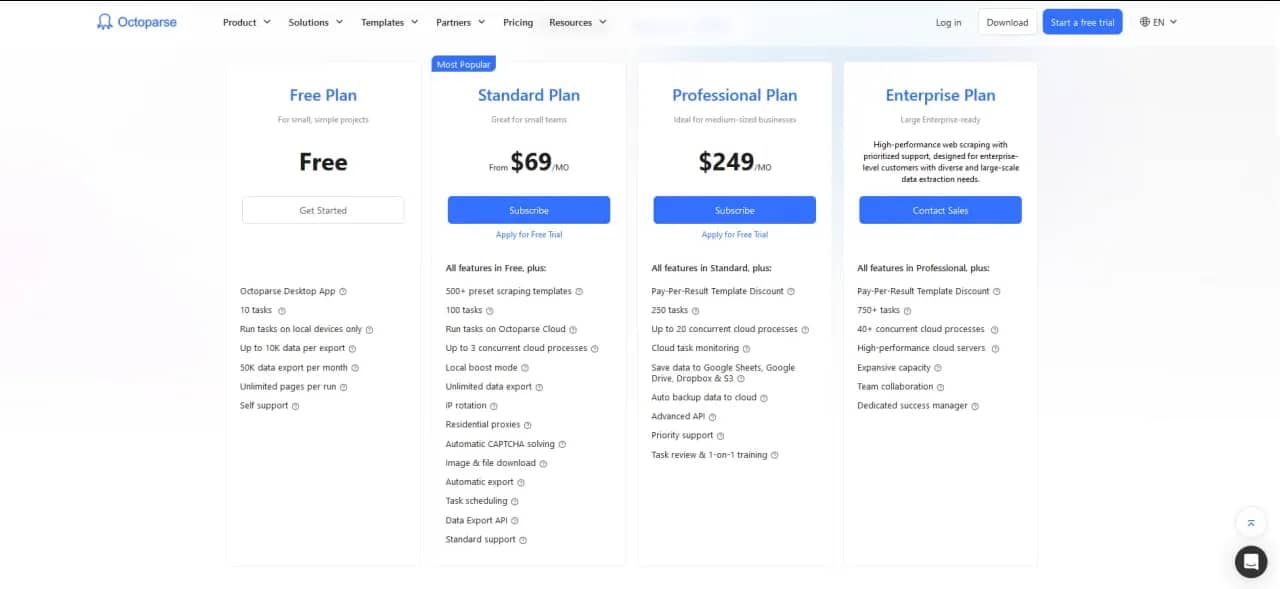
Free and Paid Plans in Octoparse
Among the advantages of Octoparse are its convenient interface, the ability to work with complex dynamic sites, and over 200 ready-made templates for popular sites like Amazon, Google Maps, and LinkedIn. Additionally, the scraper has a cloud version with auto-launch on a schedule and automatic IP rotation.
The only disadvantage, but a significant one, is the heavy limitations of the free version:
- No more than 10,000 records for data export;
- No more than 50,000 records per month;
- Running tasks only on your own PC;
- No technical support.
Instaloader
An open-source scraper for Instagram, written in Python and distributed under the free MIT license. Instaloader has been on the market since 2016 and has garnered over 10,000 stars on GitHub, making it one of the most popular tools for working with content.
Instaloader can download public and private profiles (with authorization), hashtags, stories, reels, IGTV, saved posts, as well as comments, geotags, and captions for each post. The tool is available in two versions:
- As a CLI utility for quick use from the terminal;
- As a Python library for integration into your own projects.
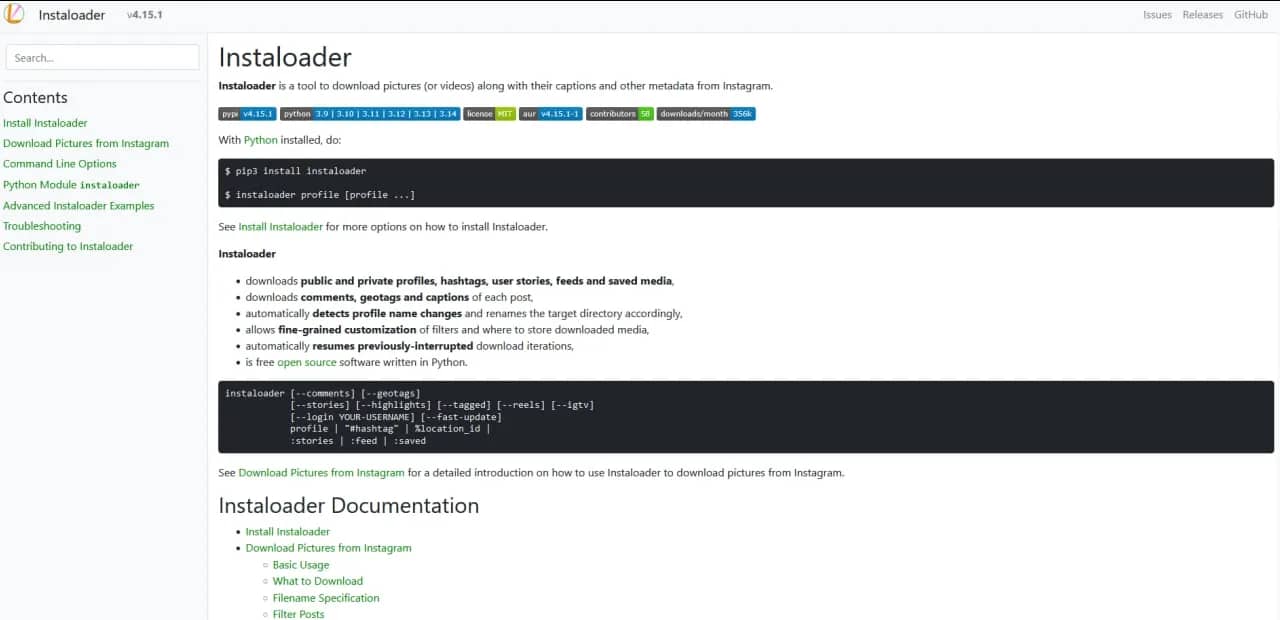
Instaloader Page on GitHub
Instaloader is a completely free scraper that can detect profile name changes and rename corresponding folders on its side, supports resuming interrupted downloads, and works through session cookies, allowing you not to transmit your password every time.
The downside is that Instagram is not too fond of this tool and may block the account during aggressive scraping, which often happens. Additionally, the software has a limit on the number of posts (about 2,500 per run), and to access private profiles and some types of content, it requires authorization. Furthermore, to bypass blocks, you will most likely need proxies and session rotation.
Scrapy
An open-source scraper that has been working since 2008. It can parse any open data: text, links, images, files, and structured tables. Among Scrapy's capabilities is bypassing sites with pagination and nested pages.
The framework is notable for the fact that it does not wait for a response from the server but sends the next request in parallel, making it many times faster than numerous self-written scripts.
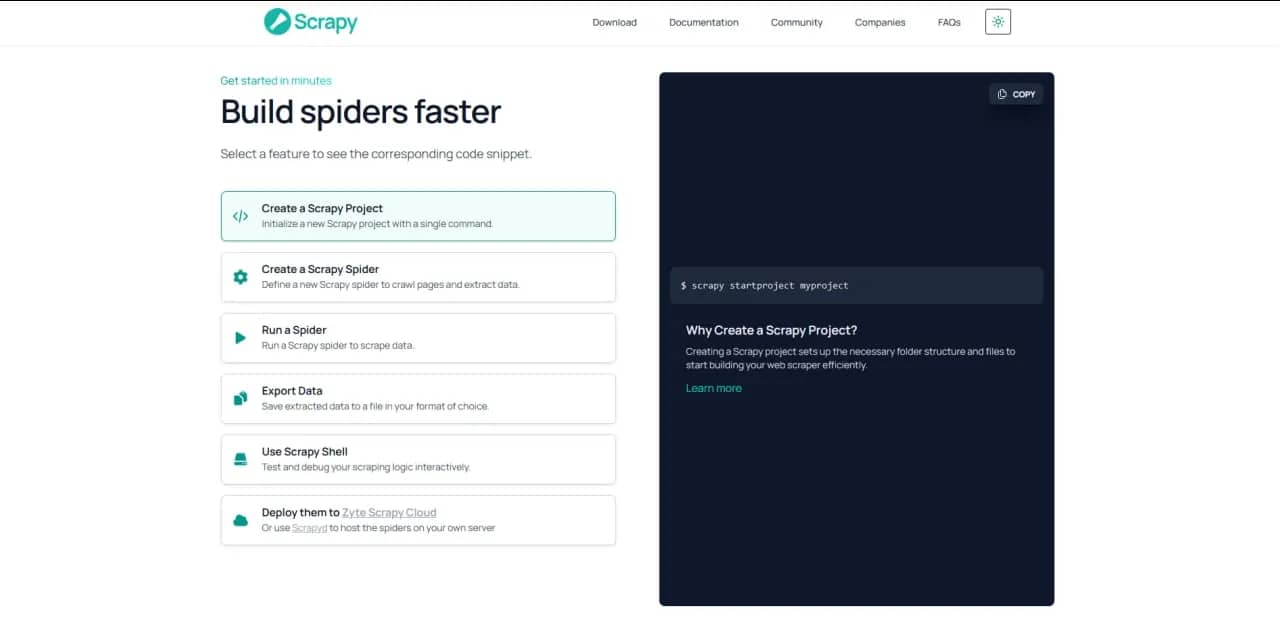
Scrapy Capabilities for Users
Scrapy is a completely free scraper with high working speed and built-in export functions to JSON, CSV, and XML. It allows you to easily connect proxies, solve CAPTCHA, and scale across several servers simultaneously. Moreover, it has a huge user community and thousands of ready-made extensions.
Among the minuses are high requirements for Python knowledge and understanding of working with HTML/CSS selectors, as well as framework architecture. Additionally, project support and documentation are only available in English.
LiteParse
An open-source AI parser for text extraction from documents, released by LlamaIndex in March 2026. The tool belongs to the category of new-generation AI scrapers: instead of trying to guess where the table or heading is, it projects text onto a spatial grid, preserving columns, indents, and alignment in their original form. LiteParse can parse PDFs, Office documents (DOCX, XLSX, PPTX — via conversion to PDF), and images (PNG, JPG, TIFF). It works locally on your PC, requires no API keys, and sends no data to the cloud.
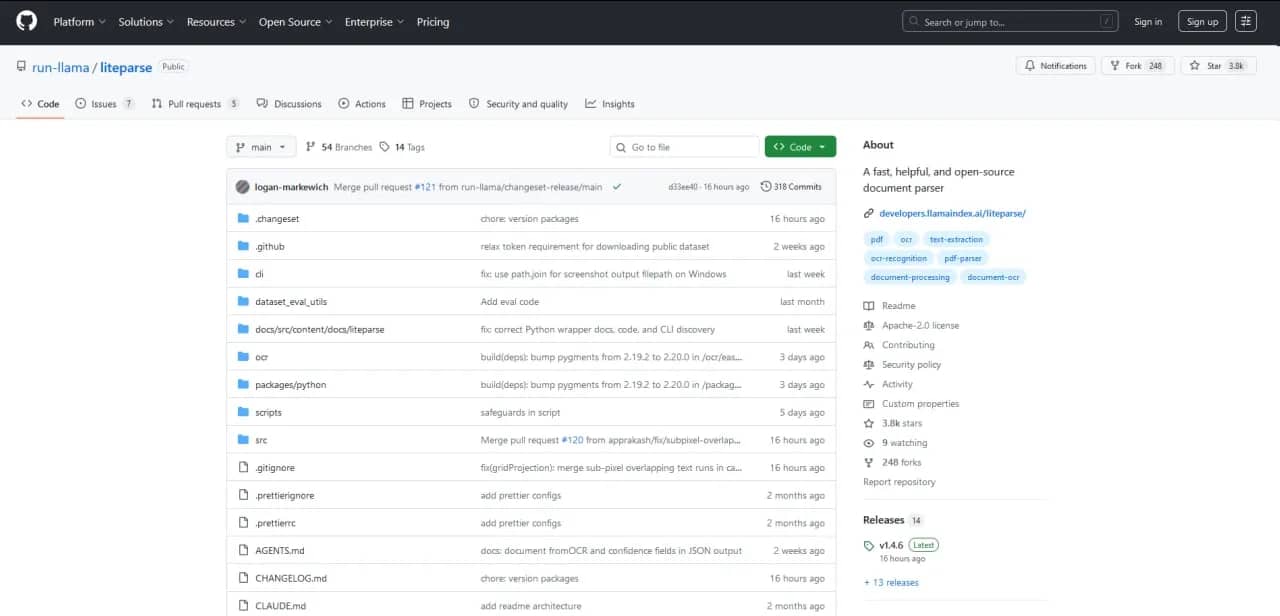
LiteParse Capabilities for Users
LiteParse can be used for free. The parser preserves complex layouts better than PyPDF or plain text, and can also generate page screenshots for multimodal LLMs (GPT-4o, Claude). It is available as a CLI and as a library for TypeScript/Python, and is characterized by high working speed: about 500 pages in 2 seconds on standard PCs.
According to the developers, LiteParse still lags behind the paid cloud LlamaParse on documents with complex layouts, including dense tables, multi-column layouts, and handwritten text. Additionally, this is a new service, so it currently has a small community.
Apify
A cloud platform from the freemium category, offering over 10,000 ready-made scraping templates in the Apify Store: Amazon, Google Maps, YouTube, Instagram, TikTok, and many other resources. Apify can parse prices, reviews, contacts, social media posts, and other data types. It confidently bypasses CAPTCHA and Cloudflare protection using a built-in proxy pool and anti-bot technologies. The platform is suitable for both one-off pulls via a visual interface and industrial scraping through an API with scheduled auto-launch and webhooks.
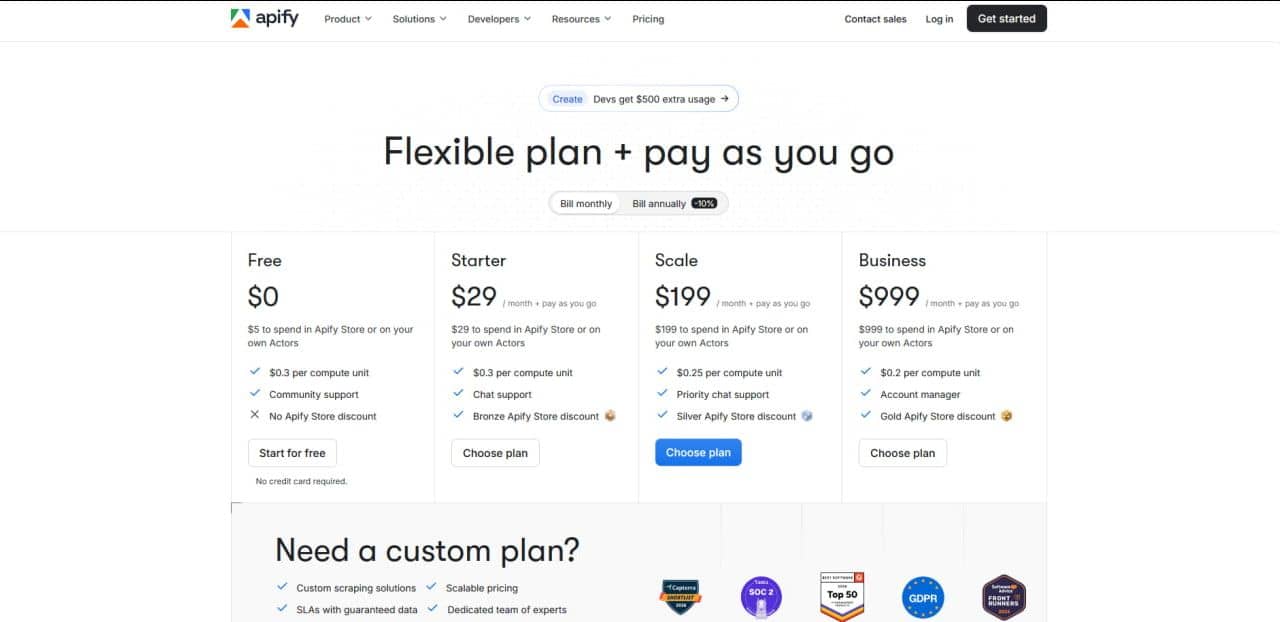
Free and Paid Plans in Apify
Apify users have access to a free tier, a template store for every occasion, built-in tools for bypassing blocks (IP rotation and CAPTCHA solving), the ability to schedule scraping and integrate via API with any systems. The service supports JavaScript, TypeScript, and Python SDKs.
Among Apify's minuses are its complex billing system and the need for coding knowledge when composing your own template.
Comparison Table of Scrapers
To make it easier to choose your preferred data collection tool, we have compiled a comparison table with detailed descriptions of the features and capabilities of each instrument:
| Feature | Octoparse | Instaloader | Scrapy | LiteParse | Apify |
| Scraper Type | No-code | Specialized (Instagram), Python library | Python library | AI parser | Cloud (freemium) |
| Complexity of Use | Low: simple interface and ready-made templates | Medium: requires working with the command line, but documentation is clear | High: requires Python knowledge, HTML and CSS selectors, framework architecture | Medium: installation via npm/pip, launch via CLI or import into code | Low when working with ready-made templates, high for creating new ones |
| Limits | 2 local tasks, 10,000 templates for export | None, but Instagram limits to 2,500 records per session | No limits, restriction only on your server and proxy side | None, speed approx. 500 pages in 2 seconds | 2,500–5,000 rows of data per month (conditionally free, approximately $5) |
| Best For | Collecting competitor prices, monitoring marketplaces and online stores | Collecting profiles, downloading stories and reels, gathering comments and captions by hashtags | Large-scale scraping, integration into existing backend systems | Extracting text from PDFs, scans, and images, preparing data for RAG systems and LLMs | Monitoring social media on a schedule, parsing maps and marketplaces, integration with CRM via API |
When a Free Scraper Is Not Enough
A free scraper handles test tasks, one-off pulls, and small data volumes excellently. But as soon as a project starts scaling or runs into site protection, the free limits become insufficient. Here are four signals that it's time to think about upgrading to a paid plan:
The site started showing CAPTCHA constantly. Free versions usually don't include CAPTCHA solving software. If the site starts issuing a verification check after every few requests, the free scraper will simply stall. Paid tools, however, integrate with recognition services (2Captcha, Anti-Captcha) and use pools of clean proxies to trigger the system less frequently.
Automation on a schedule is needed. Free plans often only allow you to run scraping manually. If you need to collect exchange rates every 15 minutes or monitor product stock hourly, you can't do without a cloud scraper launch on a schedule. This option is almost always paid, but for tasks of this nature, it's indispensable.
Data volume exceeds 10,000 rows per day. Most freemium scrapers have strict limits on the number of records. When these thresholds are exceeded, the free scraper either stops or starts cutting data. Paid plans remove these restrictions and allow you to collect millions of rows without losses.
An API is required for integration with a CRM or database. Free versions usually only deliver results as a file (CSV, Excel, JSON) that needs to be downloaded and uploaded manually. If you want to add scraper work to specific business processes — for example, automatically send data to a CRM, update Google Sheets, or write to a database — then an API will be required. Access to it usually only opens on paid tiers.
Free tools are sufficient for learning, prototypes, and one-off tasks. But when scraping becomes a regular business process, saving on a paid plan leads to a loss of time and nerves. Investments in a good scraper, as a rule, pay off already on the first hundreds of thousands of collected rows.
Conclusion
Even without funds for operating expenses, you can find a quality scraper online, for free, and even without linking a card. However, you can't get away from limitations, so don't try to save on everything: investments in a good scraper, like any other consumable, are worth it and, as a rule, quickly pay off with significant scaling.
Frequently asked questions
- Technically, yes, any site can be scraped if the data is open for public viewing without authorization. Legally, everything is much more complicated. Many commercial sites (marketplaces and aggregators, for example) prohibit scraping, as written in the Terms of Service. Violation can lead to IP blocking or a lawsuit, especially if you collect data at high frequency or for commercial purposes. Therefore, we recommend studying the site's robots.txt file before mass scraping and consulting with a lawyer.
- ParseHub or Octoparse. Octoparse is friendlier for an absolute beginner: intuitive interface, built-in templates for popular sites, and one-click operation mode. ParseHub is slightly more powerful in functionality, but likely will take a bit more time to master.
- Yes, such tools are legal in themselves. Open-source libraries (Scrapy, Beautiful Soup) and freemium services (Octoparse, Apify) are legal software. The question is how you use them. Free scraping of public data (prices, news, open profiles) is not prohibited in most countries. However, scraping personal data (names, phones, addresses) without the owners' consent is already a violation of privacy laws (GDPR in Europe, 152-FL in Russia). Therefore, the ultimate legality of your actions depends on the data collected, not the tool.
- Most likely, the site is protected by a Cloudflare system or similar anti-bot service. Free scrapers usually poorly bypass CAPTCHA, poorly analyze browser behavior, and don't know how to substitute digital fingerprints. As a result, you may receive a 1020 error (Access Denied) or an endless verification page. A possible solution is to switch to paid versions with built-in CAPTCHA solvers, use parking on proxies with a clean IP, or run the browser through Puppeteer/Playwright with browser fingerprint substitution.
- Yes, you can, but with caveats and the risk of blocking. Instaloader and TikTokAPI allow you to download publicly available content, such as photos, videos, captions, comments, and hashtags. However, both platforms aggressively fight scraping: frequent requests from one IP lead to temporary or permanent account blocking. For serious work, you need quality proxies, session rotation, and imitation of real user behavior.

Why Google Blocks Accounts and What Your Antidetect Has to Do With It
Google has once again complicated the mechanisms of digital identification by deploying a new, more sophisticated layer of protection based on proprietary HTTP headers. This quiet change caught most of the market off guard, triggering a wave of rushed updates. While others hastily released superficial 'fixes', we realized that we were dealing not with a minor issue but with a fundamental shift that required deep and comprehensive analysis.

SOCKS vs HTTP Proxy: What’s the Real Difference and Which One to Choose?
There are times when you don’t want a website to link the request back to your device. That’s where a proxy comes in, it acts like a middle layer and sends the request for you. The site sees the proxy’s info instead of yours. It’s a go-to trick when you’re trying to see a page that’s not available in your region, pull content that’s restricted by location, or avoid hitting a wall when sending lots of requests.

The Best Alternative to OBS Studio
Working with a webcam on many online platforms can turn into a real challenge. A strict oval or rectangular frame appears on the screen, but your image doesn’t align perfectly with it. As a result, the system blocks further progress, demanding perfect alignment, and your workflow is disrupted before it even begins.