
How to sign up for Gmail without a phone: a step-by-step guide to creating a Google account without SMS
In the article, we will analyze three reliable ways to create Google accounts without phone verification, and in a worst-case scenario, we'll show you how to properly use a rented virtual number.
How to bypass the number request: working approaches
Google decides whether to request a number long before you reach the final registration screen of a new account. To do this, the platform assesses risks and strictly cuts off auto-registrations, farming, as well as any hints of spam and suspicious activity. At the same time, regular users often get caught in the crossfire.
Among the triggers:
- Network quality and IP cleanliness. Public VPNs, Tor nodes, cheap data center proxies, and simply overused IPs kill trust instantly.
- Digital fingerprint. Google evaluates the combination of device and browser: OS version, browser parameters, screen resolution, graphics rendering, fonts, and other technical signals. A blank, default, or poorly assembled environment quickly reduces trust.
- Inconsistencies in parameters. Google's anti-fraud system matches GEO, language, time zone, and technical settings of the device.
- Lack of cookies and history. A completely clean browser looks suspicious because it has no activity history and no normal user footprint.
- Limits and overheating. Google limits the number of accounts that can be created from a single device and IP address within a short period of time.
The number request is bypassed in various ways: in some cases, the mobile network is key, in others, trust in the device, and in some, proper preparation of the session. Let's look at each method separately.
Method 1. Registration through Android system settings
In this case, we use Google's trust in its own operating system.
Registering from home Wi-Fi is a bad idea. The anti-fraud system views the static IP addresses of routers with suspicion, especially if other accounts have recently been created through them. Before starting, be sure to turn off Wi-Fi and switch to mobile internet.
Mobile operators, wherever you are now, use huge dynamic IP pools shared by thousands of regular users simultaneously. Google physically cannot block or penalize such IP addresses without harming the real audience.
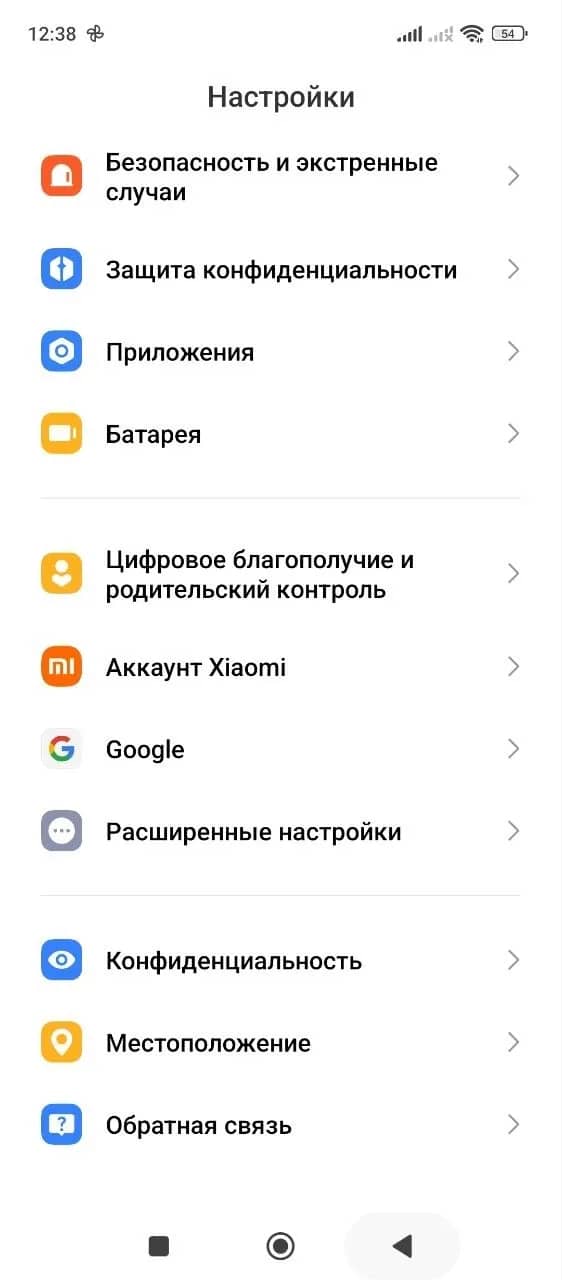
Step 1. Open the main settings of your smartphone and scroll down the menu to the account management section. Depending on the installed skin of the device, whether it is MIUI, One UI, or stock Android, the required item may be called "Accounts," "Users & accounts," or simply "Google."
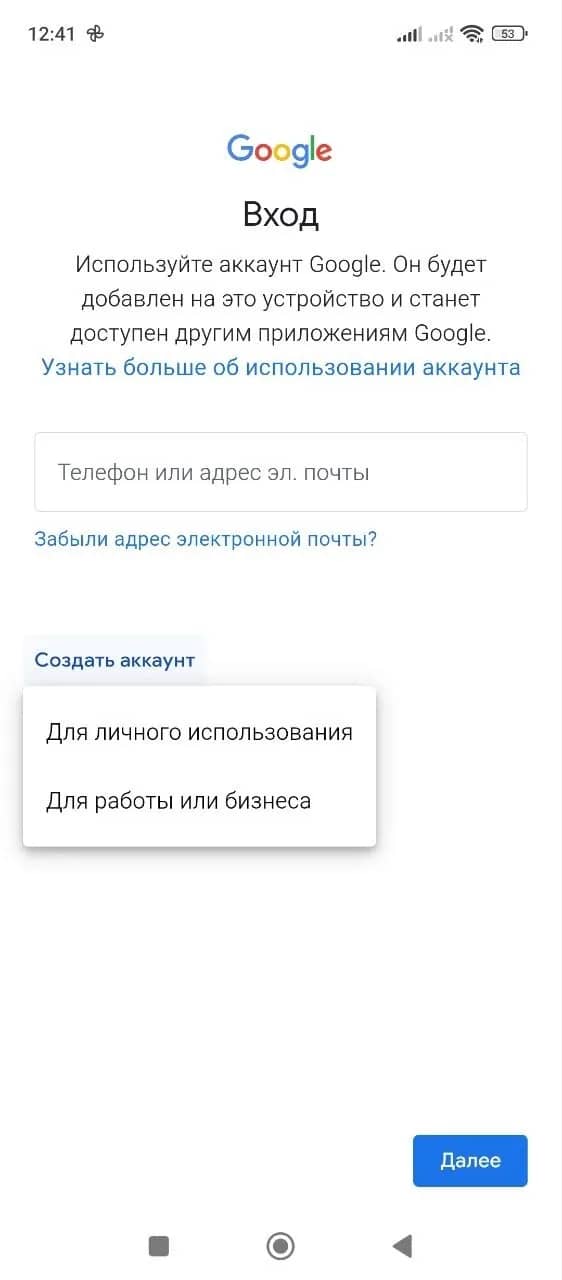
Step 2. In this section, tap the button to add a new account. On the authorization screen that appears, click "Create account," then select "For personal use."
Step 3. The system will ask you to enter standard details: first name, last name, date of birth, and gender. Next, the algorithm will suggest choosing one of the ready-made email addresses or creating your own unique username, and then setting a strong password.
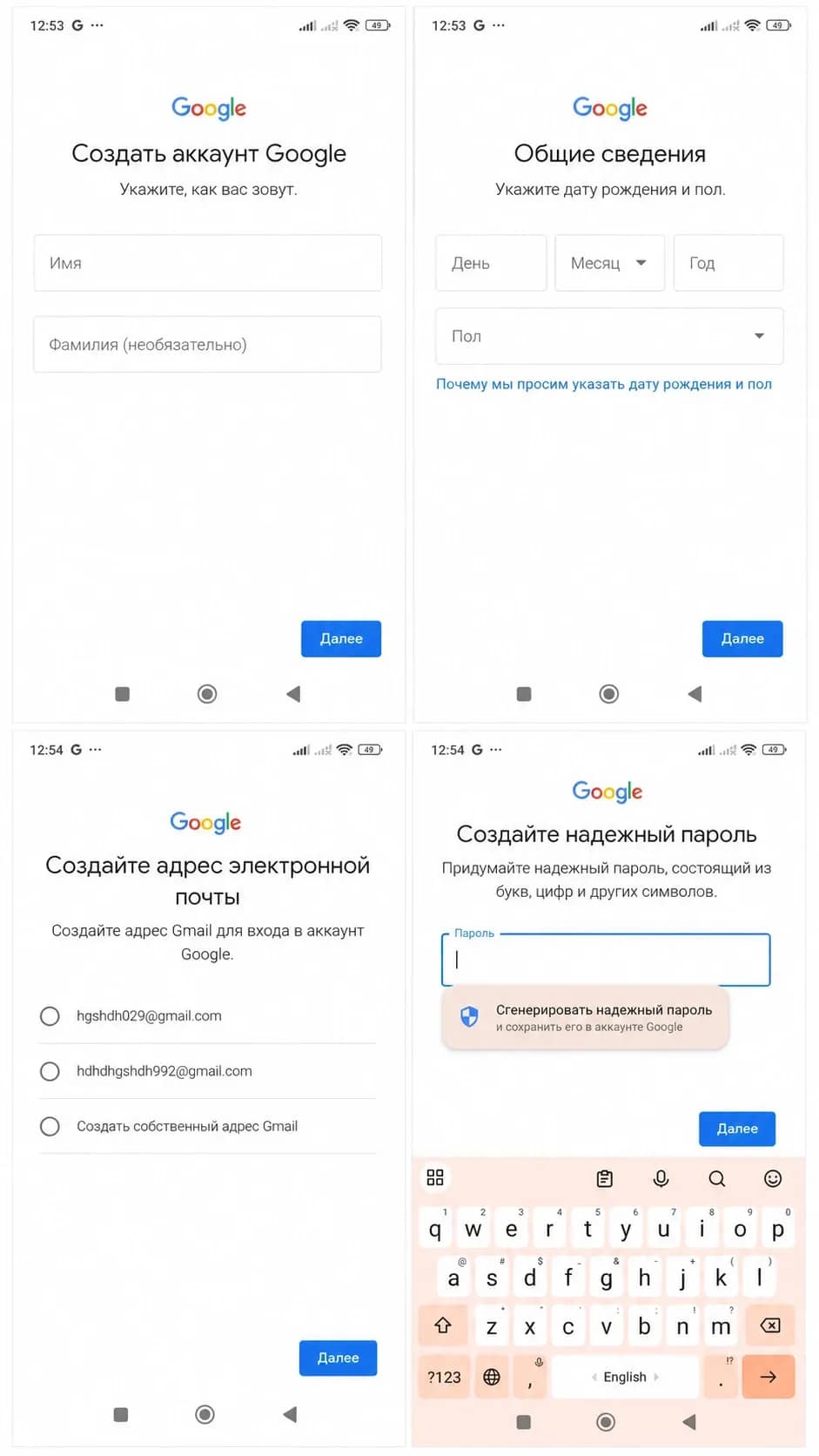
Step 4. Since registration takes place directly through the Android core and from a clean mobile IP address, Google's internal filters see no reason for strict verification. The screen for binding a phone number simply will not appear. The system will redirect you straight to the final page with the user agreement.
Method 2. Registration through YouTube app
The system deliberately does not complicate registration for new YouTube viewers, so the anti-fraud system works more gently here.
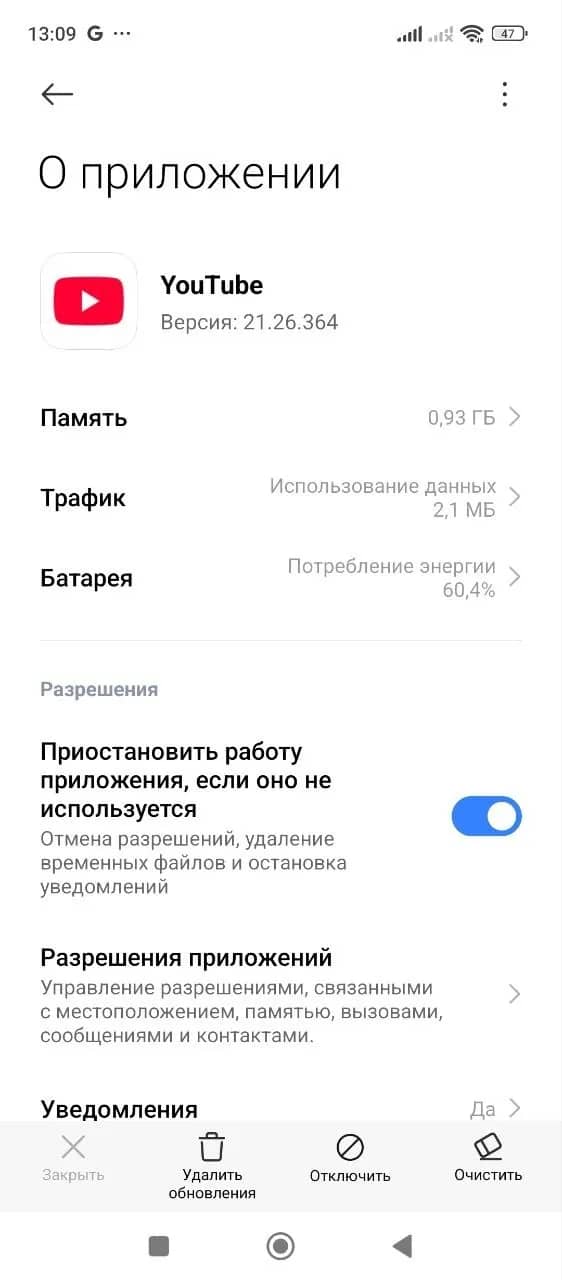
Step 1. If you have already opened YouTube on your smartphone or watched videos through another account, the app has managed to accumulate a digital history. The connection with past sessions must be completely severed. To do this, go to the main settings of your phone, open the section with all installed applications, and find YouTube in the list. In the form that opens, you need to clear the cache (the names of the buttons differ on different smartphones).
Step 2. Open the YouTube app and tap on the empty profile icon in the upper right corner. An intermediate screen will appear suggesting to authorize — click the blue "Sign in" button. Next, a small pop-up menu will open, in which you need to click on the plus sign opposite the word "Accounts."
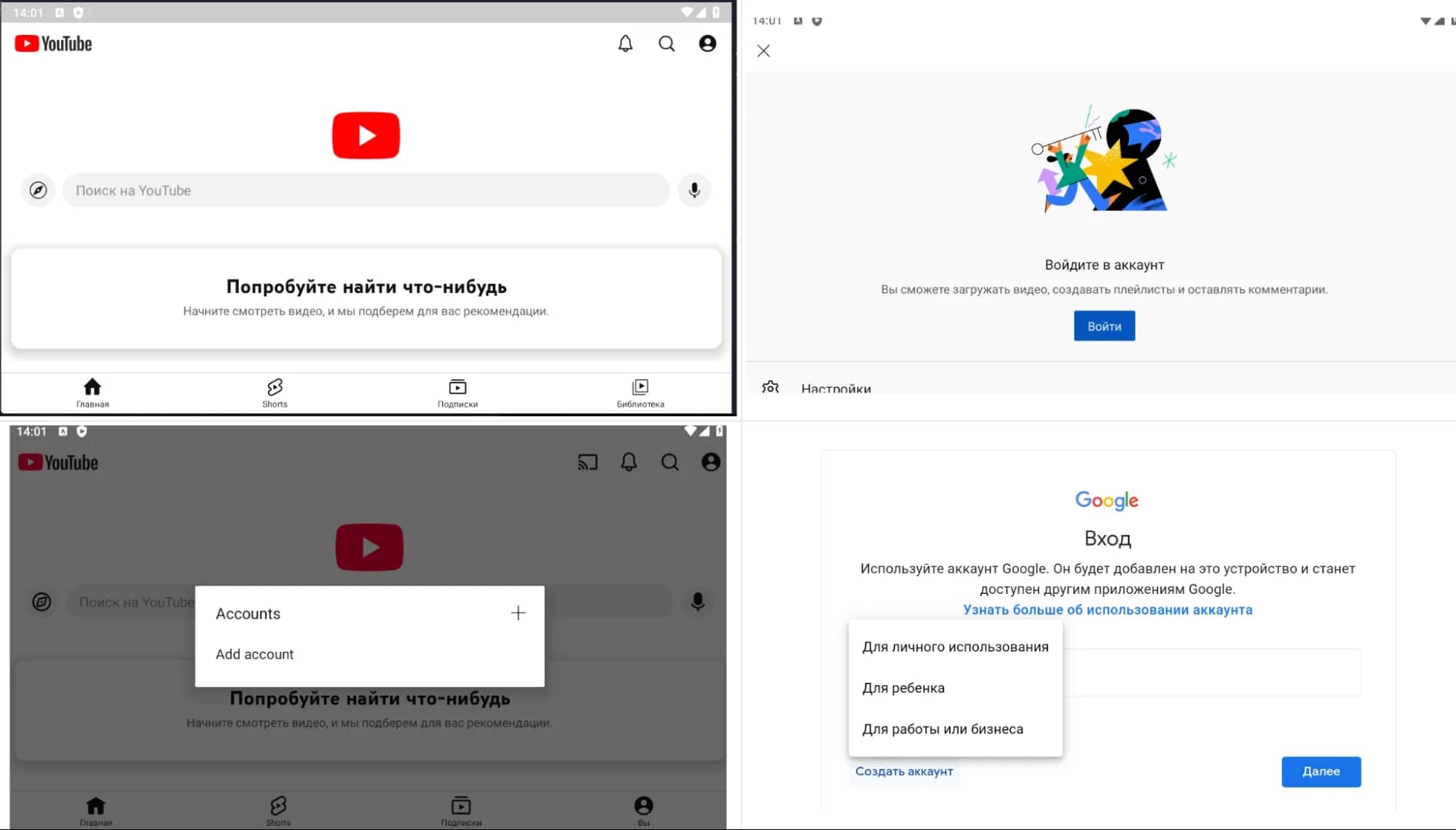
After this step, you will be automatically redirected to the standard Google sign-in page. Visually, this screen is no different from the regular browser version. But the system has already registered the main thing: the request to create a profile comes directly from a trusted video application.
Step 3. Further, the scheme is no different from the approach through Android settings. You also click on the "Create account" button, select "For personal use," and follow the further instructions. The system will not require you to link a phone number.
Method 3. Registration from PC via anti-detect browser
The usual incognito mode in Chrome or Safari does not save you from anti-fraud. When you try to create a Gmail or Google account, the system reads hundreds of parameters: from monitor resolution to installed system fonts and video card drivers. Any inconsistency or leak of the real IP leads to a phone number request.
To bypass restrictions, anti-detect browsers are used: they pass a mathematically verified digital fingerprint of a real computer to Google's defense systems. The anti-bot algorithms perceive the session as a visit by a regular, ordinary user.
Let's look at the step-by-step configuration using Linken Sphere as an example:
Step 1. Launch the browser and click on the NEW SESSION button. After that, you will be taken to the menu for creating a new profile.
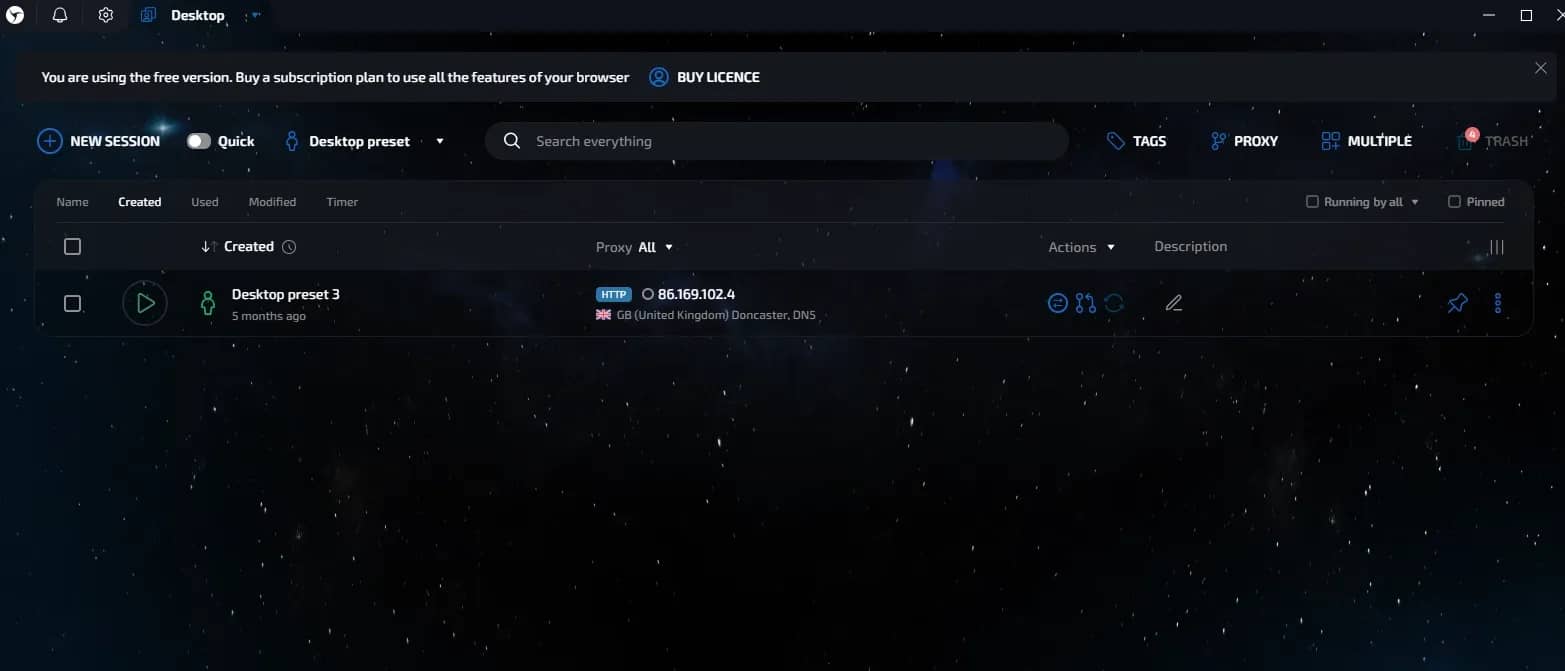
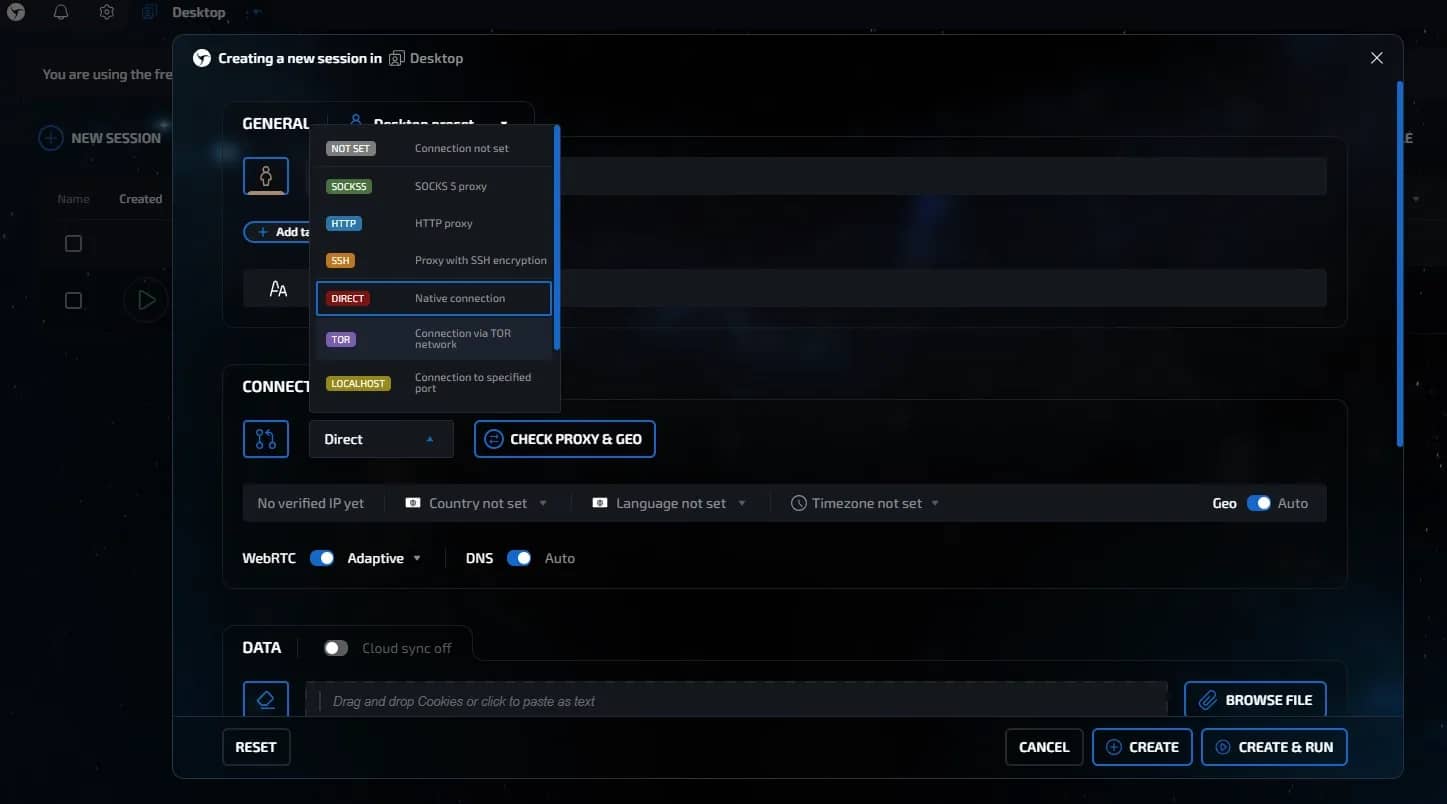
Step 2. Purchase high-quality residential or mobile proxies. Enter the details received from the provider in the CONNECTION section. After that, click the blue CHECK PROXY & GEO button to test the proxy. If there are no errors, click the CREATE & RUN button at the bottom of the screen.
Step 3. An absolutely clean browser with no history looks suspicious, so first open 10–15 trusted websites from your proxy's region: marketplaces, online stores, or news portals. Scroll pages, click on internal links, and accept agreements to collect cookies — in short, act like a regular user.

Step 4. Open the Google registration page inside the created profile and fill out the form. As with Android, specify your name, date of birth, email address, password, and follow the system prompts. If the profile, network, and environment do not raise suspicions, registration will go through without additional verification by number.
If nothing helps
If the anti-fraud is tightly gripped to the session and refuses to let the registration pass without verification under any network and hardware settings, there is one more way left — renting a virtual number.
Step 1. It all starts with registering on SMS activation services, for example, 5SIM. The main mistake is choosing numbers from the USA, the UK, or popular CIS countries. These number pools have long been blacklisted, and Google will not accept them. The optimal choice is cheap Asian and Latin American destinations.
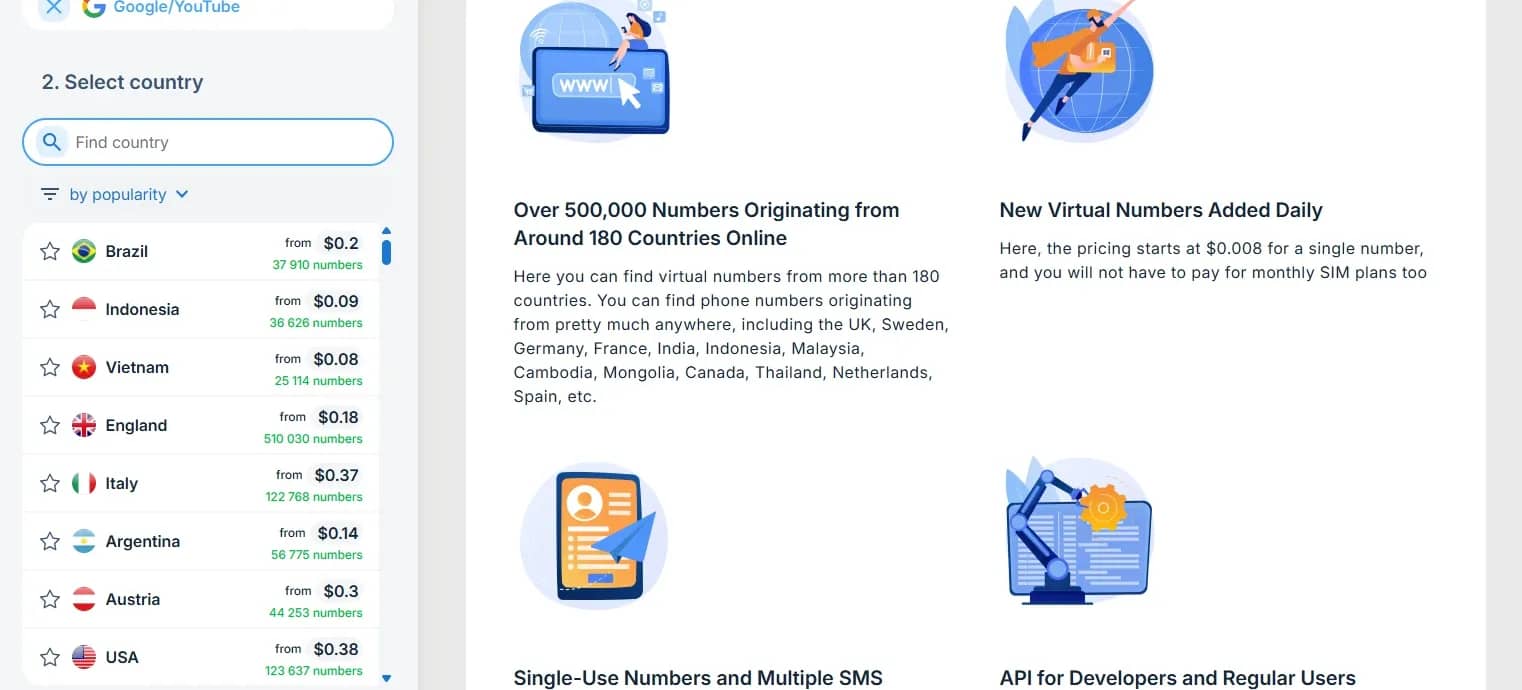
Step 2. Copy the rented number from your personal account on the service and paste it into the Google registration form. Here it is important to respect the logic of anti-fraud: your IP address must match the region of the purchased number. If you try to bind an Asian phone while sitting through a European proxy, the system will record a desync and may block the message from being sent.
Send a request for the code and return to the activation platform. Usually, the SMS arrives within a minute. Enter the received six digits into the Google verification form and complete the creation of the profile, agreeing to the terms of use.
Step 3. Virtual numbers are usually rented for a short time, typically twenty minutes. Immediately after successful login into the fresh account, you must open the security settings and completely delete the linked phone.
If you leave the purchased number in the profile, in a few weeks the service may resell it to another user, who will get the technical ability to reset the password and take your email. To avoid losing the account, immediately link a reliable recovery email instead of the deleted phone.
Conclusion
The easiest and most reliable way to create a second account is registration through an Android device in the settings or in the YouTube app. But if you need many accounts, for example, for affiliate marketing, then it is better to use a good anti-detect browser of Linken Sphere level. In this case, the anti-fraud won't be able to link your profile to the real hardware.

Why Google Blocks Accounts and What Your Antidetect Has to Do With It
Google has once again complicated the mechanisms of digital identification by deploying a new, more sophisticated layer of protection based on proprietary HTTP headers. This quiet change caught most of the market off guard, triggering a wave of rushed updates. While others hastily released superficial 'fixes', we realized that we were dealing not with a minor issue but with a fundamental shift that required deep and comprehensive analysis.

SOCKS vs HTTP Proxy: What’s the Real Difference and Which One to Choose?
There are times when you don’t want a website to link the request back to your device. That’s where a proxy comes in, it acts like a middle layer and sends the request for you. The site sees the proxy’s info instead of yours. It’s a go-to trick when you’re trying to see a page that’s not available in your region, pull content that’s restricted by location, or avoid hitting a wall when sending lots of requests.

The Best Alternative to OBS Studio
Working with a webcam on many online platforms can turn into a real challenge. A strict oval or rectangular frame appears on the screen, but your image doesn’t align perfectly with it. As a result, the system blocks further progress, demanding perfect alignment, and your workflow is disrupted before it even begins.