
How do anonymity checkers work and can they be trusted?
A simple IP change does not provide full anonymity. Websites see dozens of technical parameters: DNS, WebRTC, time zone, language, User-Agent, Canvas, WebGL, fonts, and other data. This forms an overall picture by which the platform understands who is in front of it. For advertising, crypto projects, parsing, and multi-accounting, such details directly affect how long accounts live. Therefore, before launching, it is important to understand how the site sees you and what data you are transmitting.
In this article, we will analyze how anonymity checkers work, what parameters they read, and why the test result cannot be evaluated solely by a green badge or a conventional 100%.
What is an anonymity checking service
An anonymity checker is an external diagnostic tool that reproduces the collection of client data at the browser and network level. It records key technical signals and helps evaluate their consistency and potential vulnerability from an anti-fraud perspective.
Essentially, a checker shows your weak points. It displays a set of parameters, and potential problems are visible through inconsistencies or deviations from the statistical average picture.
Why checkers are needed
When working with dozens of accounts, a checker is needed for a quick technical check. A pre-launch test helps to ensure in a couple of minutes that the profile is assembled without errors and is ready for work. A checker is necessary to:
- Evaluate proxy quality. The service assesses the state of the IP address: its presence in blacklists and the absence of DNS leaks, when requests bypass the proxy.
- Synchronize settings. When the IP, language, and time zone do not match, the profile immediately looks suspicious. Such discrepancies should be eliminated before starting work.
- Control leaks. It is important that WebRTC does not expose local and real addresses, and its operation looks natural.
- Check browser masking. Anti-detect updates sometimes break spoofing. A test will help evaluate whether Canvas and WebGL are working normally and if there are any other suspicious signals.
How services check the browser fingerprint
Checkers collect the fingerprint at several levels. Let's analyze each of them separately.
Hardware level: how websites scan hardware
Platforms do not have direct access to your motherboard or graphics card. The script simply gives the browser a microtask, and based on the result of its execution, determines the characteristics of your PC.
Graphics rendering (Canvas). The browser receives a task to draw a hidden image. Due to differences in the graphics card, system, and rendering settings, the result differs slightly. These differences are converted into a hash, which is used as part of the footprint.
3D and sound (WebGL and AudioContext). The same principle works with other components. WebGL forces the graphics card to render hidden three-dimensional graphics, and AudioContext measures microscopic deviations when processing sound with your audio chip.
Processor and memory. The browser directly reports the number of processor cores and the amount of RAM.
Network and hidden leaks
A proxy does not solve the problem if part of the traffic bypasses it. Such leaks are checked first.
WebRTC vulnerabilities. WebRTC is a built-in mechanism for voice and video communication in the browser. It strives to establish a direct connection, so it can bypass proxies and expose the local or external IP.
TCP/IP fingerprint. Advanced checks analyze the network stack. By its features, it is possible to determine the real operating system, even if its name is spoofed in the browser.
Browser environment
This is the information you give to any website literally from the first millisecond of page loading.
User-Agent. This is a text string with information about the browser version and operating system. It is cross-checked with other parameters. If one system is claimed, but the footprint points to another, it raises questions.
System fonts. Fonts are used as part of the footprint. By how the browser renders text, it is possible to determine the available fonts and their combination.
Popular checker websites: what is the difference?
Relying on a single tool to check the digital footprint is a bad idea. Each checker has its own algorithms and depth of analysis, so it is better to test masking on different websites.
Whoer.net is a classic service for quick assessment of network settings. It does an excellent job with the initial testing of purchased proxies: it immediately evaluates the cleanliness of the IP address, its presence in global spam databases, and checks for real DNS leaks.
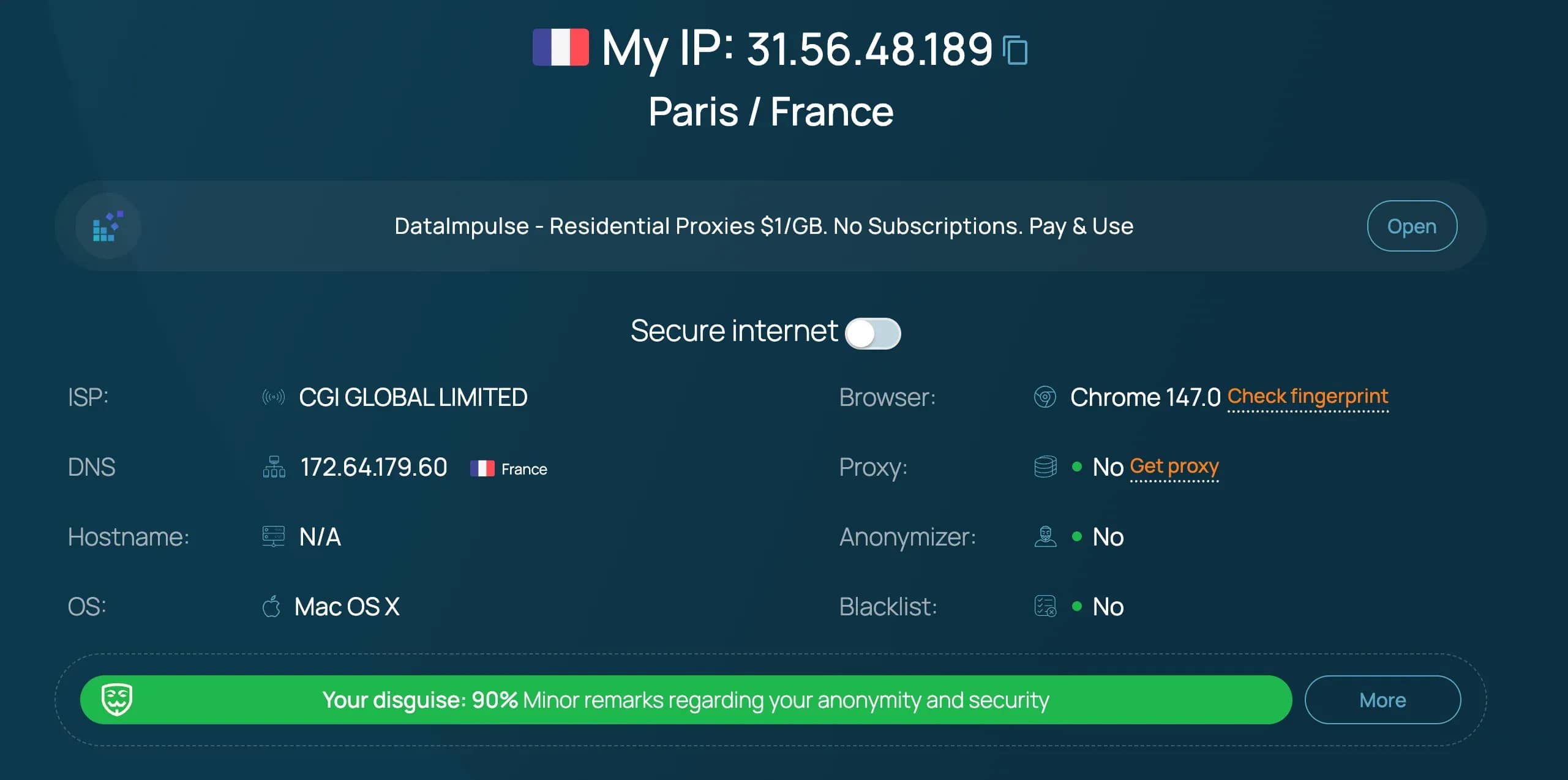
Additionally, the correspondence of the system time to the IP time zone and the browser language is checked. The result is formed in percentages. A value of 100% indicates the absence of basic network inconsistencies. At the same time, parameters at the Canvas and WebGL level are evaluated limitedly.
Pixelscan.net — this checker specializes in finding traces of automation and poorly configured data spoofing. It checks them for logicality and consistency with each other.

A mismatch between User-Agent and other parameters is quickly detected. A scenario with macOS in the browser string and Windows in rendering looks illogical. The IP address is analyzed in parallel.
Browserleaks.com is a service for a detailed breakdown of the browser without simplified ratings. There are no percentages of trust and anonymity levels; instead, tables with specific parameters are formed.
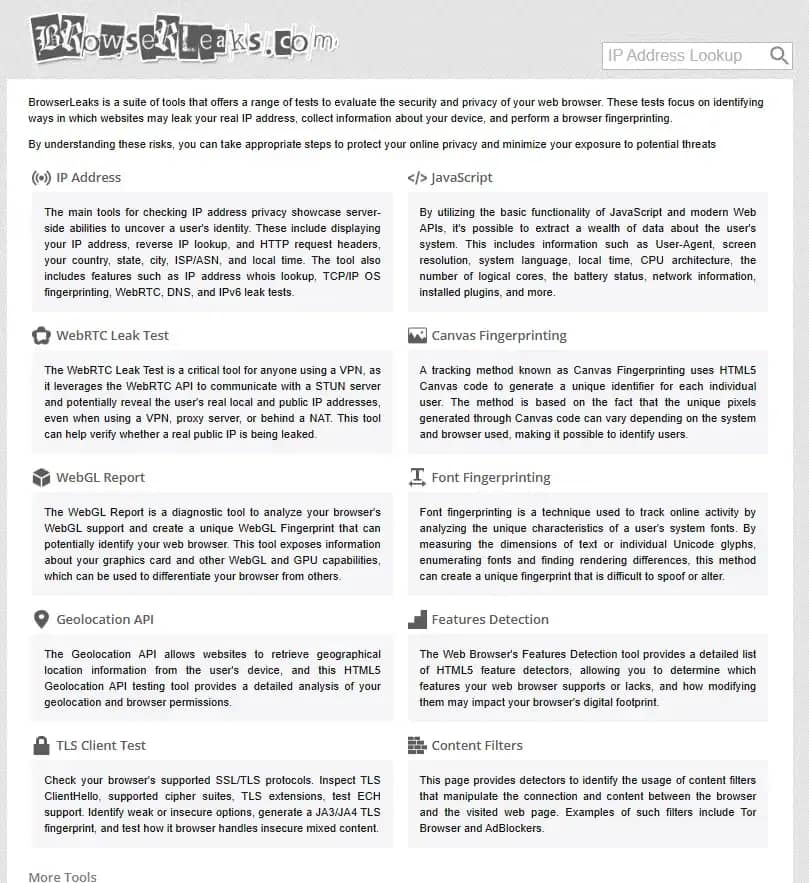
The service will show what data the browser actually transmits: Canvas, WebGL, WebRTC, geolocation, Client Hints, and other characteristics. This format is convenient when it is necessary to check specific values and understand exactly how the profile is configured at the technical level.
CreepJS is a tool for deep checking of the browser footprint. It collects a large number of parameters through different APIs and then checks how consistent they are with each other.
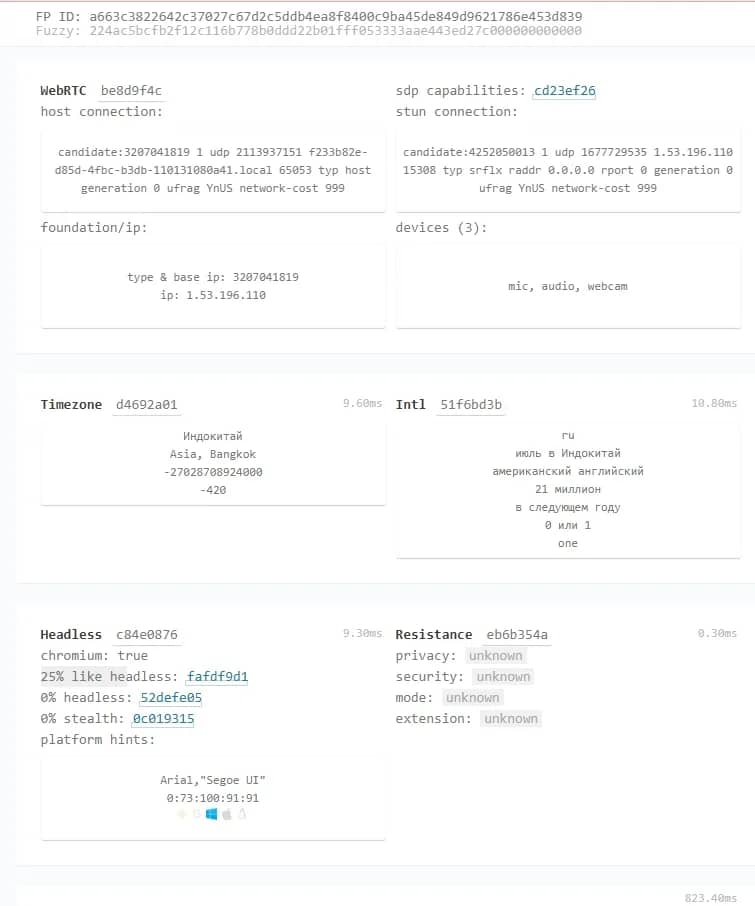
The service cross-references data from different sources and records discrepancies: for example, when system parameters, WebGL, Canvas, or navigator do not consistently match logically. Such inconsistencies are considered a sign of spoofing or a non-standard environment.
Is it necessary to achieve 100% in checkers
Striving for 100% anonymity in all checkers is a common mistake. An ideal test result does not guarantee protection against blockings. At the same time, excessive masking more often produces the opposite effect. And here is why.
Risk of over-optimization. Attempting to hide absolutely all data makes the profile suspicious. If you disable WebRTC, block scripts, and limit Canvas, anti-fraud will receive a practically empty footprint. But 99% of real users do not use such privacy settings.
Platforms like Facebook and Google expect to see a normal set of parameters. If the browser transmits almost nothing, such a profile looks unnatural and is marked as suspicious.
Checkers do not evaluate behavior. Scanners check only static data: browser and network settings at a specific second. Real anti-fraud evaluates dynamics and history:
- presence of browsing history (accumulated cookies from other sites);
- cursor movement trajectory and page scrolling logic;
- speed and rhythm of text input from the keyboard.
If the system sees a technically perfect account without history, which performs actions with machine precision, it marks it as a bot.
How to pass a checker test
Extensions for changing User-Agent or hiding Canvas will not help to pass checks. For work, full-fledged anti-detect browsers are used, which form a complete device footprint. The site receives a familiar set of parameters: browser, system, hardware, language, behavior. As a result, the profile looks like a regular user.
Four basic configuration rules
- Proxy is the key point. The initial assessment depends on the IP. Server proxies from data centers already look suspicious and fall under restrictions faster. The optimal options are mobile and residential proxies.
- System match. The operating system in the anti-detect profile must match the real device. If you work with Windows, use Windows. Attempts to pass Windows off as macOS often produce discrepancies in fonts, rendering, and system parameters — this is recorded and triggers the system.
- GEO, language, and time. The IP, browser language, and time zone must match. If the proxy is from Asia, and the language is Russian and the time zone is European, then it looks illogical. In anti-detects like Linken Sphere, these parameters can be synchronized automatically.
- Minimum of manual edits. In an anti-detect, it is better not to change anything without understanding. Any changes like noise in Canvas or WebGL more often break the logic of the footprint. A working option is to entrust the formation of the footprint parameters themselves to the anti-detect browser.
Conclusion
Anonymity checkers help to find gross technical errors, but do not provide a complete picture of your anonymity. They record parameters in the moment and do not reflect how the system will perceive you further on. In real work, the overall consistency of the environment is important. When all parameters look logical (IP, language, time zone, footprint), the chance of detection by security systems is extremely small.
Frequently asked questions
- A VPN only changes the IP address and encrypts traffic, but it does not hide the browser footprint in any way (information about hardware, fonts, Canvas, WebGL). Modern websites will easily recognize you by these parameters and link the accounts together, even if you constantly change your location through a VPN.
- Yes, popular services (Whoer, Pixelscan, Browserleaks) work as diagnostic tools and are safe to use. However, it is better to avoid unknown checkers, as they can collect aggregated databases of digital footprints for their own purposes.
- They can, if you use cheap or outdated software, or made mistakes in the settings (for example, added extra noise). Advanced security systems look exactly for traces of spoofing. If the anti-detect is of high quality, the website sees you as a regular, unremarkable user.
- Yes, data collection algorithms work the same way. By visiting a checker site from a mobile browser, you will be able to check your IP, the presence of DNS or WebRTC leaks, as well as see what data your mobile operating system and smartphone hardware are outputting.

Why Google Blocks Accounts and What Your Antidetect Has to Do With It
Google has once again complicated the mechanisms of digital identification by deploying a new, more sophisticated layer of protection based on proprietary HTTP headers. This quiet change caught most of the market off guard, triggering a wave of rushed updates. While others hastily released superficial 'fixes', we realized that we were dealing not with a minor issue but with a fundamental shift that required deep and comprehensive analysis.

SOCKS vs HTTP Proxy: What’s the Real Difference and Which One to Choose?
There are times when you don’t want a website to link the request back to your device. That’s where a proxy comes in, it acts like a middle layer and sends the request for you. The site sees the proxy’s info instead of yours. It’s a go-to trick when you’re trying to see a page that’s not available in your region, pull content that’s restricted by location, or avoid hitting a wall when sending lots of requests.

The Best Alternative to OBS Studio
Working with a webcam on many online platforms can turn into a real challenge. A strict oval or rectangular frame appears on the screen, but your image doesn’t align perfectly with it. As a result, the system blocks further progress, demanding perfect alignment, and your workflow is disrupted before it even begins.