
How to Bypass CAPTCHAs When Scraping Websites: A Practical Guide
Launching a parser is easy. Making it survive past the first hundred requests is much harder. Modern anti-fraud systems check the connection, browser, and behavior on the page, then issue a captcha to anyone who breaks the usual pattern. For price monitoring, competitor analysis, and contact harvesting, these are extra delays and risks.
In this material, we will analyze each stage of bypassing security checks in detail: from rotating proxies to working with anti-detect browsers.
Why websites enable captchas
Platform owners do not enable captchas for fun. Automated information collection heavily loads servers, breaks analytics, and helps competitors steal content. Therefore, at the slightest suspicion, the site rolls out a bot check.
Modern anti-fraud analyzes each user using dozens of signals: network data, behavior, and comparison with a huge database of other sessions.
The system starts checking even before the page loads. It analyzes the IP, ISP, GEO, and network type. Datacenter addresses, worn-out proxies, and overly dense request flows increase the risk of a captcha. Next, the TLS fingerprint is checked — the technical signature of the connection, which helps catch a script even with a spoofed User-Agent.
Algorithms analyze the user's entire route through the page: from the first mouse movement to clicking the next link. Even intervals, uniform scrolling speed, and repetitive clicks increase the risk of verification. The more sessions follow the same scenario, the faster the site catches the parser.
Every visit is cross-checked against millions of other sessions. Algorithms look for repeating patterns, strange parameter combinations, and any signals that can expose automation.
A captcha quickly pops up if the script makes mistakes, for example:
- sending dozens of requests from a single IP in a couple of seconds;
- the script openly identifies itself as a Python library or fails to send standard browser language data;
- your program reports that it runs on Windows 11, but system fonts and screen resolution completely give away a Linux server.
What captchas are encountered during parsing
Even before launching parsing, it is important to figure out what exactly is installed on the site. Each captcha has its own characteristics, so let's break down the most popular options.
Google reCAPTCHA: v2, v3, and Enterprise
reCAPTCHA v2. That very "I'm not a robot" checkbox. If the system didn't like something, you'll have to look for traffic lights, bicycles, or crosswalks in images.
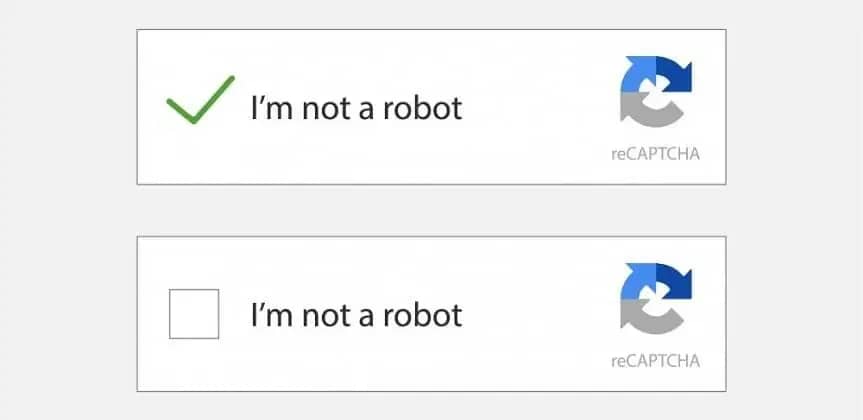
reCAPTCHA v3. Works in the background and does not show itself at all. The system monitors user behavior and assigns a score from 0.0 to 1.0. With a low rating, access to the site may be restricted or completely blocked.
reCAPTCHA Enterprise. Corporate version with stricter checks. It deeply analyzes the session, browser tokens, and other technical signals. Simple services that simulate clicks get caught particularly fast here.
Cloudflare Turnstile
Turnstile works almost imperceptibly for the user. While the page is loading, Cloudflare checks the browser, device, and session behavior. Suspicious traffic is sent for additional verification or blocked.
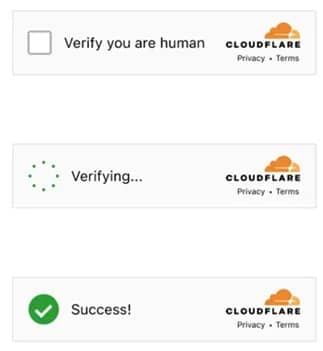
JavaScript challenges run in the browser — background checks that the script must pass correctly. The system watches how code is executed, what data the environment returns, and whether they match up. Flawed or overly template-like answers quickly expose automation.
Yandex SmartCaptcha
SmartCaptcha is often found across the Runet. It considers cookies, session data, and user behavior on the page.
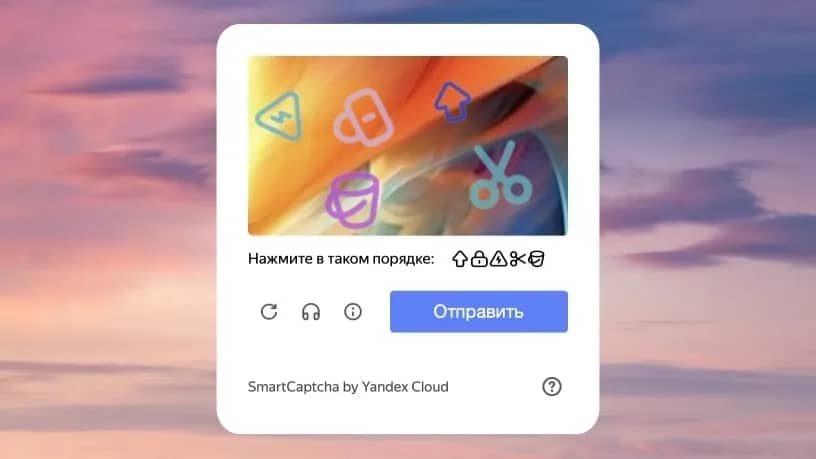
If the user looks suspicious, the system generates a widget for an additional check. Usually, you need to enter text from an image or assemble a simple puzzle. Primitive bots quickly drop off at this stage.
GeeTest and FunCaptcha
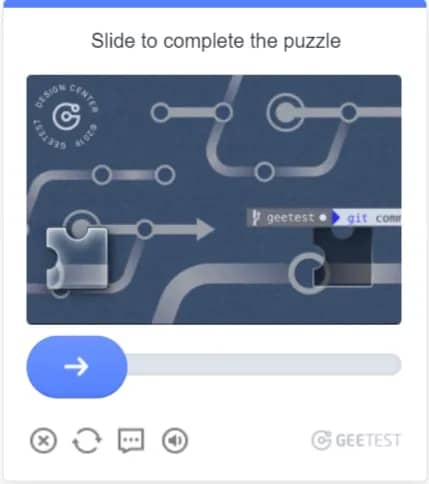
GeeTest and FunCaptcha are more complex than regular captchas. FunCaptcha asks you to rotate a 3D figure to the right side, while GeeTest asks you to assemble a puzzle or select objects in a given order.
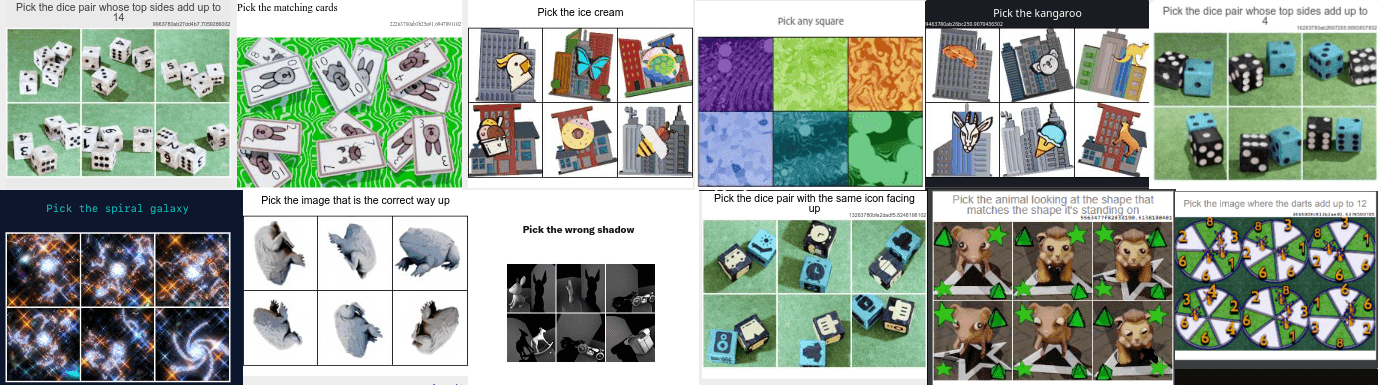
The system tracks cursor trajectory, pauses, and reaction speed. Simple clicks on coordinates quickly expose the script. Computer vision or captcha recognition services are usually used to bypass them.
How to bypass captchas when parsing websites
A captcha pops up precisely at the moment when the anti-fraud system begins to suspect your script is a bot, but this problem can be completely resolved by proper software configuration and connecting external services.
Method 1: disguising the parser as a real person
The site gets its first impression of a session from the network. A datacenter IP immediately adds extra risk points, especially with large parsing volumes. Therefore, traffic is distributed across residential or mobile proxies, and addresses are rotated according to a set scenario.
In addition to proxies, the script must pass a full set of browser headers, including User-Agent, system language, and device parameters. To avoid collecting these combinations manually, the fake-useragent library is usually employed. Security algorithms also evaluate the rhythm of actions: if requests are sent at equal intervals, the bot gets caught instantly.
You need to add random pauses between navigation, simulate cursor movement, and page scrolling. Separately, it is worth saving cookies and session data, because for any protection, a profile with existing browsing history looks incomparably more reliable than a brand-new anonymous browser.
Method 2: anti-detect browsers and hidden drivers
If you harvest data from heavy dynamic websites via Selenium or Playwright, standard browser builds are detected in no time. They give themselves away through service environment variables like navigator.webdriver and specific automation flags. To remove these traces in simple projects, a special patched driver like Undetected Chromedriver or the Playwright Extra plugin is used to clean up basic leaks.
However, modern anti-fraud systems like Cloudflare or DataDome look much deeper. They check the device's digital fingerprint via Canvas and WebGL rendering, read sound card parameters, the list of fonts, and check for network leaks via WebRTC.
In such cases, regular scripts cannot cope, and full-fledged anti-detect browsers at the level of Linken Sphere are brought into action. They spoof the hardware fingerprint at the system level and allow managing hundreds of isolated profiles. And when you simply need to breach Cloudflare before parsing, the FlareSolverr proxy server is deployed, which independently passes basic JavaScript checks and returns working cookies.
Method 3: OCR recognition
When disguise didn't help and the check image popped up on the page, the solution depends on the type of captcha itself. The oldest category consists of regular text and graphic checks with blurry letters, numbers, or simple distortions.
There is no point in spending money on such captchas because they can be solved for free right on your server. To do this, the Tesseract OCR text recognition library is pulled into the code, or lightweight self-written neural networks are deployed. The script simply downloads the image from the page, cleans it of noise, and converts the image to text in a fraction of a second.
Method 4: manual solving via crowdsourcing
Modern interactive protection like reCAPTCHA v2 and v3 from Google, Cloudflare Turnstile, or GeeTest arranges much stricter checks. There, you need to select images by meaning, move puzzle pieces, or pass invisible background tests. Local scripts cannot pass such checks, so the parser sends the task to commercial API services.
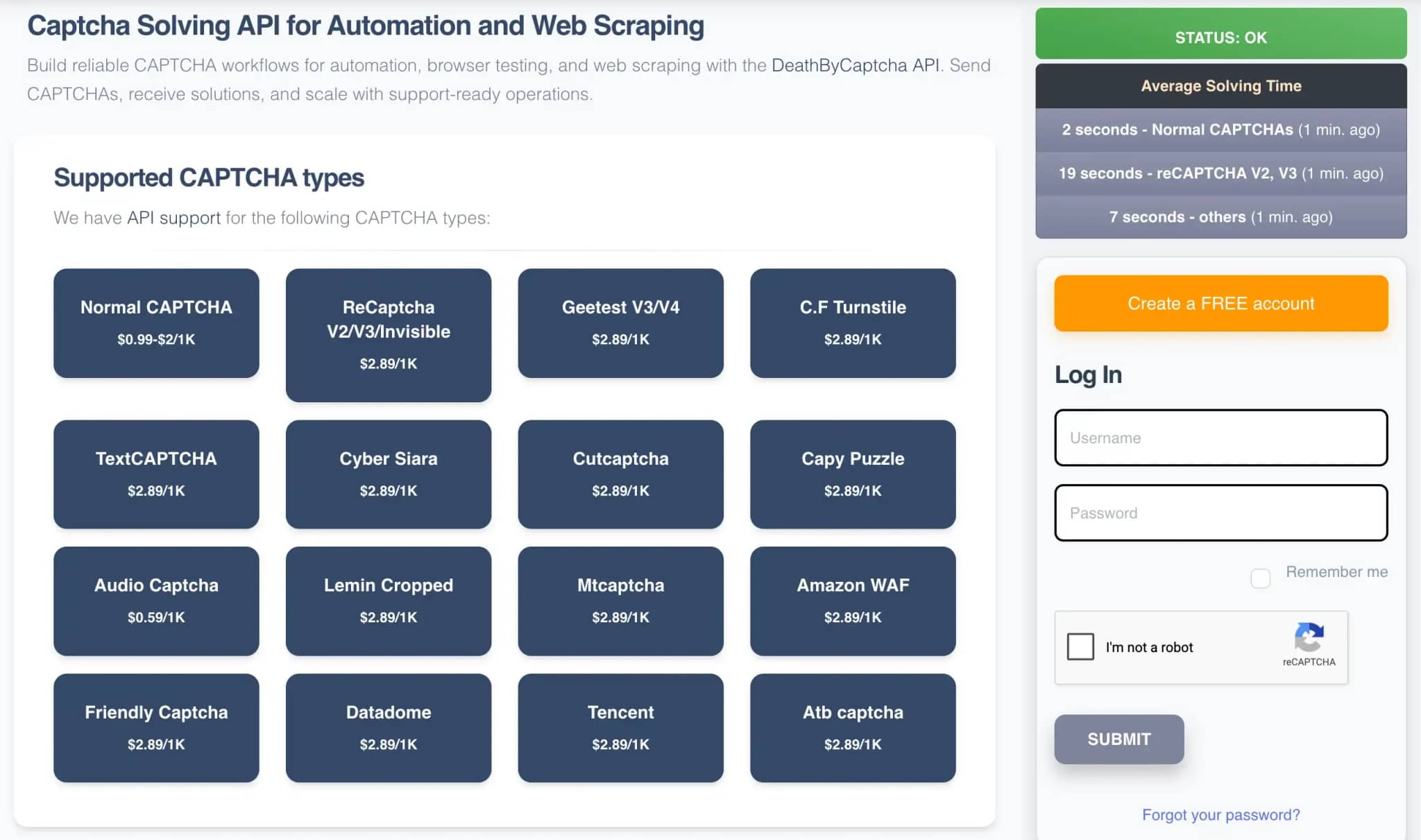
The first type of such services operates on the crowdsourcing principle, where tasks go to real people clicking on images for fractions of a cent. This group includes RuCaptcha, the international platform 2Captcha, and the Anti-Captcha service. The main advantage of manual solving is that an operator can solve absolutely any non-standard or rare captcha, including audio tasks. The only downside here is the response speed ranging from 10 to 30 seconds.
Method 5: via AI services
The second type of services uses trained neural networks instead of living people. Algorithms instantly recognize patterns of most popular security systems, bringing processing time down to just 1 to 5 seconds, while the cost turns out significantly lower than crowdsourcing.
The leader in this segment is CapMonster Cloud from the developers of the ZennoPoster suite, which easily cracks reCAPTCHA and hCaptcha in massive volumes. To bypass specific checks like Cloudflare Turnstile and GeeTest, Capsolver is often chosen. If complex floating checks are encountered on the target site, the hybrid service DeathByCaptcha is applied, which assigns easy tasks to neural networks and hands problematic ones over to humans.
Method 6: via API and tokens in code
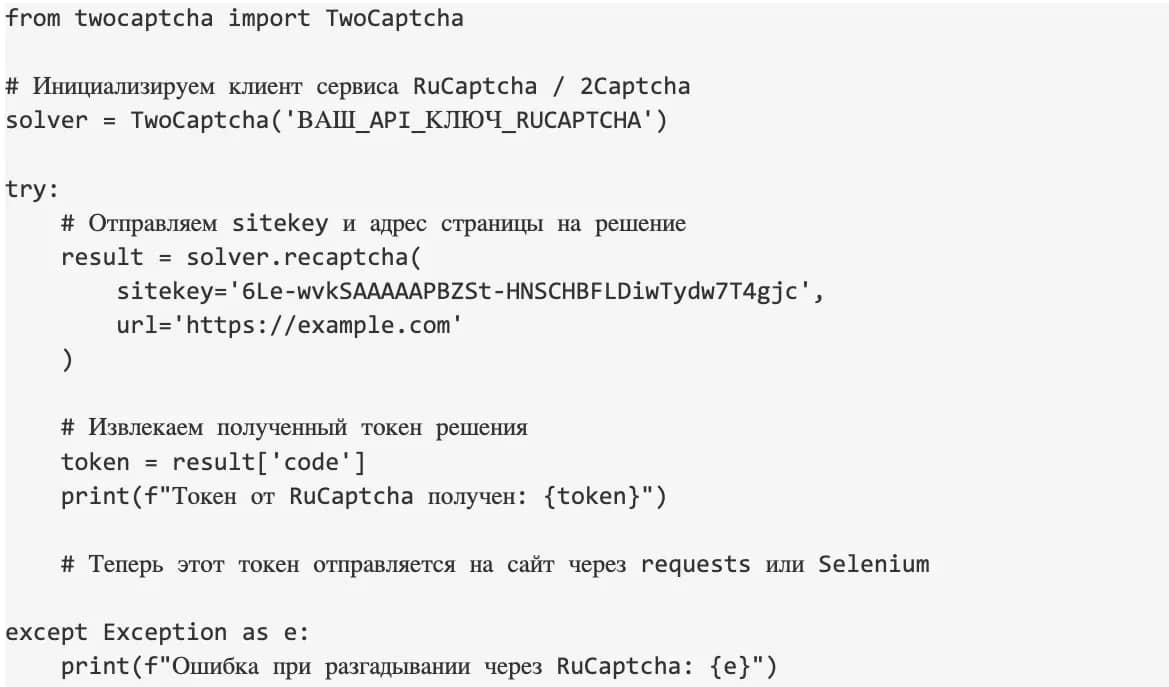
In real development, parsers never send captcha screenshots to a service manually. All automation is built on exchanging technical parameters and solution tokens via HTTP requests or official SDK libraries. The script finds the captcha key on the page (for example, sitekey for reCAPTCHA or websiteKey for Turnstile), sends this key along with the site URL to the service API, receives a task ID, and after a short pause fetches the finished text string — the g-recaptcha-response solution token. This token is inserted into a hidden form field on the target site using JavaScript or submitted directly in a POST request.
For manual input services like RuCaptcha and 2Captcha, integration is most easily implemented via the official 2captcha-python library. A client instance with your API key is created in code, after which the recaptcha method is called, specifying sitekey and page url. The library itself handles the polling loop and returns the final token.
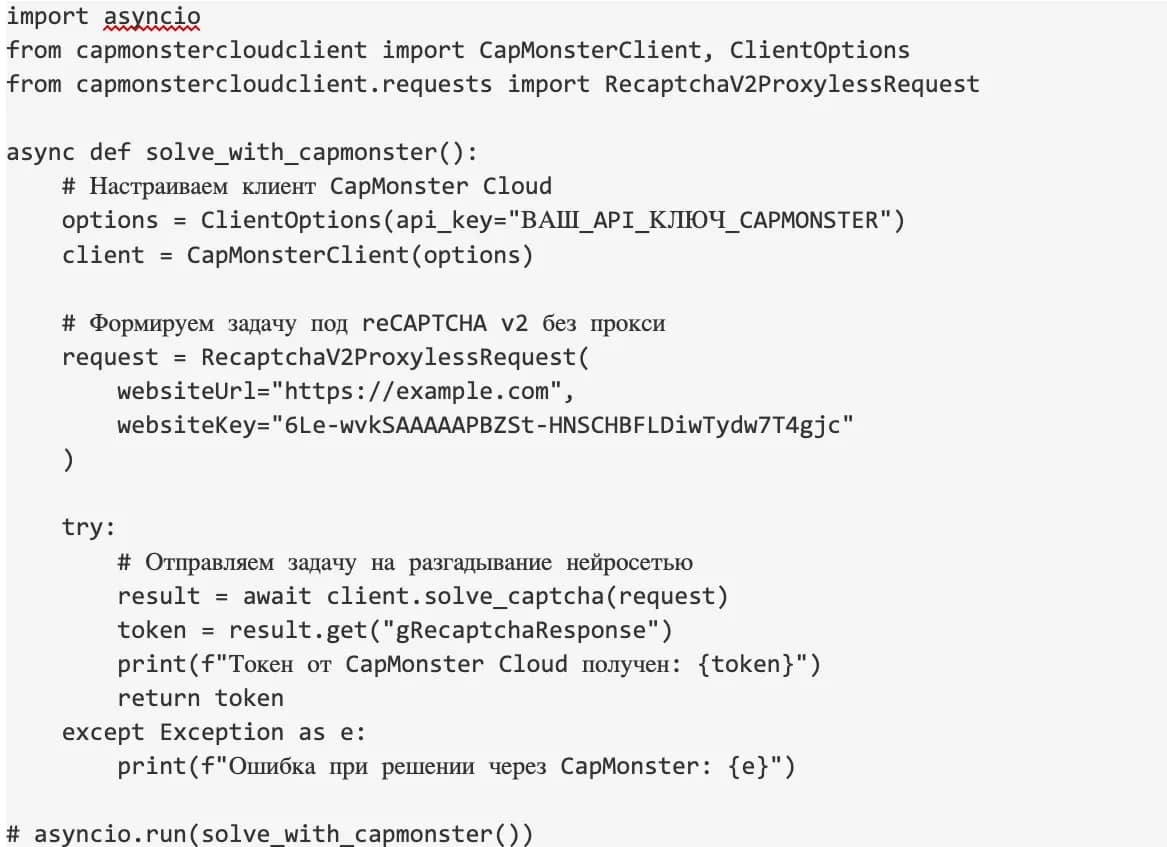
When maximum speed and minimal cost are required during mass parsing, the automated CapMonster Cloud AI service is used. Working with it in Python is carried out via the official capmonstercloud-client module. The service allows quickly solving not only classic reCAPTCHA v2 or v3, but also hCaptcha. You create a client, form a RecaptchaV2ProxylessRequest or HCaptchaRequest task object, and call the solve_captcha method.
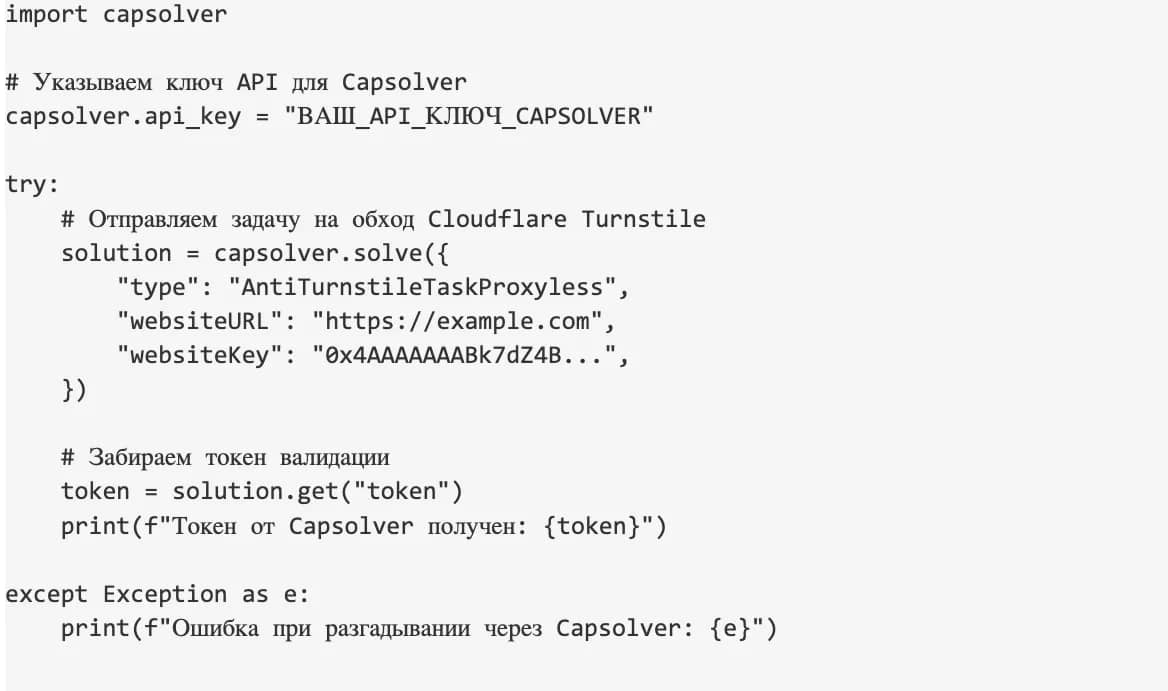
If your parser runs into modern protection from Cloudflare or GeeTest, the Capsolver service demonstrates optimal results. To work with it in Python, the official capsolver module is used, or standard JSON requests are sent to the API endpoint. In the case of Cloudflare Turnstile, a task of type AntiTurnstileTaskProxyless is created, where websiteURL and websiteKey are passed, after which the service returns a ready access token in a matter of seconds.
Checklist: how to choose the optimal captcha bypass method for your project
| Task | Budget | Recommended stack | Why this specific option |
| Simple site, rarely blocks | Low | fake-useragent, datacenter proxies, random pauses, saving cookies | Simple sites don't have complex protection. Expensive proxies or captcha solving services aren't needed here — a standard HTTP script with header rotation is more than enough |
| Dynamic site (React, Vue) | Medium | Playwright + Playwright Extra / Undetected Chromedriver + residential proxies | Content is rendered via JS, so a browser with spoofed automation flags (navigator.webdriver) is required. Regular requests won't work |
| Strict protection (Cloudflare, reCAPTCHA v3) | Above average | Quality mobile proxies, API services (CapMonster Cloud, Capsolver, 2Captcha), FlareSolverr | Advanced anti-fraud catches hardware fingerprints. Mobile IPs protect from bans, while neural networks or humans solve interactive captchas in seconds |
| Legacy sites with image captchas | Zero | Python + OpenCV + Tesseract OCR | Simple images of 4 blurry digits make no sense to send to paid APIs. A local library will decode them on your server in a fraction of a second |
Conclusion
There is no universal captcha bypass scheme. Every site evaluates IP, browser profile, request frequency, and session history in its own way. Therefore, a working setup is always assembled for a specific protection and scaled gradually. Start with a small volume and see at what stage the number of checks increases. If captchas appear more frequently, the IP may have lost trust, the profile looks flawed, or the parser is ramping up load too sharply.

Why Google Blocks Accounts and What Your Antidetect Has to Do With It
Google has once again complicated the mechanisms of digital identification by deploying a new, more sophisticated layer of protection based on proprietary HTTP headers. This quiet change caught most of the market off guard, triggering a wave of rushed updates. While others hastily released superficial 'fixes', we realized that we were dealing not with a minor issue but with a fundamental shift that required deep and comprehensive analysis.

SOCKS vs HTTP Proxy: What’s the Real Difference and Which One to Choose?
There are times when you don’t want a website to link the request back to your device. That’s where a proxy comes in, it acts like a middle layer and sends the request for you. The site sees the proxy’s info instead of yours. It’s a go-to trick when you’re trying to see a page that’s not available in your region, pull content that’s restricted by location, or avoid hitting a wall when sending lots of requests.

The Best Alternative to OBS Studio
Working with a webcam on many online platforms can turn into a real challenge. A strict oval or rectangular frame appears on the screen, but your image doesn’t align perfectly with it. As a result, the system blocks further progress, demanding perfect alignment, and your workflow is disrupted before it even begins.