How to Detect Moderation Bots and Protect Ad Campaigns from Unwanted Reviews
For affiliate marketers and digital marketing specialists, traffic quality directly impacts the performance of advertising campaigns. However, far from every website visit comes from a potential customer: a portion of requests may originate from the automated systems of ad platforms, security scanners, and other technical tools.
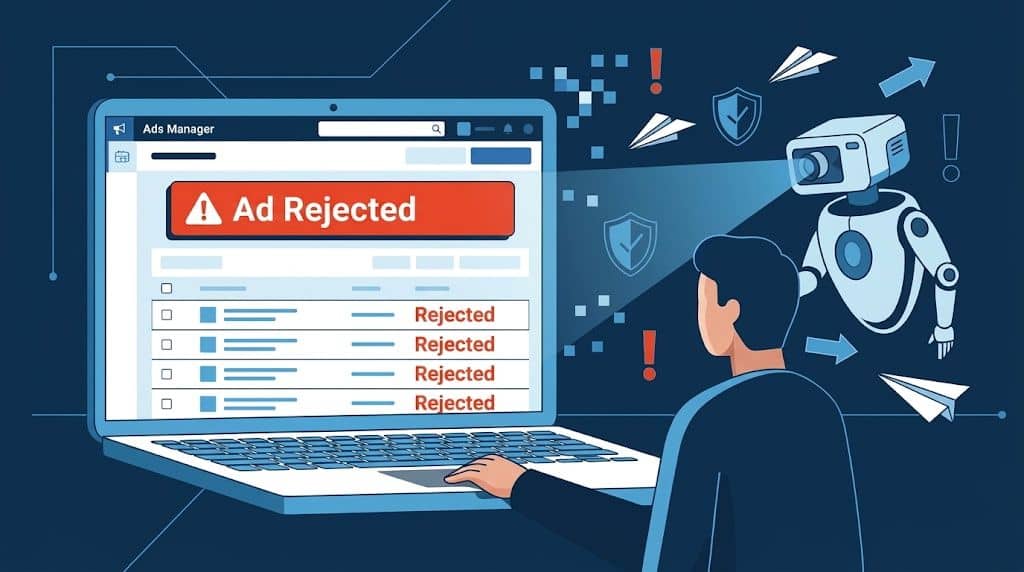
Facebook, Google, TikTok, and other advertising networks use automated mechanisms to review ads and landing pages. They analyze website content, technical connection parameters, and visitor behavior. If the system detects policy violations, the campaign may be restricted or rejected. For a media buyer, this means more than just the risk of paused ads. Reviews lead to wasted ad spend, account bans, and the need to rebuild infrastructure from scratch.
How Do Automated Reviews Find Ad Pages?
Ad platforms have long moved beyond simple website scraping. Modern review systems rely on a variety of analysis methods: from inspecting HTML code and HTTP headers to evaluating browser characteristics and network connections. Because of this, relying solely on an IP address or User-Agent is no longer enough. A single technical parameter rarely makes it possible to reliably identify the true nature of a visitor — whether it is a bot, a moderator, or a regular user.
Problems usually arise from a combination of factors that put the project's infrastructure at risk.
Main Causes of Suspicious Activity
Improperly Configured Filters
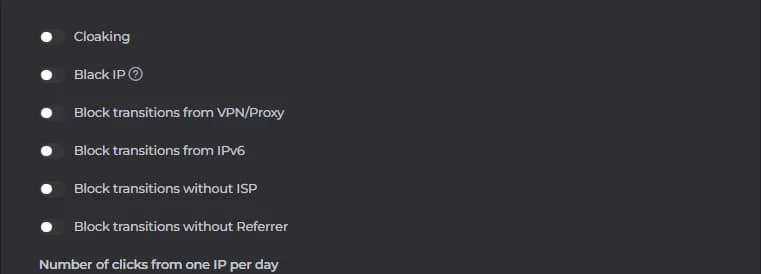
In pursuit of every single click, media buyers often lower their filtering strictness out of fear of cutting off real users. Smart bots take advantage of this by disguising themselves as ordinary mobile traffic. Furthermore, using free or outdated protection scripts is a guaranteed path to leaks — their moderator IP databases are updated far too infrequently.
Low-Quality IP Addresses
IP reputation plays a crucial role when evaluating network requests. Addresses with a history of abuse, mass automation, or suspicious activity are more likely to trigger additional checks.
Special attention should be paid not only to proxy quality, but also to whether the IP matches the declared geographic location. At the same time, the fact that an address belongs to a data center does not in itself prove that you are dealing with a bot.
Inconsistent Browser Parameters
When working across multiple ad accounts, it is essential to maintain the technical integrity of your browser profiles.
Mismatches between time zone, language, geolocation, User-Agent, and other characteristics can create additional discrepancies. This is especially relevant when using different network connections and profiles.
To manage this workflow, specialists use anti-detect browsers. For example, Linken Sphere is a tool for creating and managing isolated browser sessions. It allows you to organize work across multiple profiles and their corresponding configurations within a single interface.
Insufficient Ad Account History
New accounts and projects without sufficient warm-up may be flagged for additional reviews. Ad platforms evaluate not only individual ads, but also the advertiser's overall activity.
Therefore, when running ads, it is important to comply with platform requirements, keep payment details in order, and maintain accurate information about the promoted business.
Suspicious Domain History
A domain's age, reputation, and prior usage history can influence how a website is evaluated. If the address was previously used for questionable projects or appeared on various threat blacklists, this can become an additional risk factor.
Using a new top-level domain does not constitute a violation on its own, but before launching a campaign, it is worth checking the domain's history and technical health.
What Consequences Can an Ad Platform Review Trigger?
An automated check does not always end in a ban. The ad network's response depends on the nature of the detected issue, the account's history, and the specific violation.
Let's look at the most common scenarios.
- Ad rejection. An ad platform may block an ad from serving if the content of the creative or landing page fails to meet established requirements. The notification usually specifies the violation category and available next steps.
- Additional account verification. Upon detecting suspicious activity, the platform may temporarily restrict certain features and request identity verification or additional information about the advertiser.
- Ad account restriction. In cases of severe or repeated violations, the advertiser may lose the ability to launch new campaigns. In some instances, restrictions extend to linked business assets as well.
- Issues with the domain and other assets. If a website is associated with ad policy violations, its reputation can suffer. This can affect future use of the domain and its ability to pass reviews on other accounts.
Thus, the consequences can impact not only a specific ad, but the entire infrastructure of an advertising project.
How to Analyze Suspicious Visits in Your Statistics
One of the most effective ways to understand your traffic quality is to examine the technical details of incoming visits.
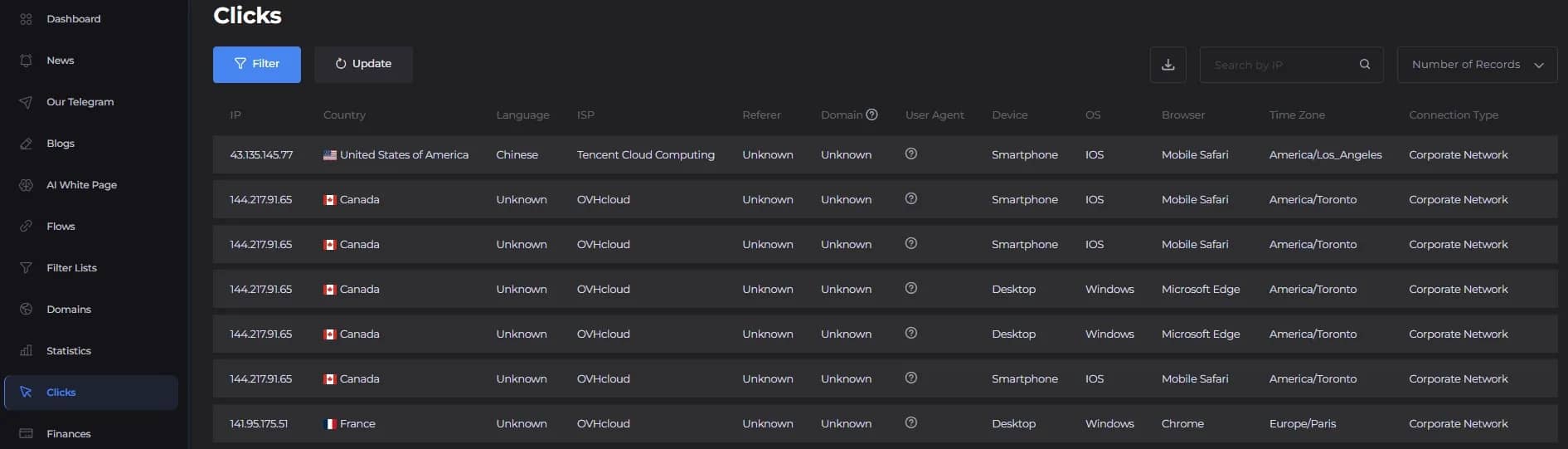
Cloaking.House provides detailed click statistics. It helps you inspect visitor characteristics, see which configured filters were triggered, and understand why a specific visit was routed to the white page or the offer page.
When analyzing traffic, you should pay attention to several indicators.
Repeated Requests from the Same IP
If a large number of visits arrive from a single address within a short period of time, that is a clear reason to investigate the source of the activity.
It is particularly useful to compare the time intervals between requests, geography, and other connection attributes. For example, a series of identical requests at minimal intervals may point to automated activity.
Mismatched Device Characteristics
Pay close attention to the User-Agent, operating system, and browser type.
For instance, if several consecutive visits from the same IP involve an abrupt switch in parameters from mobile Safari to Windows and Microsoft Edge, that combination warrants closer inspection.
Internet Service Provider Information
The ISP field helps identify which network the request originated from.
In your statistics, you may encounter the names of major hosting providers and cloud infrastructures, such as OVHcloud, DigitalOcean, Amazon, or Tencent Cloud.
Such data may point to a server-based connection, though it is not definitive proof of an automated moderation check. Some regular users also access the internet through corporate networks and cloud services.
Missing Technical Parameters
You should check the browser language, referrer, User-Agent, and other available attributes.
If several fields simultaneously show a value of Unknown or lack expected information, that is a red flag.
Unusual Sequence of Actions
If additional user behavior data is available, it is helpful to examine the time between actions, the number of requests, and the navigation sequence.
Numerous identical requests, unusually short intervals, and repetitive interaction patterns can all raise suspicion.
The golden rule: never jump to conclusions based on a single parameter. Always evaluate the combination of network, browser, and behavioral characteristics together.
How to Set Up Traffic Filtering with Cloaking.House
When processing high volumes of visits, manually checking every visitor is impractical. It is far more convenient to use a dedicated solution that analyzes incoming requests and applies pre-configured rules.
Cloaking.House is a cloud-based traffic filtering service built for webmasters, affiliate teams, and digital marketing specialists that helps separate regular users, bots, and moderators while analyzing the results.
Key features:
- Flexible filtering system. You can use a wide range of parameters to process requests: GEO, device, operating system, browser, language, ISP, VPN/Proxy, IPv6, referrer, and other available criteria.
- Click statistics. The dashboard displays detailed information on clicks, visitor characteristics, processing outcomes, and triggered filter rules. This helps you spot configuration errors faster and evaluate how your settings are performing.
- Cloud infrastructure. The core processing logic runs on the service's side. There is no need to build a complex filtering system from scratch or maintain separate server infrastructure to keep it running.
- Multiple integration options. You can connect the service via PHP integration or a ready-to-use cloaked link. This lets you choose the right setup depending on your project's technical configuration.
- Fast setup. Creating a flow and configuring the core parameters takes just a few minutes. Getting started does not require writing custom filtering code on your own.
Conclusion
Automated checks by advertising platforms are becoming increasingly sophisticated, and preparing your ad infrastructure requires more technical attention than ever. At the same time, not every atypical visitor is a bot, and an IP address or User-Agent alone cannot reliably identify the source of a request.
That is why it is essential to evaluate traffic holistically, audit your filtering rules, monitor the quality of your network connections, and use dedicated tools for statistical analysis.
Cloaking.House helps organize visit filtering based on custom criteria and provides detailed insights into every click. Meanwhile, complementary tools like the anti-detect browser Linken Sphere can streamline how you manage isolated browser profiles.
Solid technical preparation, regular testing, and close monitoring of your statistics allow you to better understand what is happening across your ad campaigns and respond promptly to any emerging issues.
Why Google Blocks Accounts and What Your Antidetect Has to Do With It
Google has once again complicated the mechanisms of digital identification by deploying a new, more sophisticated layer of protection based on proprietary HTTP headers. This quiet change caught most of the market off guard, triggering a wave of rushed updates. While others hastily released superficial 'fixes', we realized that we were dealing not with a minor issue but with a fundamental shift that required deep and comprehensive analysis.

SOCKS vs HTTP Proxy: What’s the Real Difference and Which One to Choose?
There are times when you don’t want a website to link the request back to your device. That’s where a proxy comes in, it acts like a middle layer and sends the request for you. The site sees the proxy’s info instead of yours. It’s a go-to trick when you’re trying to see a page that’s not available in your region, pull content that’s restricted by location, or avoid hitting a wall when sending lots of requests.

The Best Alternative to OBS Studio
Working with a webcam on many online platforms can turn into a real challenge. A strict oval or rectangular frame appears on the screen, but your image doesn’t align perfectly with it. As a result, the system blocks further progress, demanding perfect alignment, and your workflow is disrupted before it even begins.