From First Setup to Confident Scaling: Use IPcook Proxies with Linken Sphere
Any stable multi-account workflow is built on two essentials: dependable proxies and a capable anti-detect browser. One without the other simply doesn’t work at scale.
Proxies aren’t a secondary feature — they’re the base layer of the entire setup. Clean IPs, consistent latency, and accurate geolocation determine whether a session looks trustworthy from the start. When that foundation is solid, an anti-detect browser can do its job properly: isolate profiles, prevent cross-linking, and allow you to operate safely across dozens or hundreds of accounts.
IPcook fits naturally into this stack. With a large IP inventory, support for both rotating and sticky sessions, and pricing that adapts to different workloads, it pairs seamlessly with Linken Sphere. Connecting a proxy to a browser profile takes just a few clicks, and the resulting sessions behave like real, organic users.
IPcook — Global Proxy Service for Scalable Online Operations
IPcook is a professional proxy provider built for automation, data collection, and privacy-focused workflows. The service delivers fast, stable proxy connections with wide geographic coverage, making it suitable for tasks such as web scraping, SEO monitoring, ad verification, e-commerce research, and social media management.
Proxy Types
IPcook offers several proxy solutions tailored to different use cases:
- Residential Proxies — Real household IPs with high trust scores, flexible rotation, sticky sessions up to 24 hours, and traffic that never expires. Ideal for bypassing anti-fraud systems and geo-restrictions. Starts from $0.5/GB.
- ISP Proxies — Static, dedicated IPs sourced directly from ISPs. They provide high stability, unlimited bandwidth, and 99.99% uptime, making them suitable for long-term accounts. Starts from $0.05/Proxy.
- Datacenter Proxies — High-speed, cost-effective proxies optimized for performance, concurrency, and large-scale automation. Starts from $0.04/Proxy.
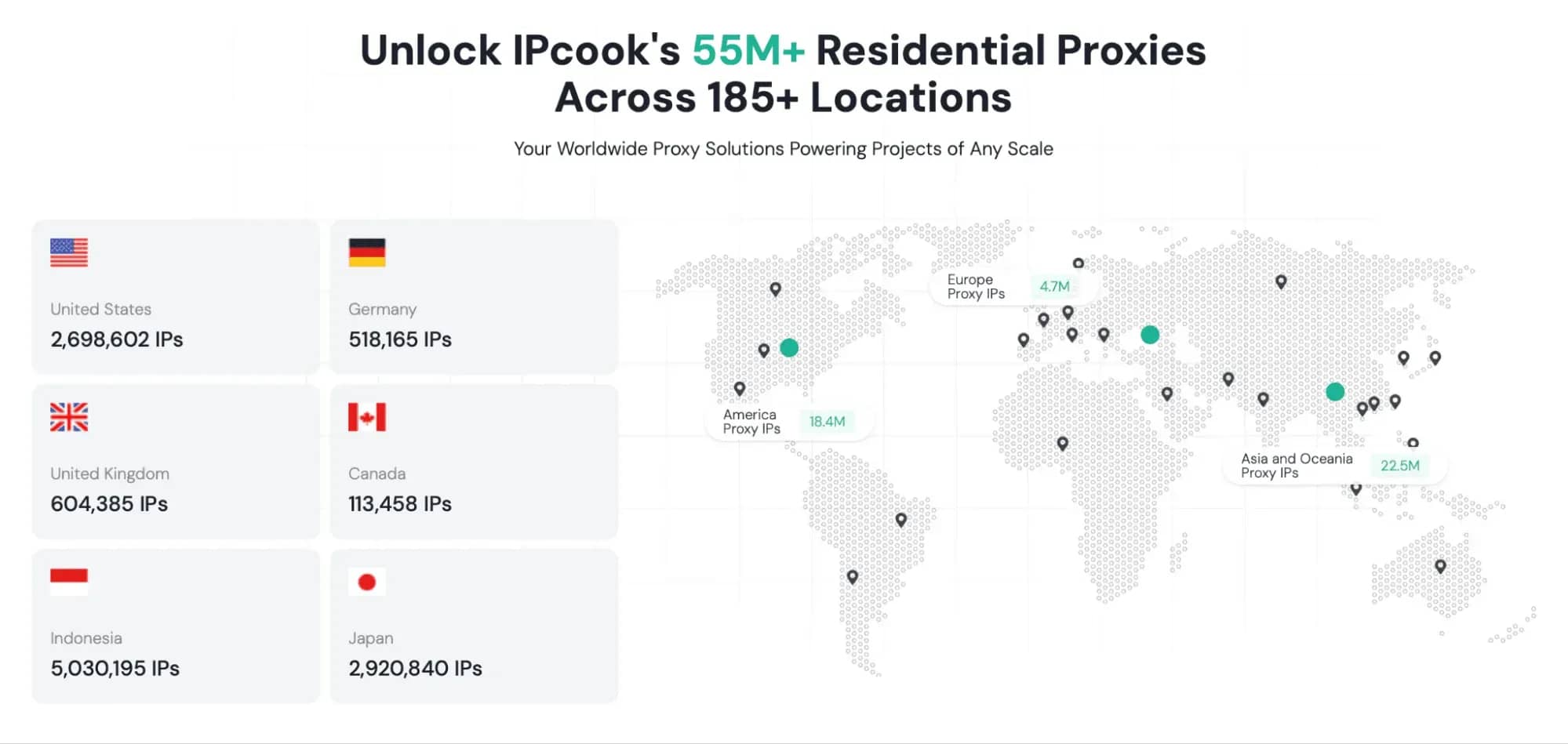
Across all products, IPcook supports HTTP(S) and SOCKS5 protocols and offers geo-targeting in 185+ countries, with state and city-level precision.
Key Features
- Large residential IP pool (55M+ IPs worldwide).
- Rotating and sticky session support.
- Low latency and high uptime.
- User-friendly dashboard and API access.
- Multiple authentication methods (IP whitelisting or login/password).
- Easy integration with scripts, tools, and automation software.
Setting Up IPcook Proxies in Linken Sphere
1. Create and fund your IPcook account
Sign up on the IPcook platform and top up your balance. Payments are supported via bank cards and cryptocurrency.
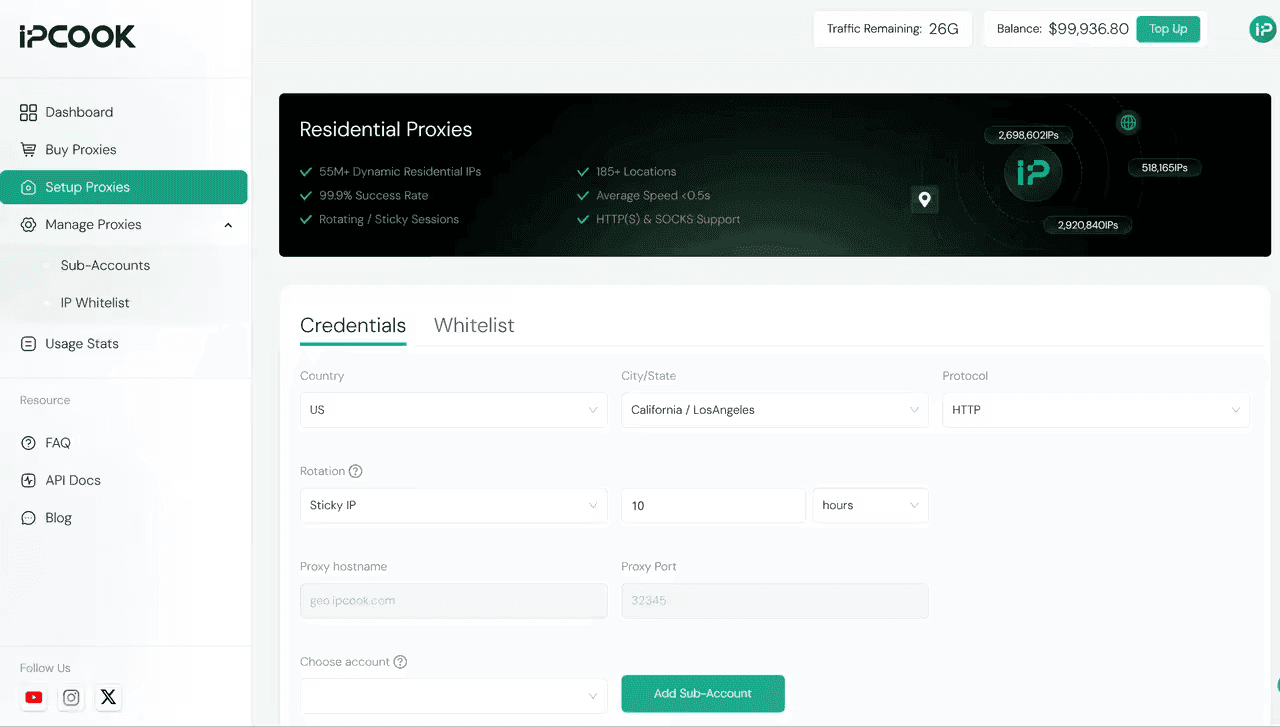
2. Build a proxy pool
Choose the proxy type you need, name your pool, and select the desired country or city. Define the connection protocol and specify how many IPs you want in the pool.
3. Generate access credentials
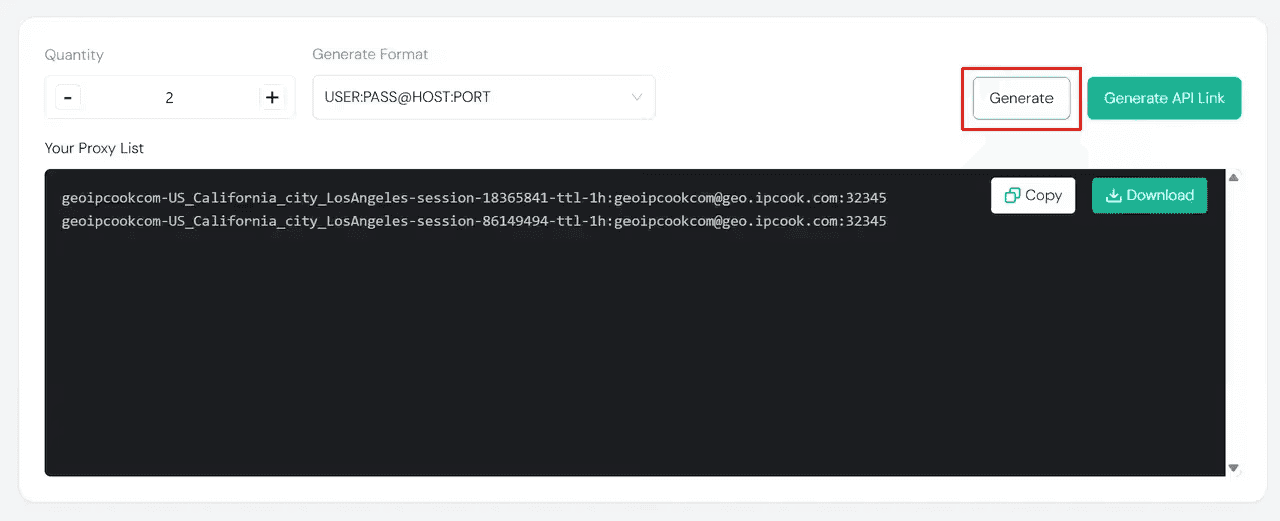
Create proxy endpoints and choose an authentication method — either IP allowlisting or login/password. If you’re working at scale, you can export proxy lists in bulk.
4. Add proxies to Linken Sphere
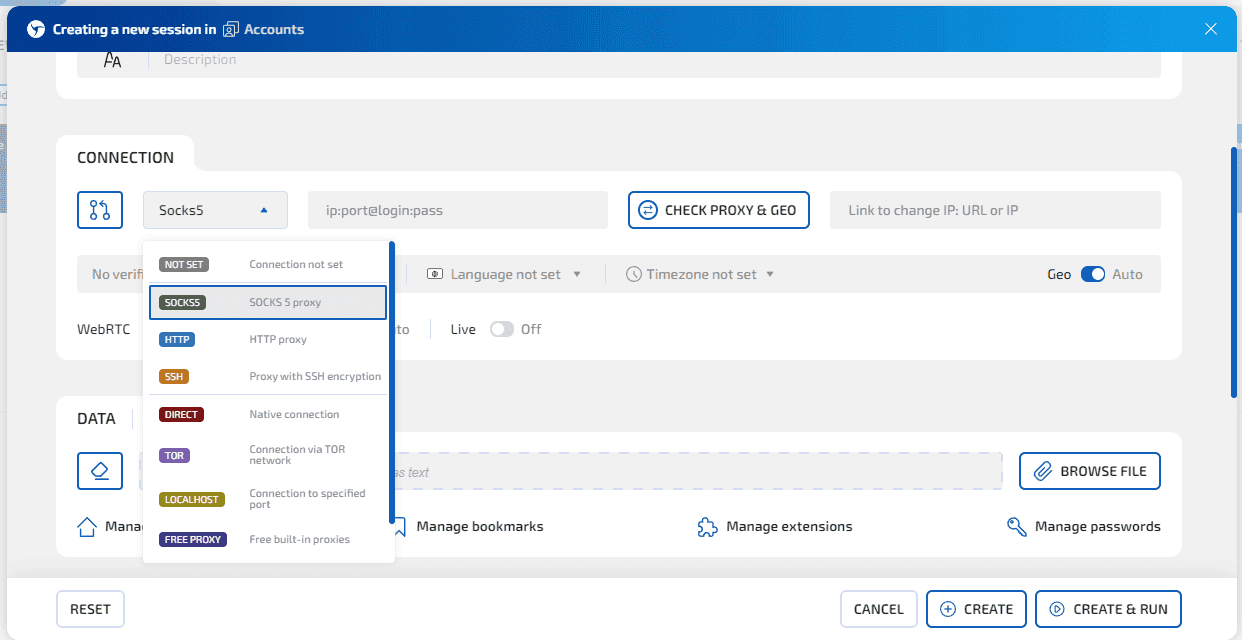
Create a new browser profile in Linken Sphere, assign a name, and apply basic settings. In the connection section, select the same protocol you configured in IPcook and paste the proxy credentials.
Standard formats like
ip:port or ip:port@login:password
are fully supported. Use CHECK PROXY & GEO to confirm the connection.
5. Configure browser fingerprints
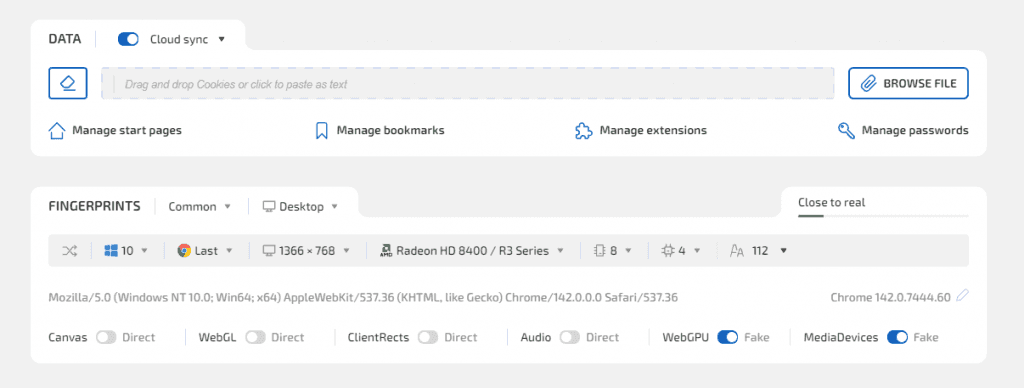
You can manually adjust fingerprint parameters or enable Hybrid Mode 2.0, which automatically generates a realistic fingerprint based on your device and environment.
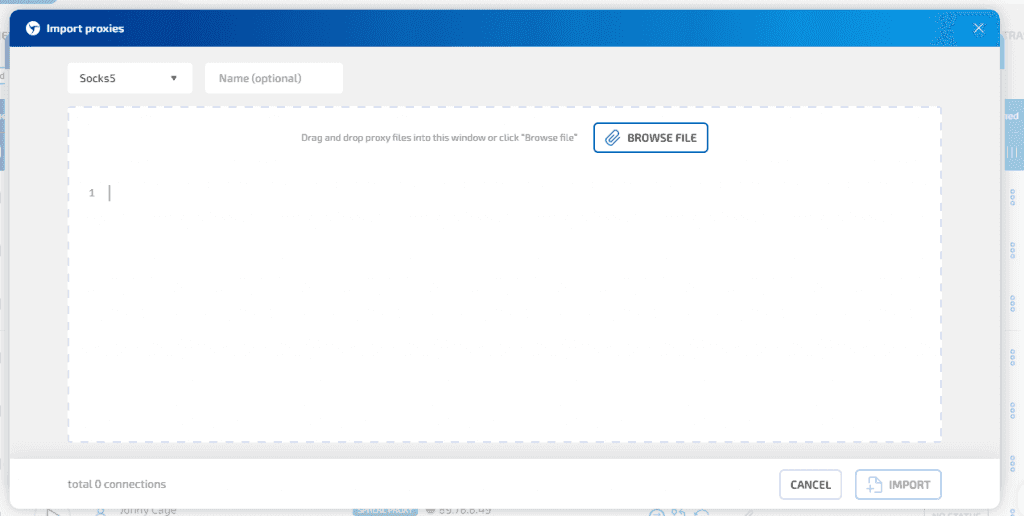
For bulk operations, simply paste your proxy list into Linken Sphere’s Proxy Manager. The browser will test each proxy and let you assign them to profiles quickly.
Launch and Validate Your Profiles
Before going live, it’s good practice to verify the setup using external IP-checking tools. Confirm IP address, DNS, WebRTC behavior, and run basic speed and latency tests. This helps compare regions and proxy types to find the most stable configuration for your task.
In practice, IPcook proxies deliver strong speeds and consistent connections, even under heavier workloads.
Is IPcook a Good Choice for Linken Sphere?
For Linken Sphere users, IPcook is a solid and versatile proxy provider. The combination of residential, ISP, and datacenter proxies — along with city-level targeting, flexible rotation options, and reliable uptime — makes it suitable for everything from account farming to large-scale data operations.
Integration is straightforward: generate proxies, choose authentication, and attach them to your profiles in minutes, including bulk imports. With responsive support and a proven focus on performance, IPcook is a practical option for anyone looking to get the most out of Linken Sphere.

SOCKS vs HTTP Proxy: What’s the Real Difference and Which One to Choose?
There are times when you don’t want a website to link the request back to your device. That’s where a proxy comes in, it acts like a middle layer and sends the request for you. The site sees the proxy’s info instead of yours. It’s a go-to trick when you’re trying to see a page that’s not available in your region, pull content that’s restricted by location, or avoid hitting a wall when sending lots of requests.

How SOCKS5 Proxies Work: Explained in Simple Terms
What is this technology and how does SOCKS5 work when transferring data between a user and a website?

Linken Sphere 7th anniversary
Exactly 7 years ago, we turned a new page in the industry by releasing the first public version of Linken Sphere. All these years people have looked up to us, but we have inspired our colleagues and to this day we do not follow trends, but create them.