
How to use ProxyWing proxies in Linken Sphere
Managing multiple accounts across different platforms is part of the routine for internet professionals, from traffic arbitrage and e-commerce to crypto, parsing, and SMM. To separate sessions and protect against anti-fraud systems, anti-detect browsers are most convenient, but their correct operation is impossible without reliable proxies.
The problem is that not all proxies are created equal. The market is flooded with providers selling IP pools that have already been blacklisted by various platforms. That's why in this article, we'll take a detailed look at ProxyWing. Let's find out what they offer, how they work with Linken Sphere, and what to expect from these proxies.
ProxyWing: Affordable and Versatile Proxy Solutions
ProxyWing is a relatively new but rapidly growing proxy provider that users have already praised for its stability and wide GEO coverage. The company offers global coverage in over 190 countries, making it a good option for anyone working with multi-accounting, automation, or parsing. Customers note stable connections, responsive support, and a good price-to-quality ratio.
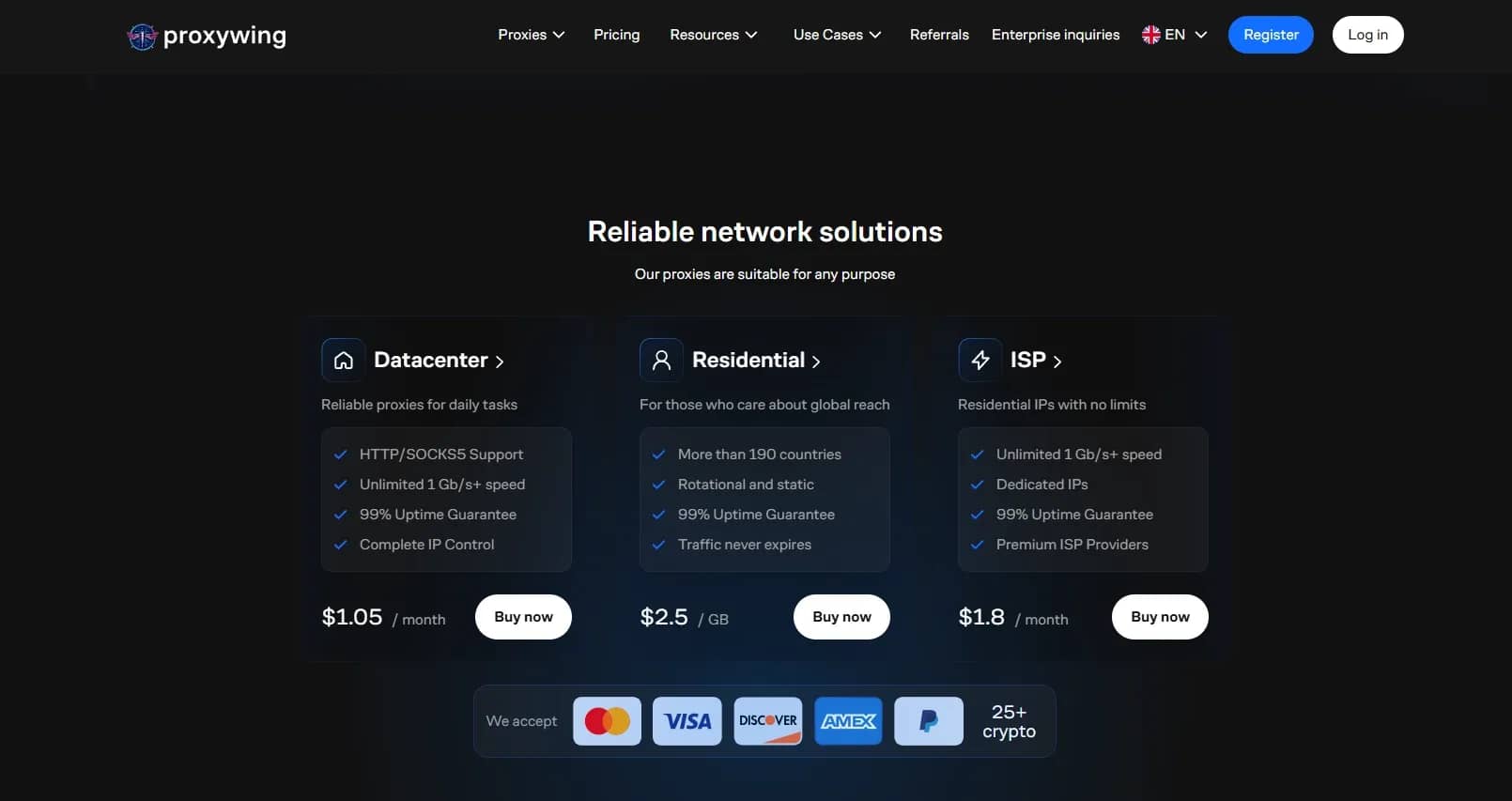
ProxyWing offers three main categories of proxies, each tailored to different needs:
- Residential: IP addresses of real devices provided by internet service providers. Ideal for bypassing geographic restrictions and tasks where high anonymity is crucial (e.g., social networks, advertising accounts). Available in over 190 countries, 99% uptime, unlimited traffic. Prices start from $2.5 per GB.
- ISP: Clean static IPs from internet service providers. Combine the trust of residential IPs with the stability of data center solutions. ProxyWing's offerings include dedicated IPs, unlimited speed of 1 Gbps, and 99% uptime. Prices start from $1.8 per month.
- Data Center Proxies: The fastest and most affordable option. Ideal for scraping, automation, or high-volume tasks where speed is more important than stealth. Provide full control over IP, unlimited speed of 1 Gbps, and 99% uptime. Prices start from just $1.05 per month.
All proxy types support HTTP(S) and SOCKS5 protocols, ensuring compatibility with a wide range of tools and browsers, including Linken Sphere. Save an additional 12% on all proxies with code LinkenSphere12 at checkout.
How to Get Started with ProxyWing
- Create an account and top up your balance. Top-ups are available via bank cards, cryptocurrency, PayPal, or Freekassa. The minimum deposit is $2.
Select the proxy type and GEO.
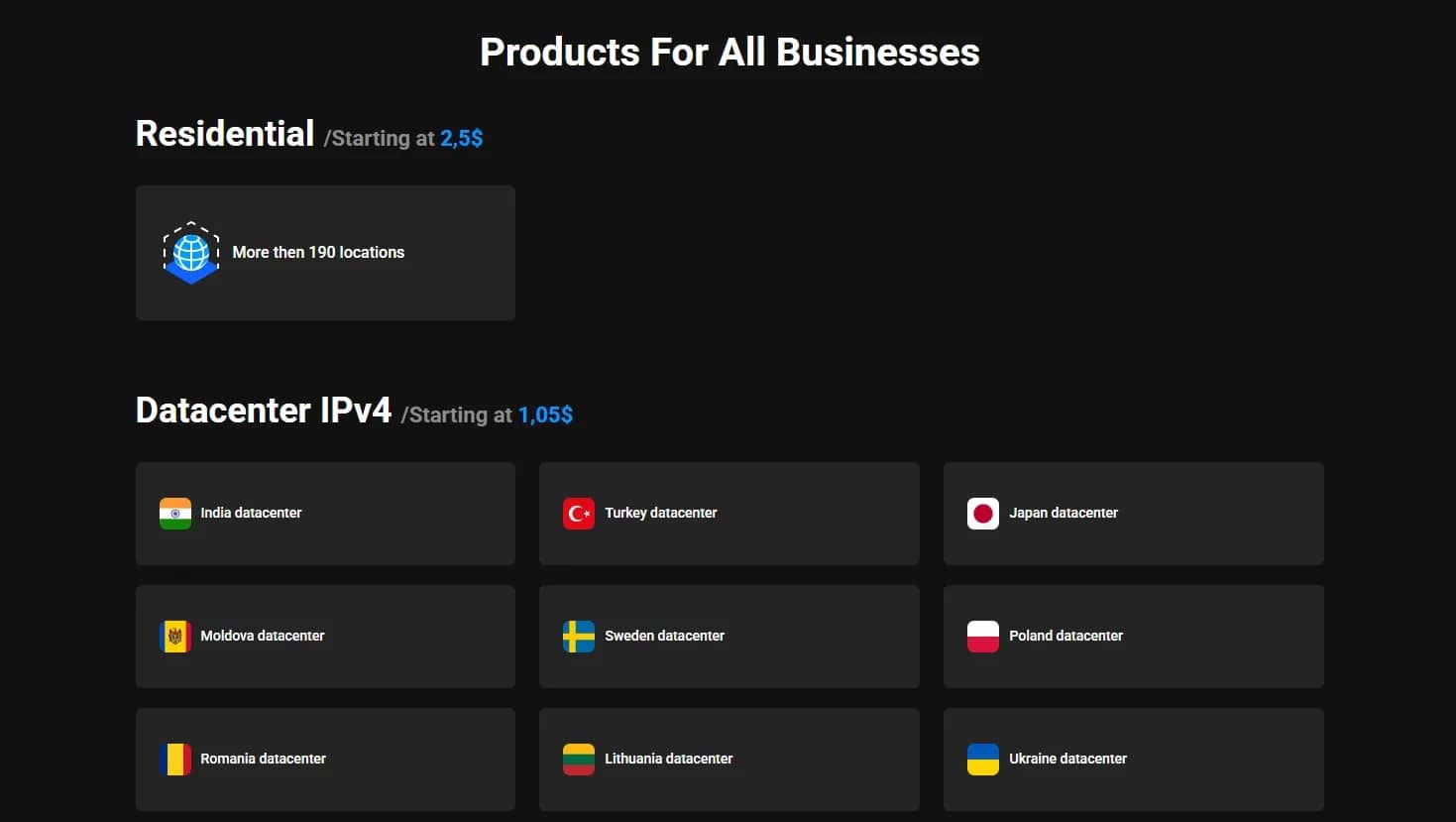
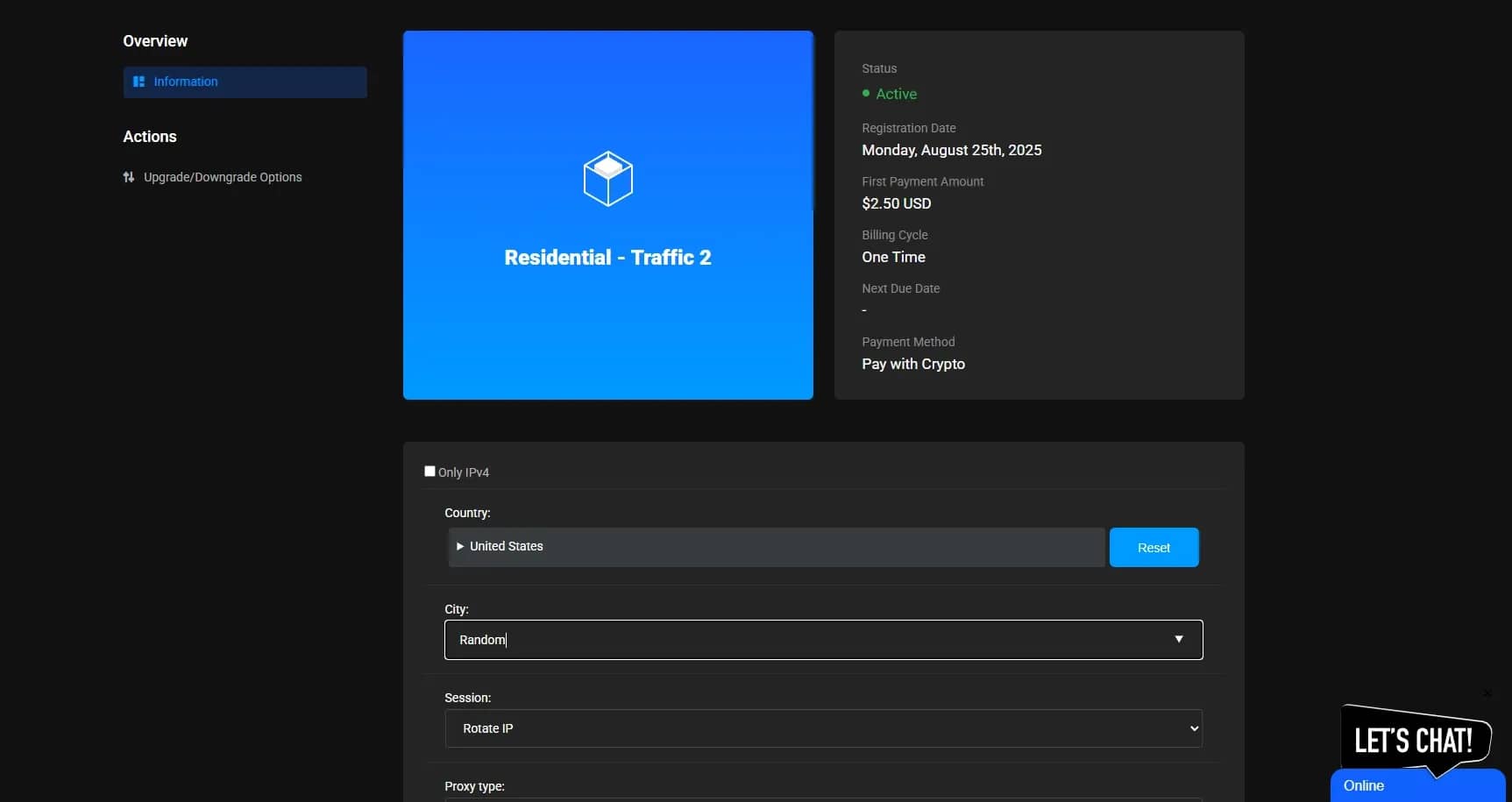
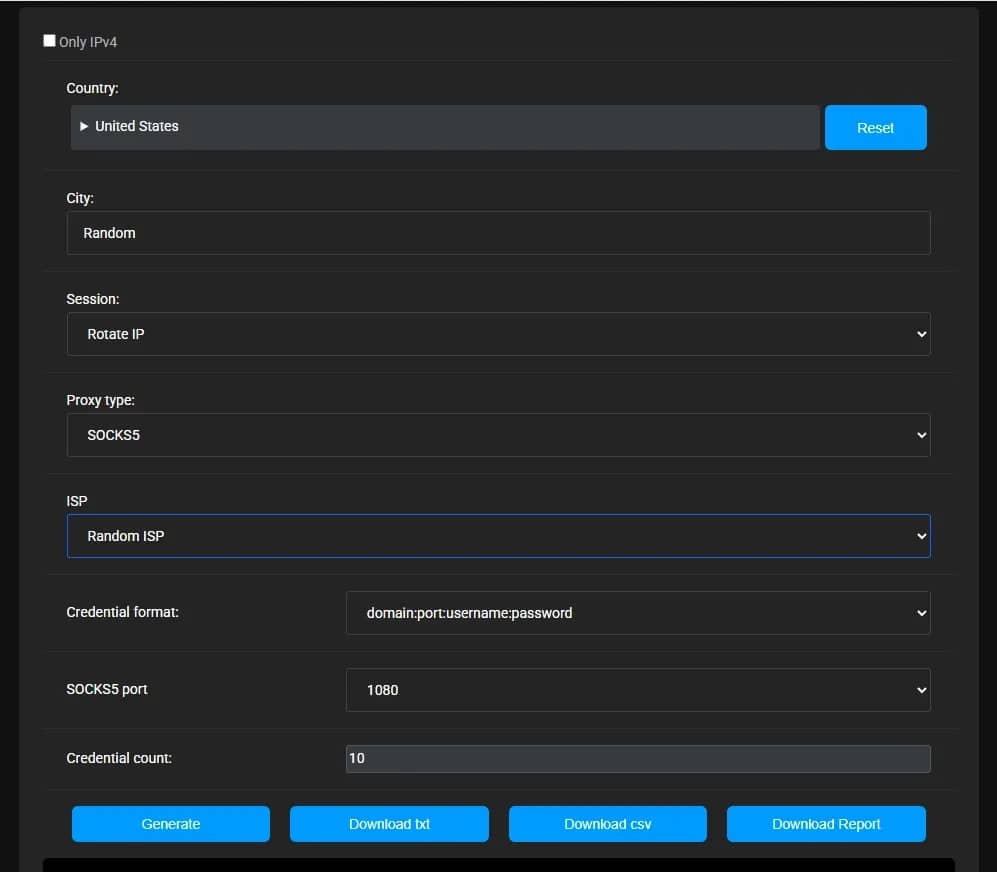
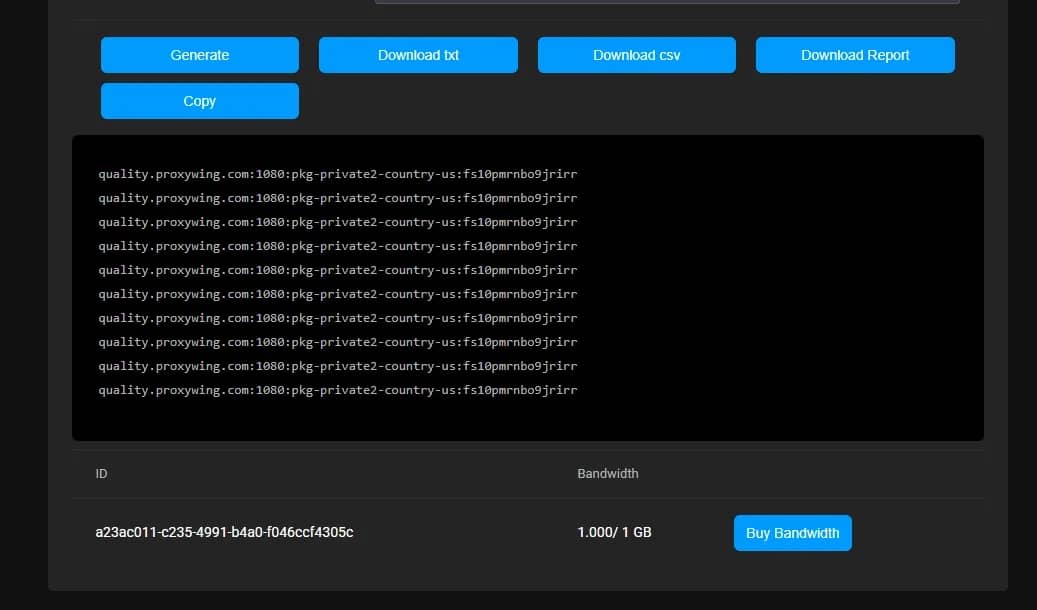
Generate access credentials. Create proxy endpoints and select the authentication method (whitelisted IP address or username:password). For mass import, upload credentials as a list.
Configure the proxy in Linken Sphere. Create a new session and fill in the basic profile information. In the "Connection" section, select the connection type that corresponds to your proxy (http/socks5).
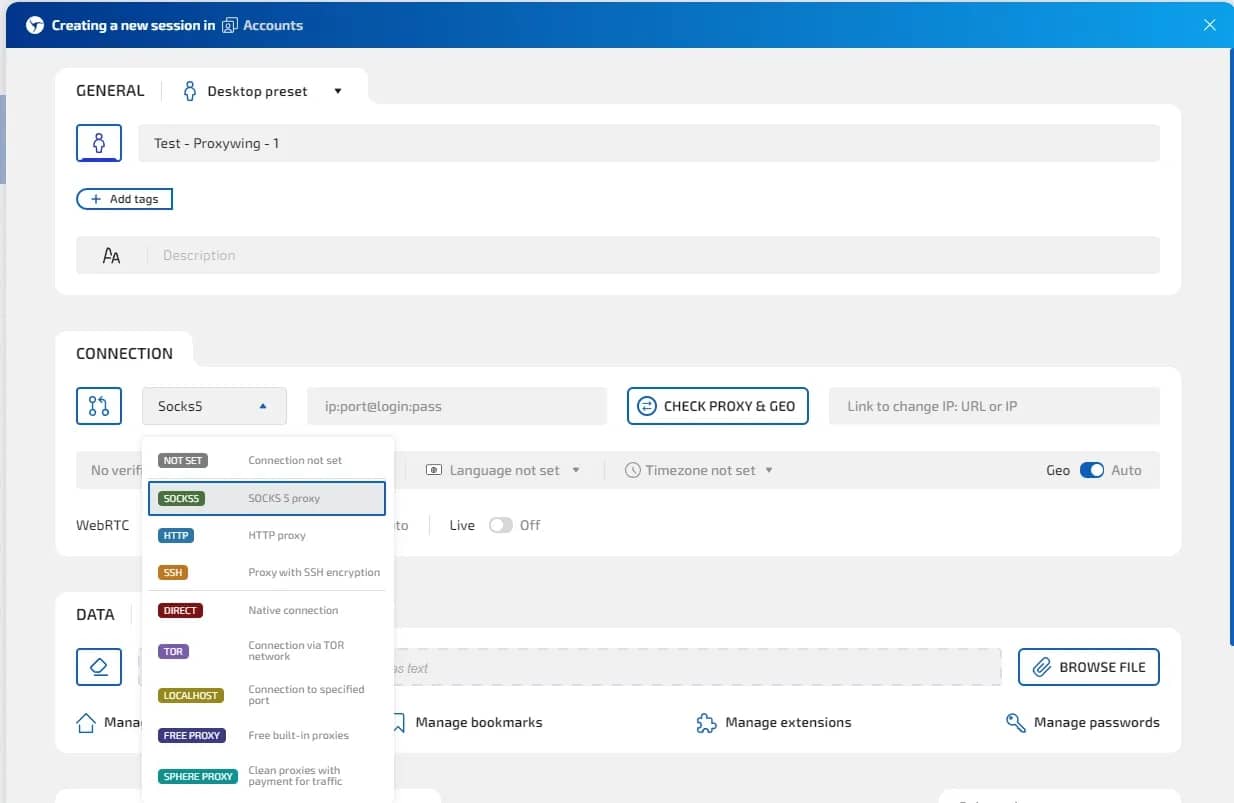
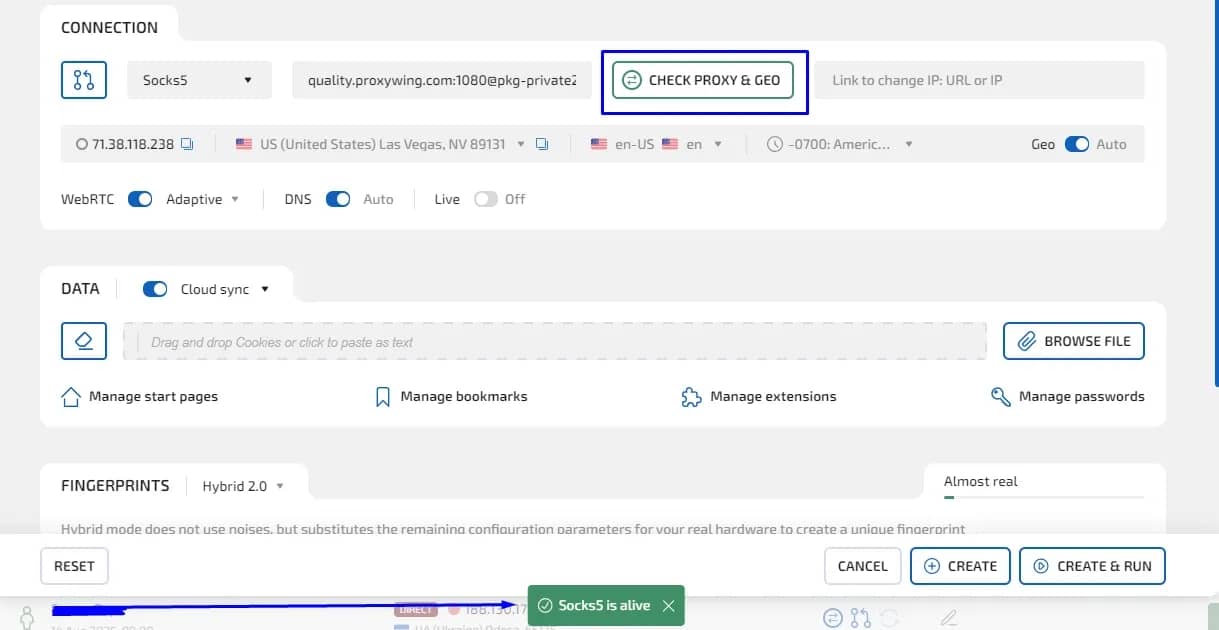
- Add the proxy data to the connection settings, using common formats such as: ip:port or ip:port@login:password
Click the "Check Proxy and GEO" button to verify the proxy's functionality.
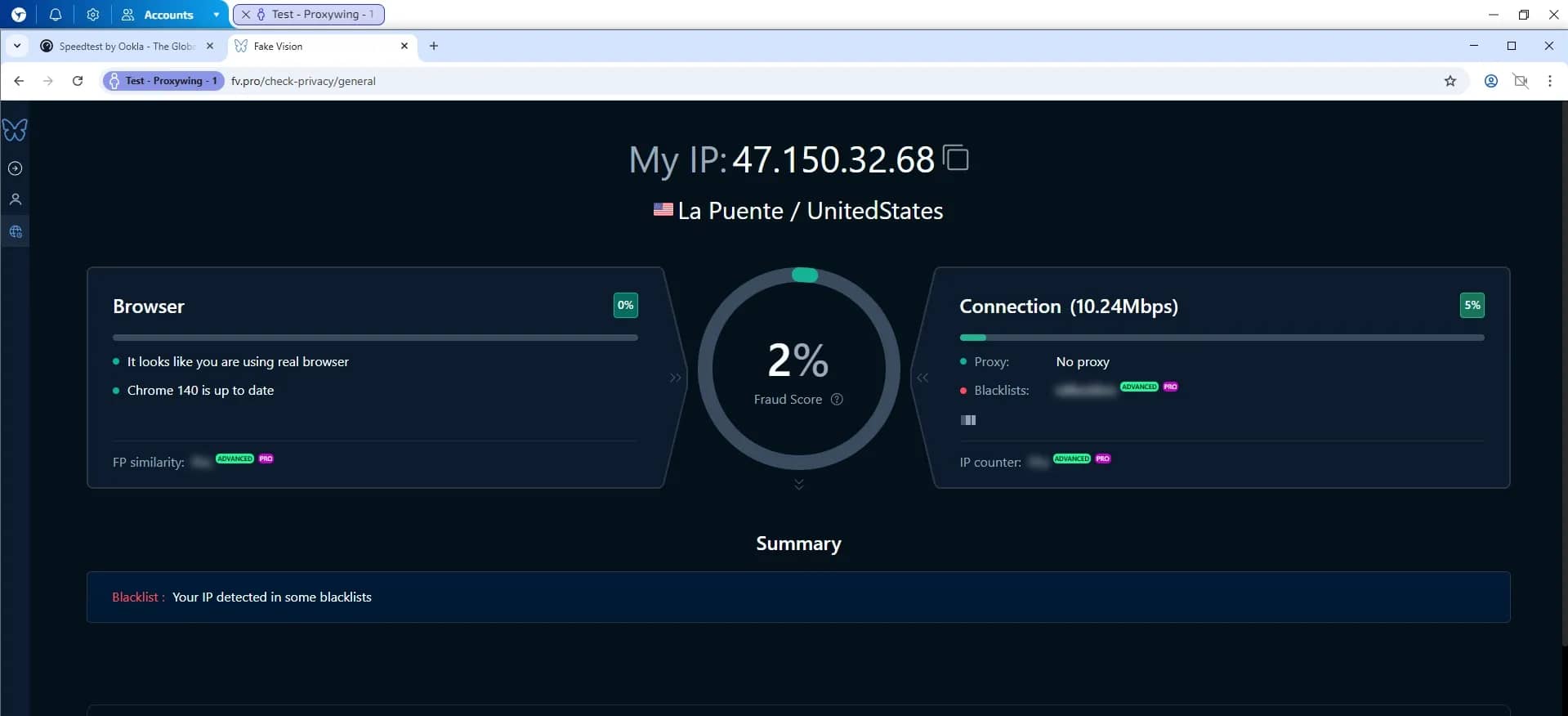
Create a session and check the anonymity of your profile.
For mass proxy loading, you can use import by list or file in the proxy manager. For convenient data management, you can set the name type for all proxies and simply paste the proxy list.
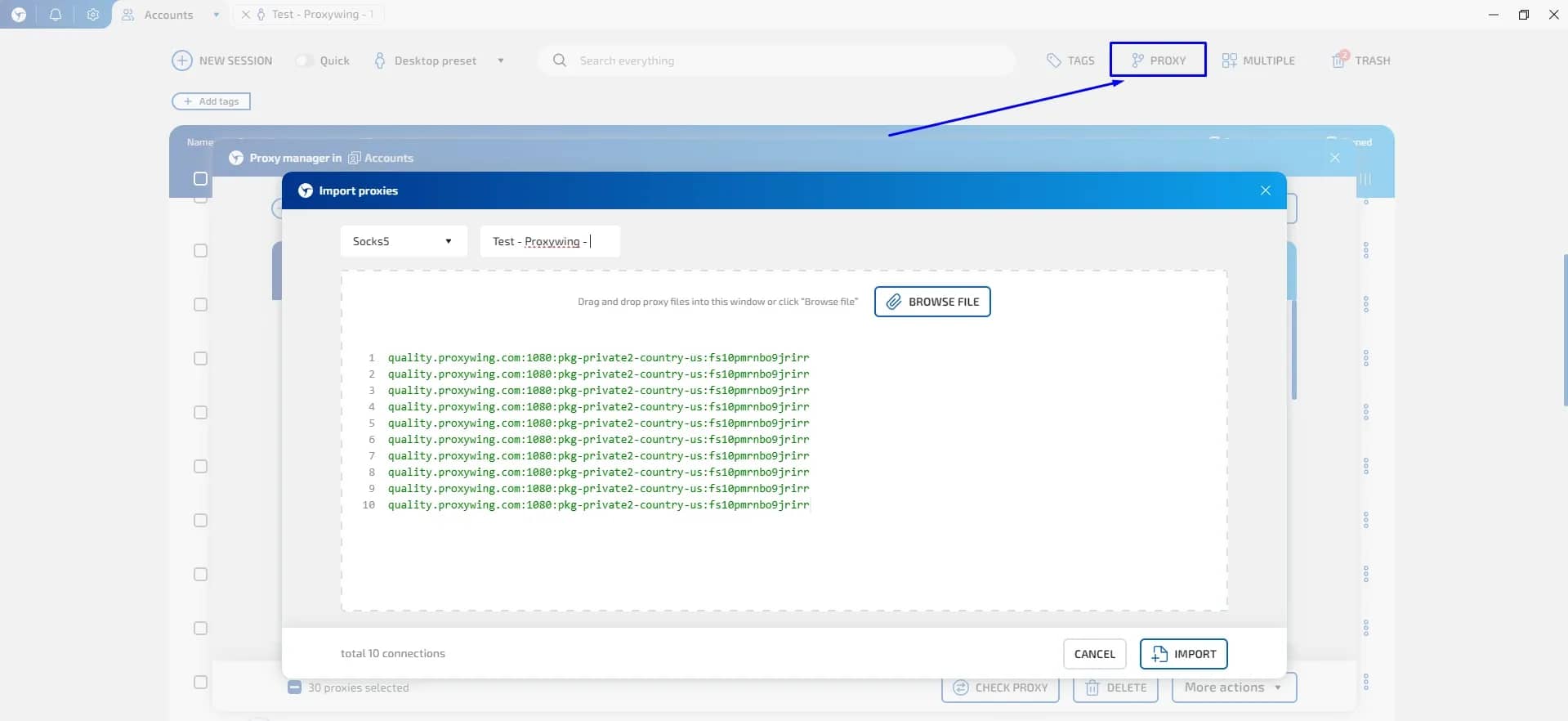
You can check the operability of all imported proxies by selecting them and clicking "Check Proxies".
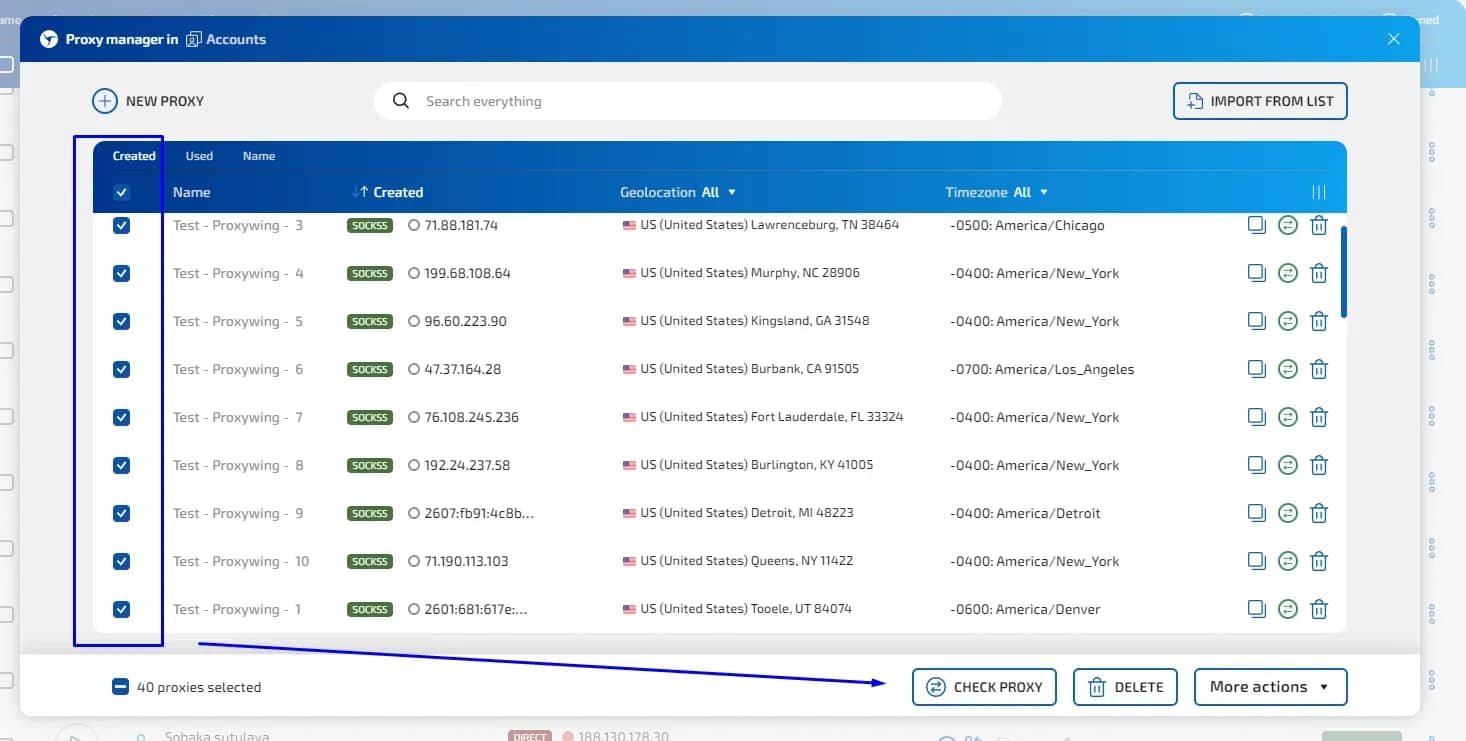
After that, you can connect to each profile using the proxies you added to the proxy manager.

To optimize traffic consumption, use the AdCrusher tool in Linken Sphere, which ignores all unnecessary advertising when loading pages. This saves up to 40% of traffic!
Linken Sphere + ProxyWing: Test and Scale
Proxies are necessary for any workflow involving multi-accounting or automation: Linken Sphere replaces fingerprints, but proxies protect session separation and scaling. Choose the proxy type depending on the task: residential for working with social networks and bypassing geo-restrictions, ISP for stable long-term profiles, data center for high-speed scraping.
ProxyWing provides all three options with dedicated IPs, high speed, and transparent pricing. Test each type of proxy in Linken Sphere, run a health check, compare reliability and cost, and then choose the best solution. With this approach, the Linken Sphere and ProxyWing combination becomes a reliable, scalable setup for multi-accounting.

SOCKS vs HTTP Proxy: What’s the Real Difference and Which One to Choose?
There are times when you don’t want a website to link the request back to your device. That’s where a proxy comes in, it acts like a middle layer and sends the request for you. The site sees the proxy’s info instead of yours. It’s a go-to trick when you’re trying to see a page that’s not available in your region, pull content that’s restricted by location, or avoid hitting a wall when sending lots of requests.

How SOCKS5 Proxies Work: Explained in Simple Terms
What is this technology and how does SOCKS5 work when transferring data between a user and a website?

Linken Sphere 7th anniversary
Exactly 7 years ago, we turned a new page in the industry by releasing the first public version of Linken Sphere. All these years people have looked up to us, but we have inspired our colleagues and to this day we do not follow trends, but create them.