How to Create Multiple PayPal Accounts
The PayPal anti-fraud system operates strictly and can send an account for additional verification even for a routine spike in turnover. Multiple wallets help distribute the load, but you can only register one personal PayPal and one business profile using the same personal data, and attempts at multi-accounting result in bans.
However, there is a way out — registering a profile using drop data. This requires a setup consisting of a good multi-accounting browser, proxies, and other tools. In this article, we will show you how to properly bypass anti-bot filters to register multiple PayPal accounts.
Why Create Multiple PayPal Accounts
A sudden spike in transactions, several chargebacks in a row, or logging in from a suspicious IP — and the PayPal account is blocked, with funds frozen for six months. Accessing capital across a network of accounts insures the business: if one wallet gets banned, traffic simply switches to another, and operations do not stop.
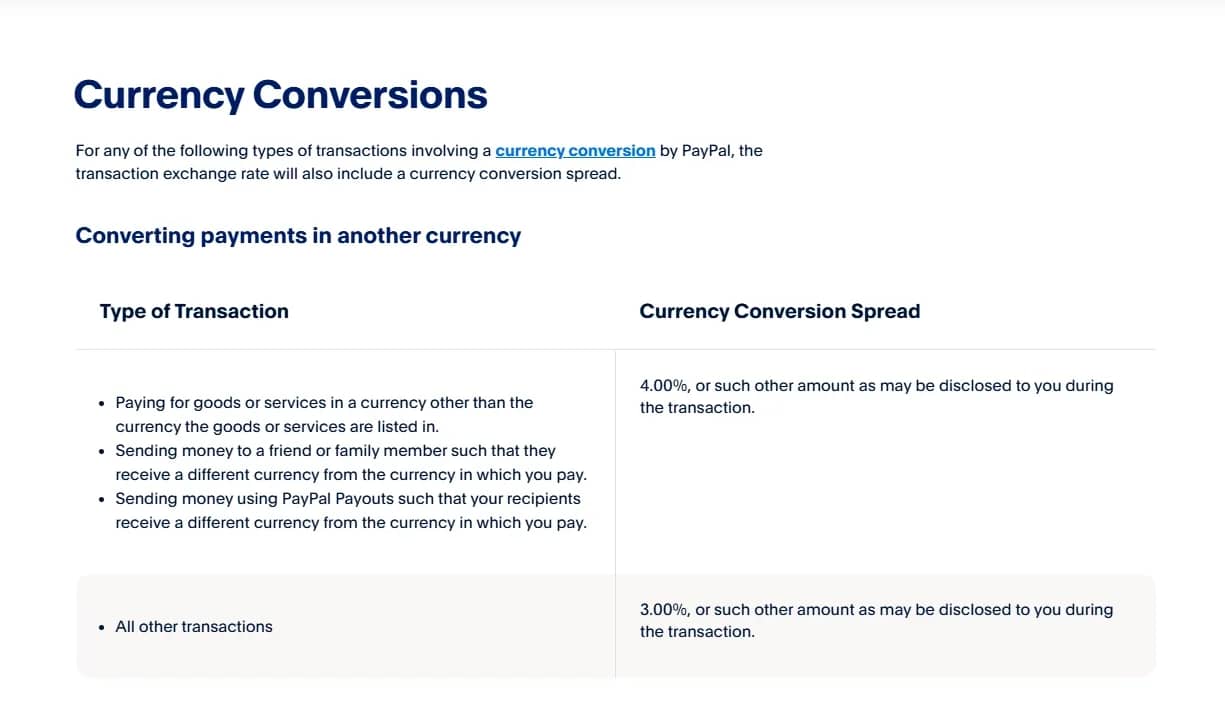
PayPal has high conversion fees for international transfers. To avoid losing a percentage of profit, accounts are registered under the GEO of the target audience: a US dollar account for American traffic, and a Euro account for European traffic. In addition, some foreign advertising networks and services only accept payments from local wallets.
The payment system enforces strict limits on receiving funds. To expand them, one must pass a multi-level verification process requiring documents. Since many accounts are registered to drops, collecting the necessary papers for unblocking is often impossible or financially impractical. It is easier to distribute a $50,000 turnover across ten accounts with $5,000 each to stay under the compliance radar.
At the same time, PayPal's rules allow one person to open only two accounts: one personal and one corporate. Registration requires different email addresses and unique bank details, but the owner's personal data must match.
Creating a third wallet under your own name is impossible, which is why networks of dozens of independent accounts are built to scale operations.
What You Need to Prepare to Create a Network of PayPal Accounts
To bypass restrictions, a standard browser and incognito mode will not help. PayPal's algorithms track hundreds of device parameters. If the system detects that five wallets are being managed from a single computer, it will block them all.
What you need to prepare:
- Anti-detect browser — to create unique browser fingerprints and segregate sessions.
- High-quality proxies — residential or mobile proxies matching the country where the wallet is registered. The workflow is based on the rule: one account – one clean IP.
- Drop data for verification. PayPal regularly requests KYC identity checks. Registering a wallet with fake data will not work — you need real people. Verifications are usually triggered by an increase in sales volume or the first chargebacks, so you must always have the documents on hand. A package is prepared in advance for each account: a photo of a passport or ID card, a selfie, and proof of address — a bank statement or a utility bill.
- Unique bank cards. The card serves two functions: it is needed for verification during registration (the system charges a test $1) and acts as a backup payment source. Virtual cards from fintech services or accounts in foreign neobanks will do. The BIN must match the account's GEO, and the card itself must support receiving SMS codes. A single card can only be linked to one profile.
- Phone numbers and email. Physical SIM cards or reliable virtual numbers are required to receive two-factor authentication codes. The platform can request an SMS during any suspicious login. Emails are registered on trusted domains (e.g., Gmail) and pre-warmed with incoming emails.
It is important to consider that each account must undergo a warming-up process before launching the main volume of transactions.
Instructions for Creating Multiple PayPal Accounts
First, purchase proxies — residential or mobile. The IP address country must strictly match the wallet's country of registration. There is no point in buying cheap server proxies, as they are blocked quickly.
Next, configure a profile in an anti-detect browser. We use Linken Sphere, so you won't have to fiddle with settings and manually uniqueize your hardware: the browser itself generates a correct and safe fingerprint.
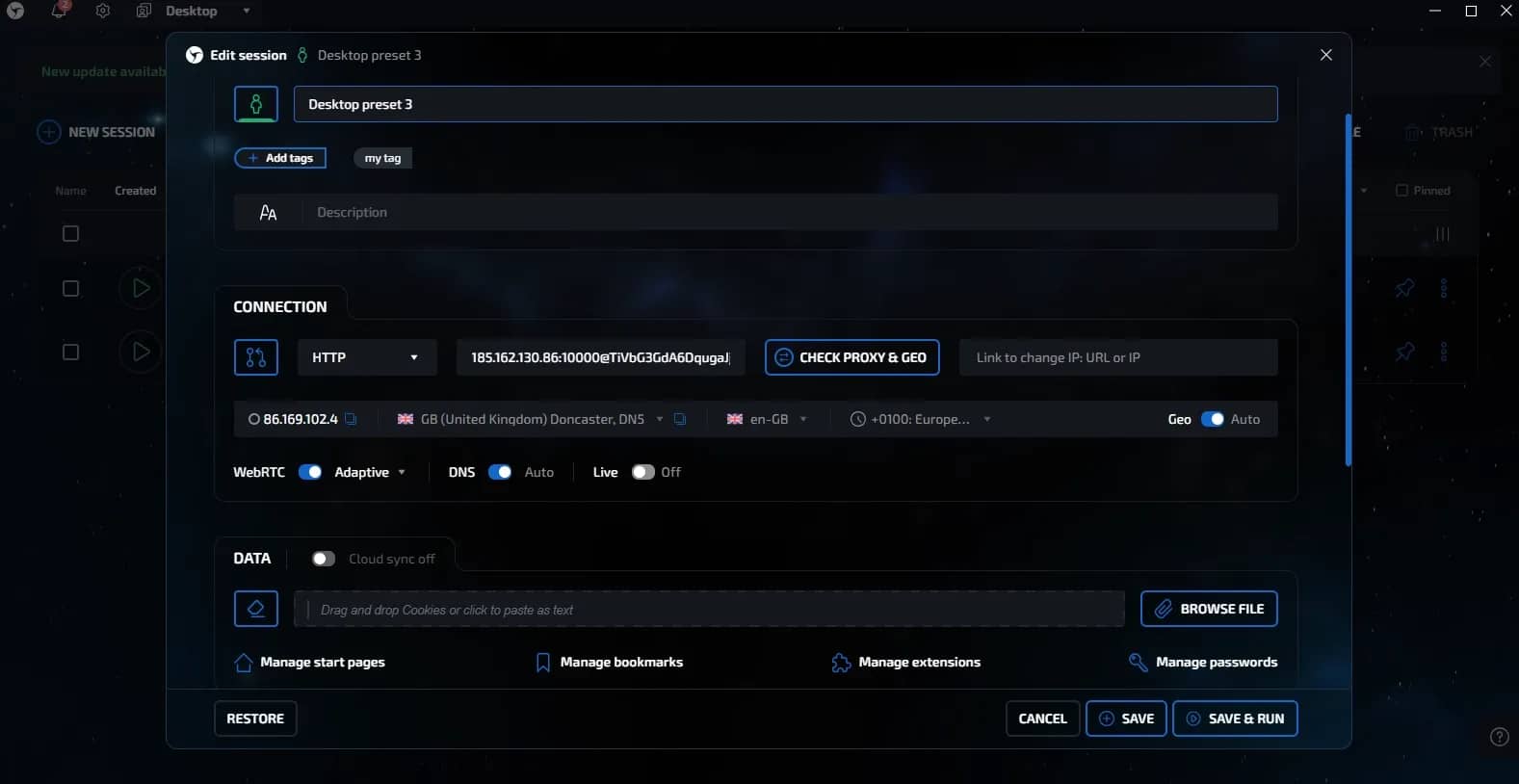
Therefore, all our work in the anti-detect browser comes down to three actions:
- Create a new session.
- Enter the purchased proxy details (IP, port, username, and password).
- Check the connection with the built-in checker (in Linken Sphere's case) or visit 2ip.io to confirm the GEO matches.
Once the proxy is attached and the GEO is verified, the technical preparation is complete, and you can proceed to register the account.
Launch the created profile and go to the PayPal home page. Click the "Sign Up" button.
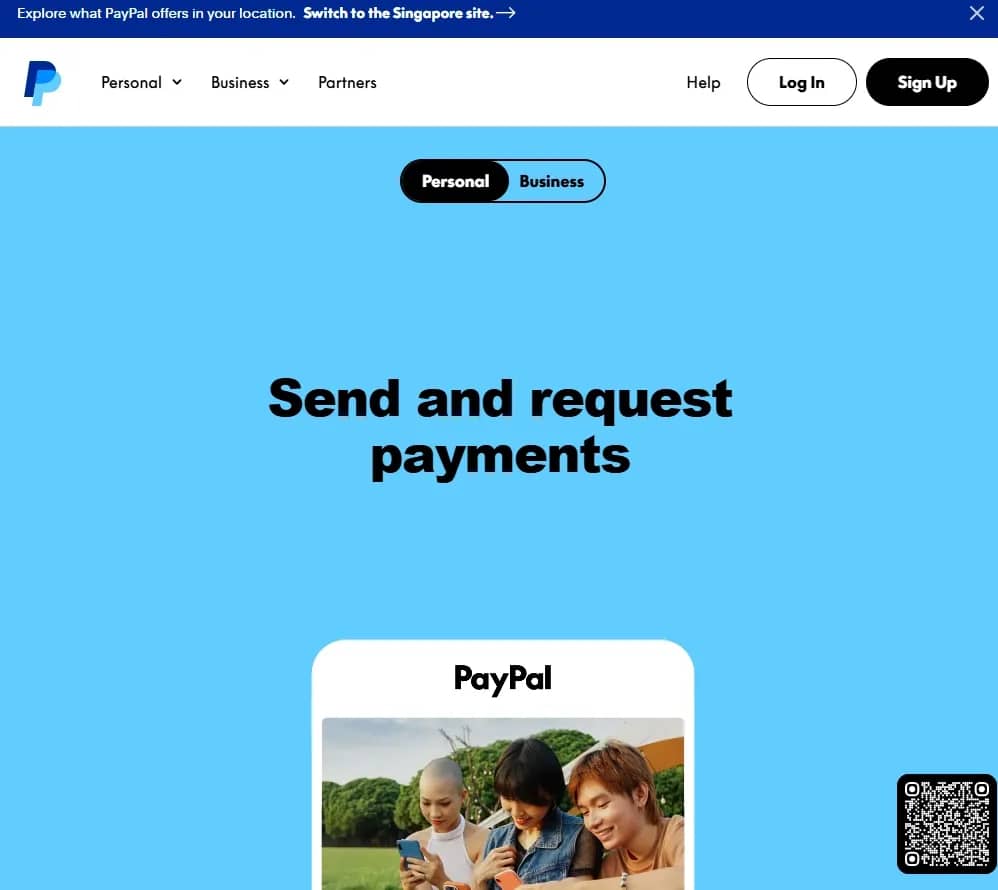
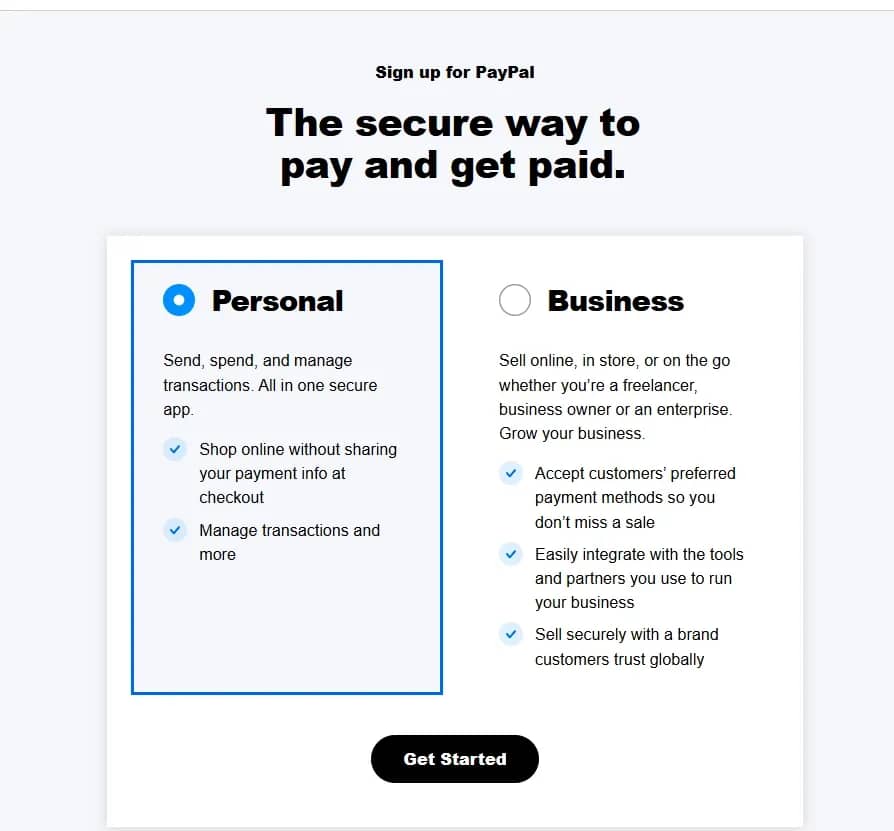
At the first stage, the system will prompt you to choose an account type. For standard tasks and working with drop documents, choose Personal. Opening a business account requires real corporate documents, which complicates the process.
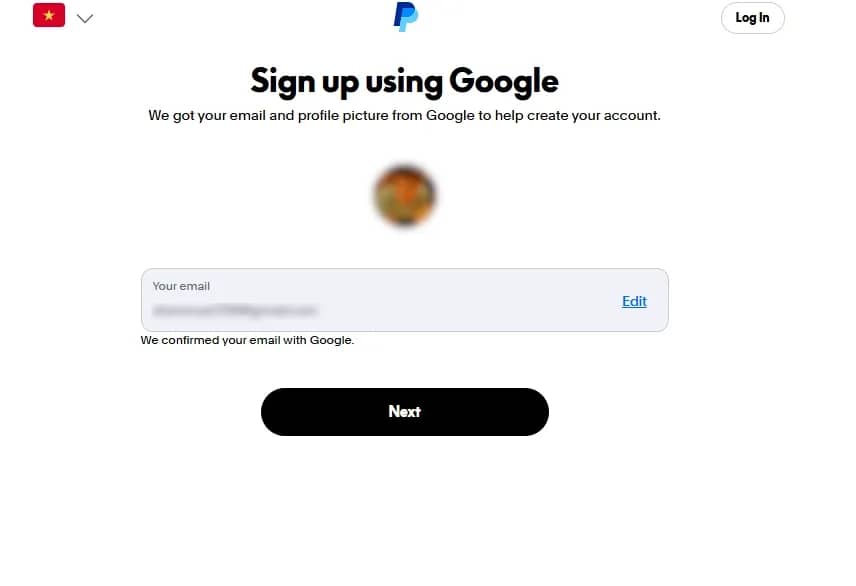
Next, an email input window will open. There is also a useful mechanic here: if you have already logged into the drop's email (for example, Gmail) within the current browser profile, PayPal will offer to use a widget.
After authenticating via email, the payment system requests phone number confirmation. Use a physical SIM card or a long-term virtual number prepared in advance. The country code must strictly correspond to the selected GEO of the profile.
Enter the received 6-digit code on the next screen. After that, you need to create a password, which is best added to your spreadsheet immediately (along with phone numbers, proxies, GEOs, etc.).
In the next step, you must enter information about the account owner. Drop data is entered here. You cannot use fake names. First, enter the last name and first name. Middle name is optional.
Select the nationality, and then the ID type, for example, a National ID. All that remains is to specify ID number and enter the date of birth.
On the final screen, fill in the address: street, town, region or province, and postal code. The main rule: the address must match the drop's address verbatim so that you can provide a statement in case of a verification request.
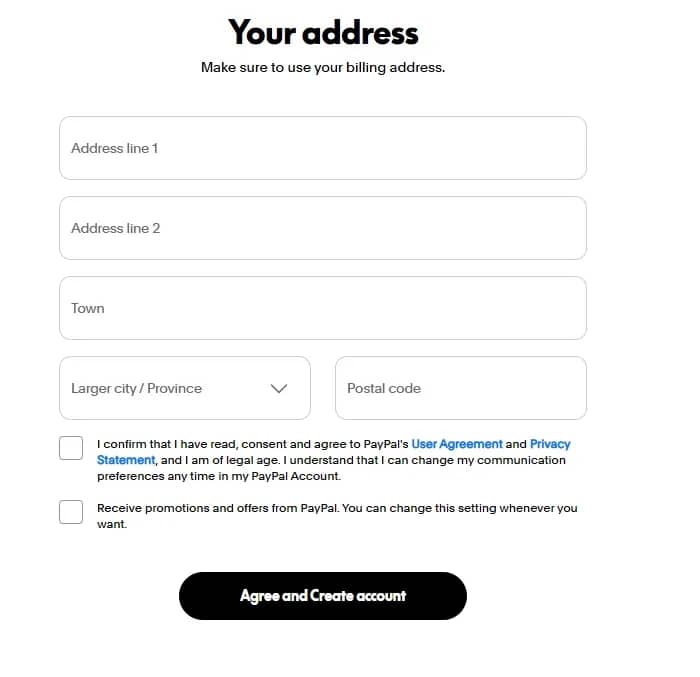
At the bottom of the page, check the first box to confirm agreement with the user agreement. The second checkbox — to receive marketing offers — can be left empty.
Finally, click "Agree and Create account" to complete the registration. After submitting the form, a confirmation will appear: "Your account has been created." The account has been created, but it is too early to use it in full. The system immediately prompts you to add a payment card.
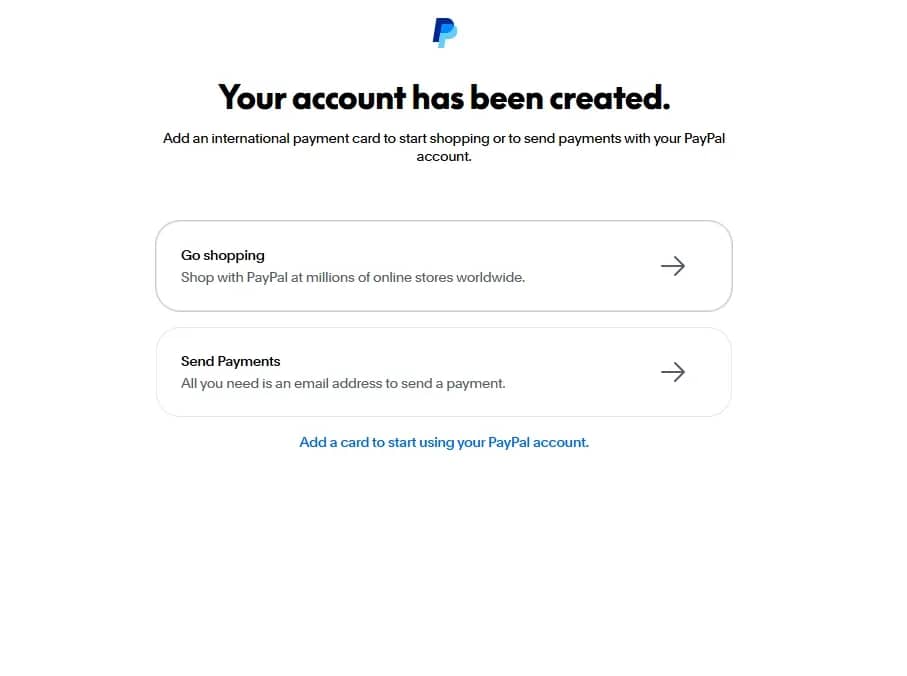
At the bottom of the screen, click on the blue link "Add a card to start using your PayPal account." A pre-prepared virtual card or plastic card from a foreign neobank is linked here:
- Card GEO. The issuing country must strictly match the account's country.
- Balance. There must be $2–3 on the card to successfully charge and refund the test amount.
- 3D-Secure. The card must be able to receive SMS confirmation codes.
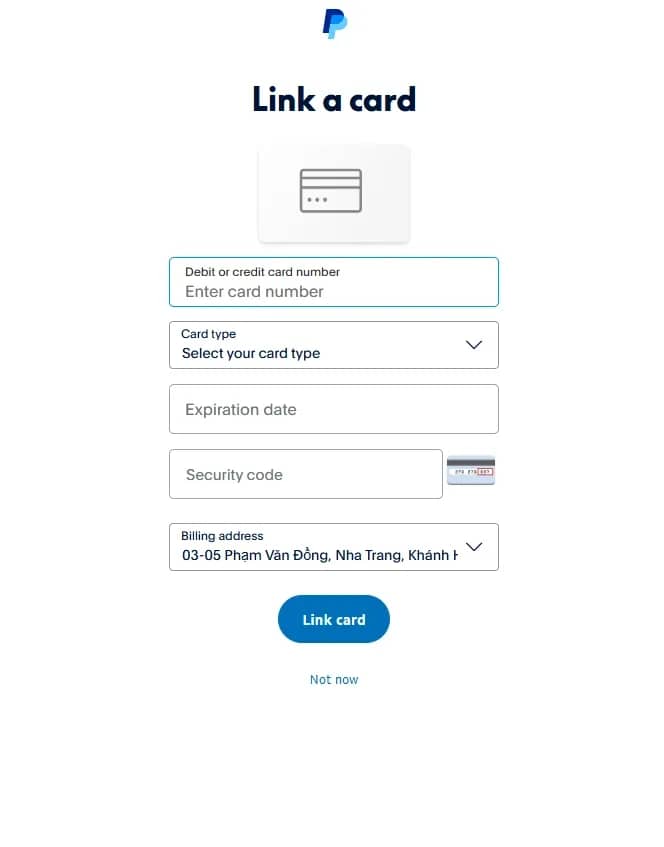
After entering the card details, PayPal will charge a small verification payment. Linking a card is mandatory — without it, the profile will remain restricted and look suspicious to the anti-fraud system.
Next, you need to create a unique username to generate a short PayPal.me link. It is used for quick direct transfers.
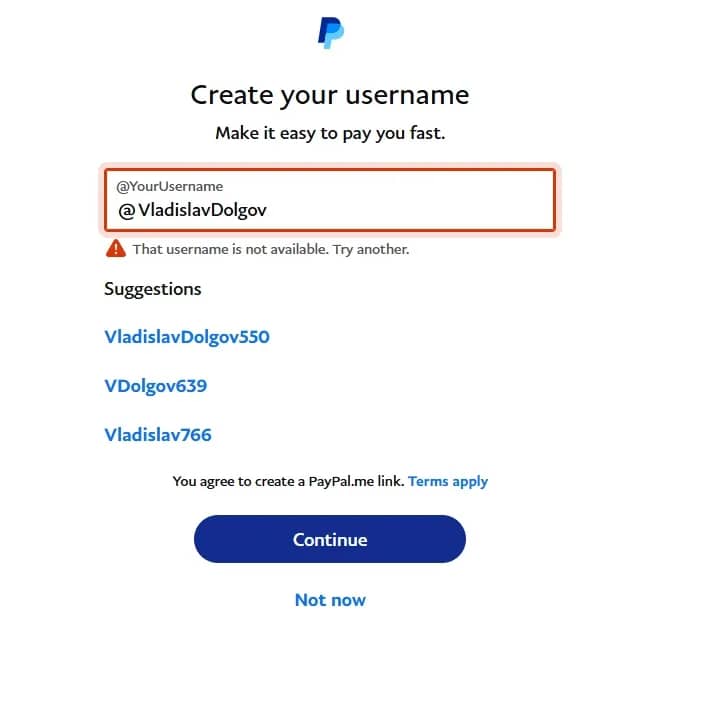
Enter your desired username. If it is already taken, an error message will appear. In this case, select one of the available options suggested by the system or create a new one. Then click the "Continue" button.
After this, a pop-up window will appear asking whether you allow other people to find your profile by name, username, email, or phone number.
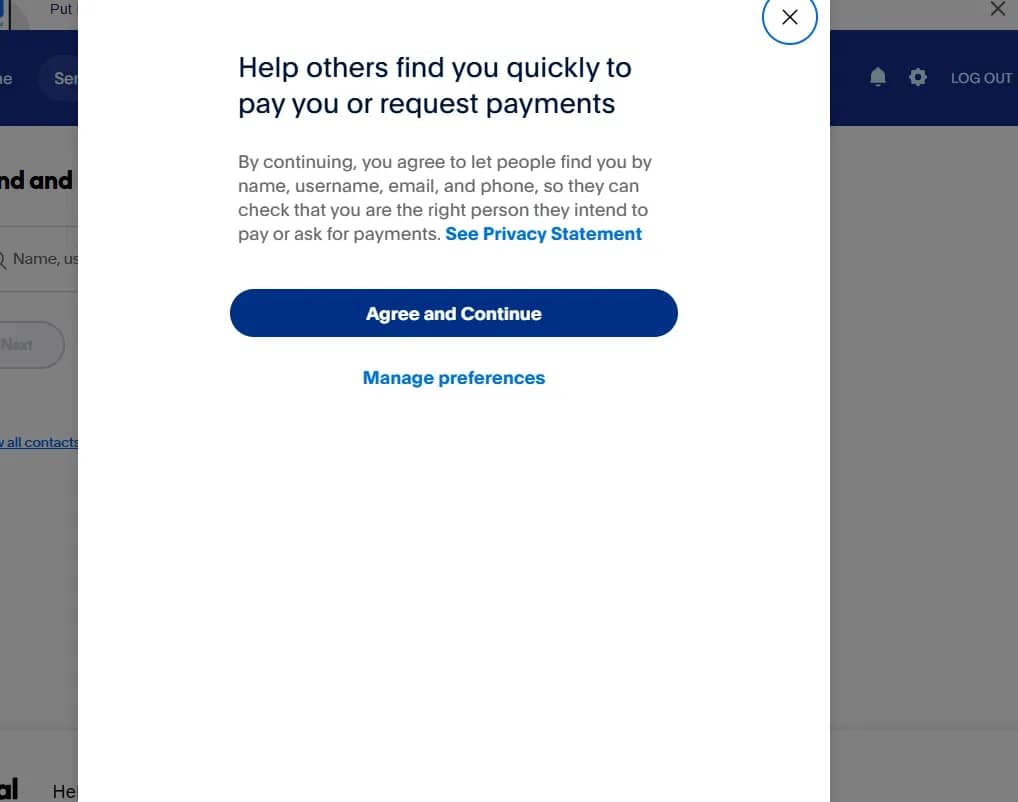
It is important for us to simulate standard user behavior, so it is recommended to agree and click "Agree and Continue."
The "Send and request money" screen means registration is successfully completed. However, you still cannot put this wallet to work and accept large payments on it right now.
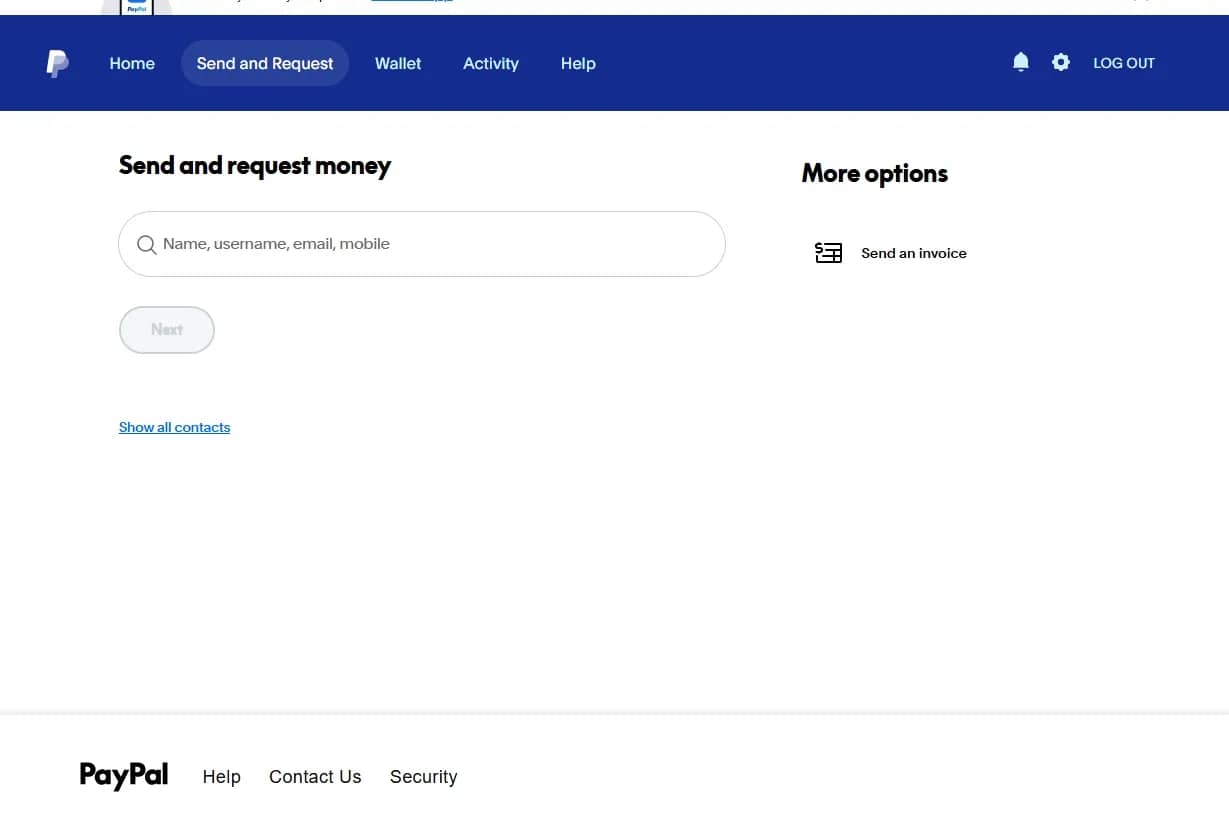
This is where the mandatory warm-up phase begins. What you need to do in the coming days:
- Show natural behavior. Click through the sections of the top menu: go to the home page, check the wallet, open the history of activity. The system should record that you are exploring the interface like a normal live user.
- Leave the profile alone. After a short period of activity, close the session and do not touch the account for 24–48 hours.
- Perform test transactions. Return after a couple of days and make a purchase of two or three dollars in any online store or pay for a cheap subscription.
Once at least a small history of routine transactions appears on the account, you can gradually increase turnover and connect it to work projects. After this, the account can be considered fully prepared for independent operation.
To make another profile, create a new session in the anti-detect browser and repeat the instructions.
Conclusion
Multi-accounting in PayPal acts as a risk management tool to receive payments without interruption. The longevity of profiles directly depends on the quality of the fingerprint masking and warming up accounts with small transactions. Attempting to speed up the process or save money on proxies can lead to bans. Use a high-quality multi-accounting browser and do not forget to warm up a newly created account.

Why Google Blocks Accounts and What Your Antidetect Has to Do With It
Google has once again complicated the mechanisms of digital identification by deploying a new, more sophisticated layer of protection based on proprietary HTTP headers. This quiet change caught most of the market off guard, triggering a wave of rushed updates. While others hastily released superficial 'fixes', we realized that we were dealing not with a minor issue but with a fundamental shift that required deep and comprehensive analysis.

SOCKS vs HTTP Proxy: What’s the Real Difference and Which One to Choose?
There are times when you don’t want a website to link the request back to your device. That’s where a proxy comes in, it acts like a middle layer and sends the request for you. The site sees the proxy’s info instead of yours. It’s a go-to trick when you’re trying to see a page that’s not available in your region, pull content that’s restricted by location, or avoid hitting a wall when sending lots of requests.

The Best Alternative to OBS Studio
Working with a webcam on many online platforms can turn into a real challenge. A strict oval or rectangular frame appears on the screen, but your image doesn’t align perfectly with it. As a result, the system blocks further progress, demanding perfect alignment, and your workflow is disrupted before it even begins.