
ProxyLine Review: Proxy Integration into Linken Sphere
Over the past few years, proxy services have become an essential tool not only for specialists engaged in multi-accounting but also for ordinary users who need to overcome regional resource blocks. The scope of application is incredibly wide: from professional account farming and data parsing to working with social networks, messengers, online games, streaming services, and classifieds – any task requiring an IP address from another country cannot be effectively solved without proxies.
ProxyLine stands out as an example of a versatile service. What proxies does the service offer, and how can they be integrated into Linken Sphere? Let's find out in this review.
ProxyLine Proxy Service: A Detailed Platform Review
ProxyLine is a platform for renting proxy servers, designed for stable and anonymous work online. The company has been operating in the market since 2017 and has established a reputation as a reliable service. ProxyLine provides server-based IPv4 and IPv6 proxies with high speeds in both individual and shared access formats. Over 490,000 IP addresses are available, covering more than 100 countries.
Key application areas include: traffic arbitrage, managing multiple social media accounts, website parsing, SEO analytics, and automating various software actions.
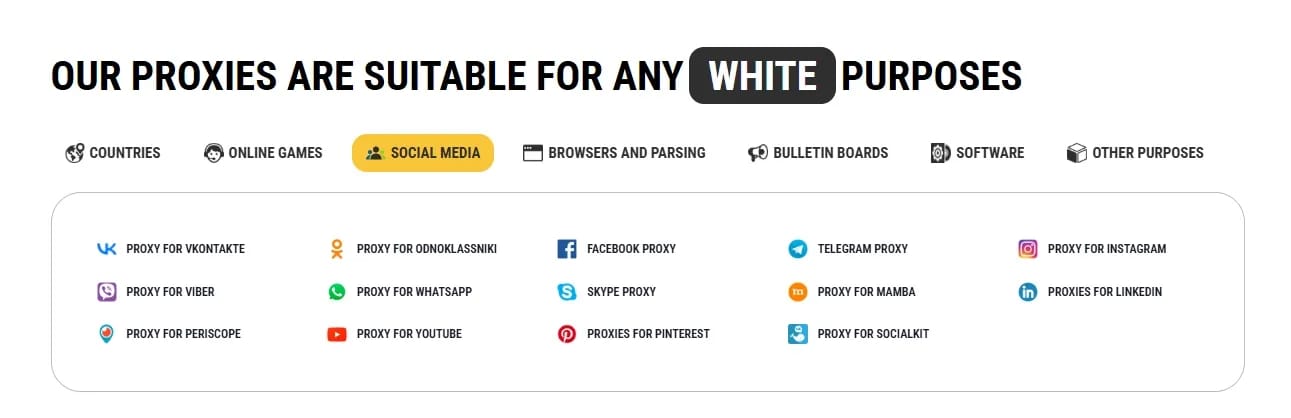
Users can select IP addresses from various countries and connect via popular HTTP(S) and SOCKS5 protocols.
The service is geared towards a quick start: proxies are activated almost immediately after purchase and are ready for use without complex configuration. ProxyLine also offers competitive rates and a user-friendly control panel where you can monitor and manage active proxies. Thanks to a stable connection and 24/7 support, the platform is suitable for both novice users and specialists working on large-scale online tasks.
Additionally, the website features: a proxy checker, connection speed and anonymity level tests, an IP blacklist, and a list of free proxies.
If you aim for the highest level of online anonymity, we recommend using proxies in conjunction with Linken Sphere.
How to Use ProxyLine Proxies in Linken Sphere: A Step-by-Step Guide
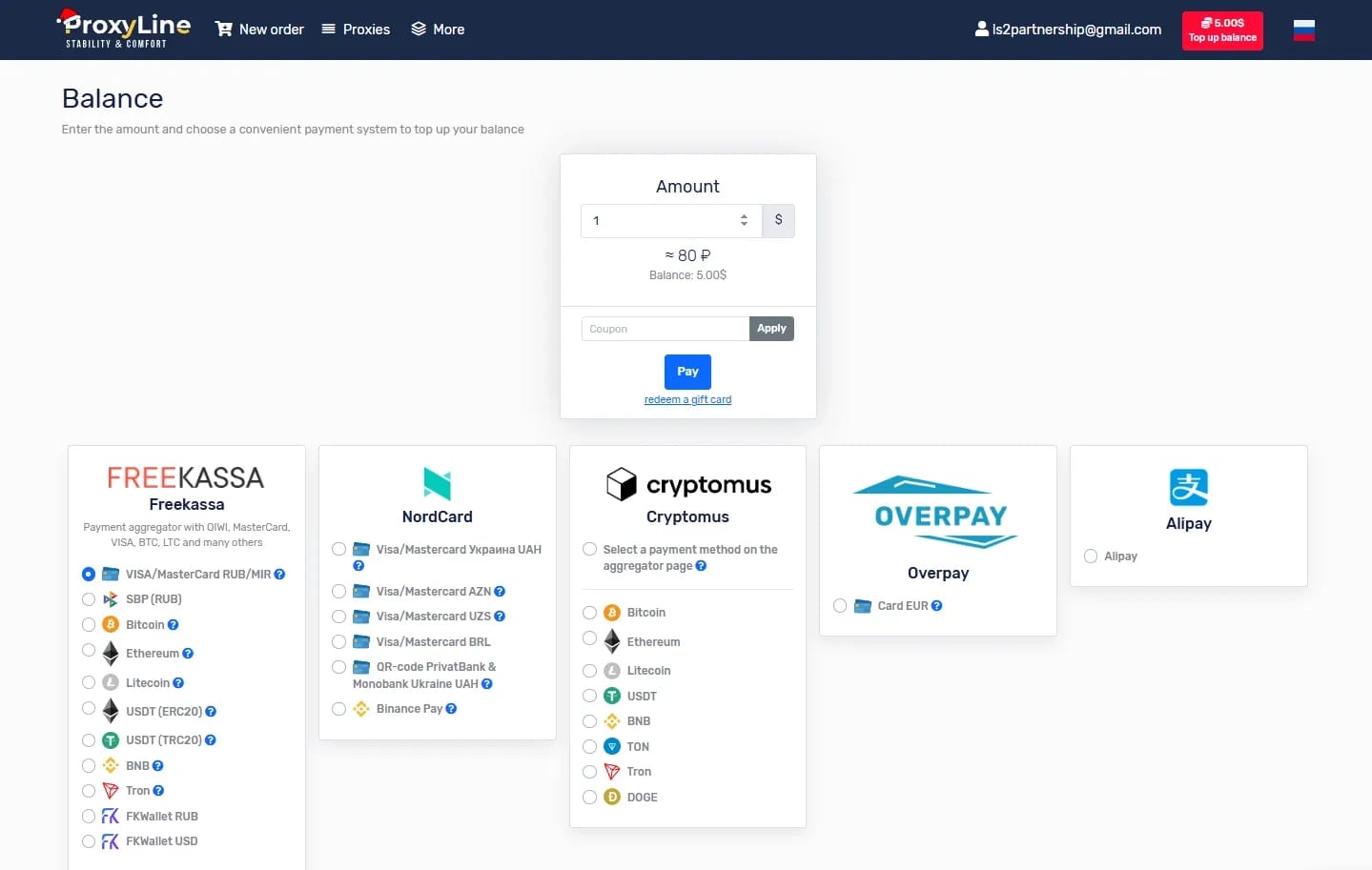
1. Registration and Balance Top-Up in ProxyLine. The service has no minimum deposit, and the minimum rental period for a proxy is 5 days, costing less than $1. You can pay for proxies using bank cards, cryptocurrency, and various payment systems.
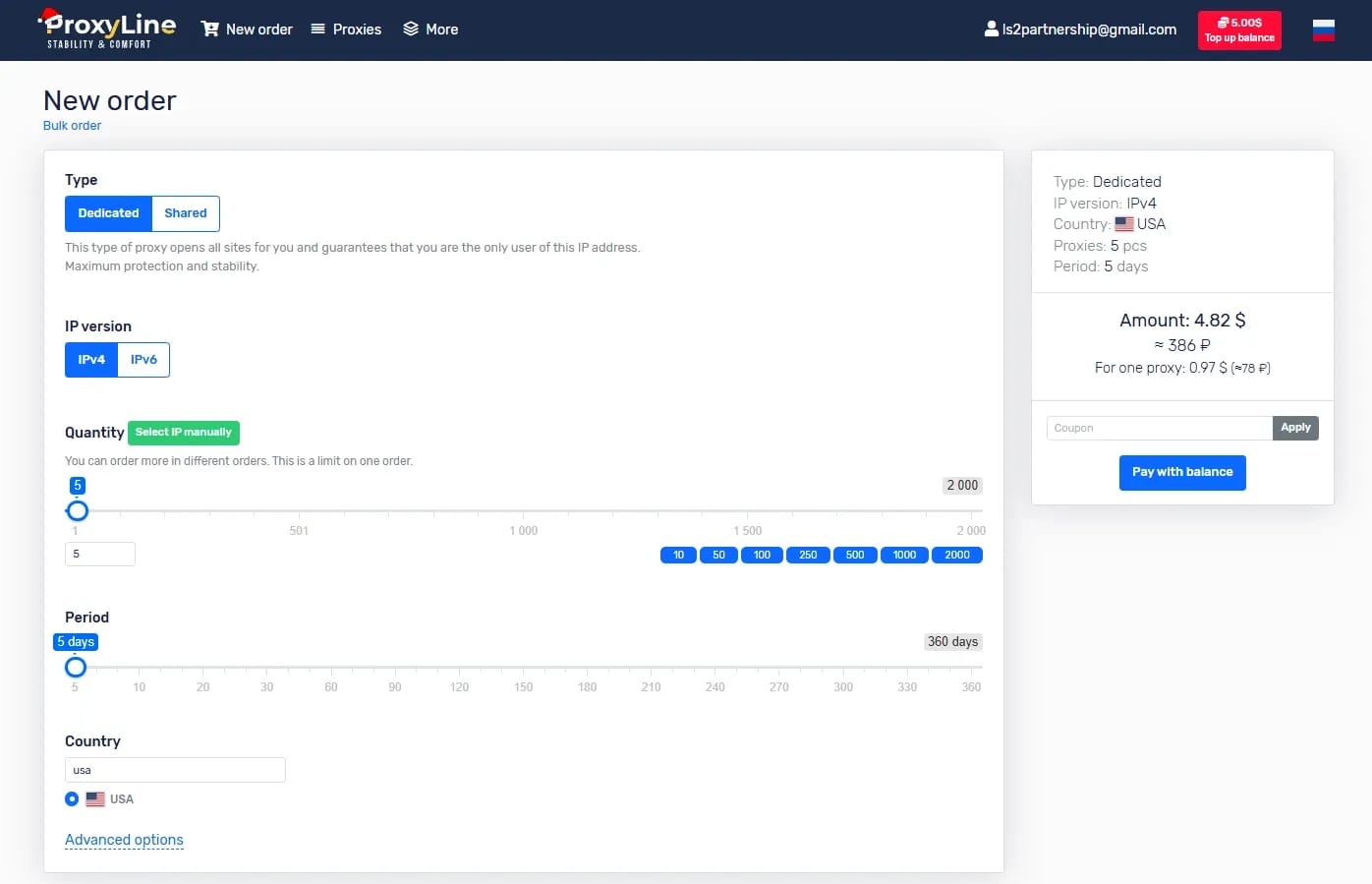
2. Select the appropriate proxy type for your task, as well as the required country. In our previous article, we already explained the difference between IPv4 and IPv6 proxies. Specify the desired number of IPs, the proxy rental period, and complete the payment.
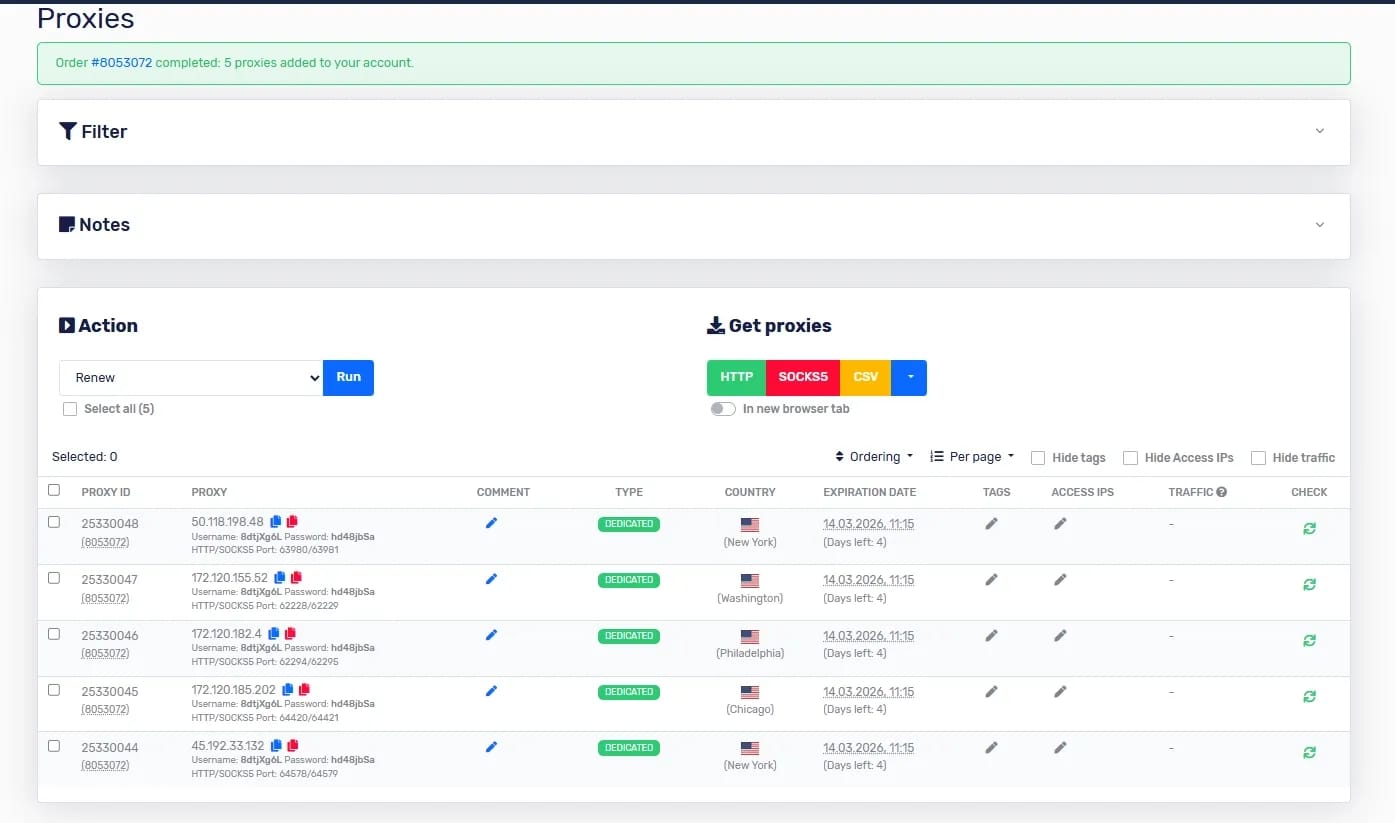
3. Obtain your proxy authorization details, copy them, and navigate to Linken Sphere.
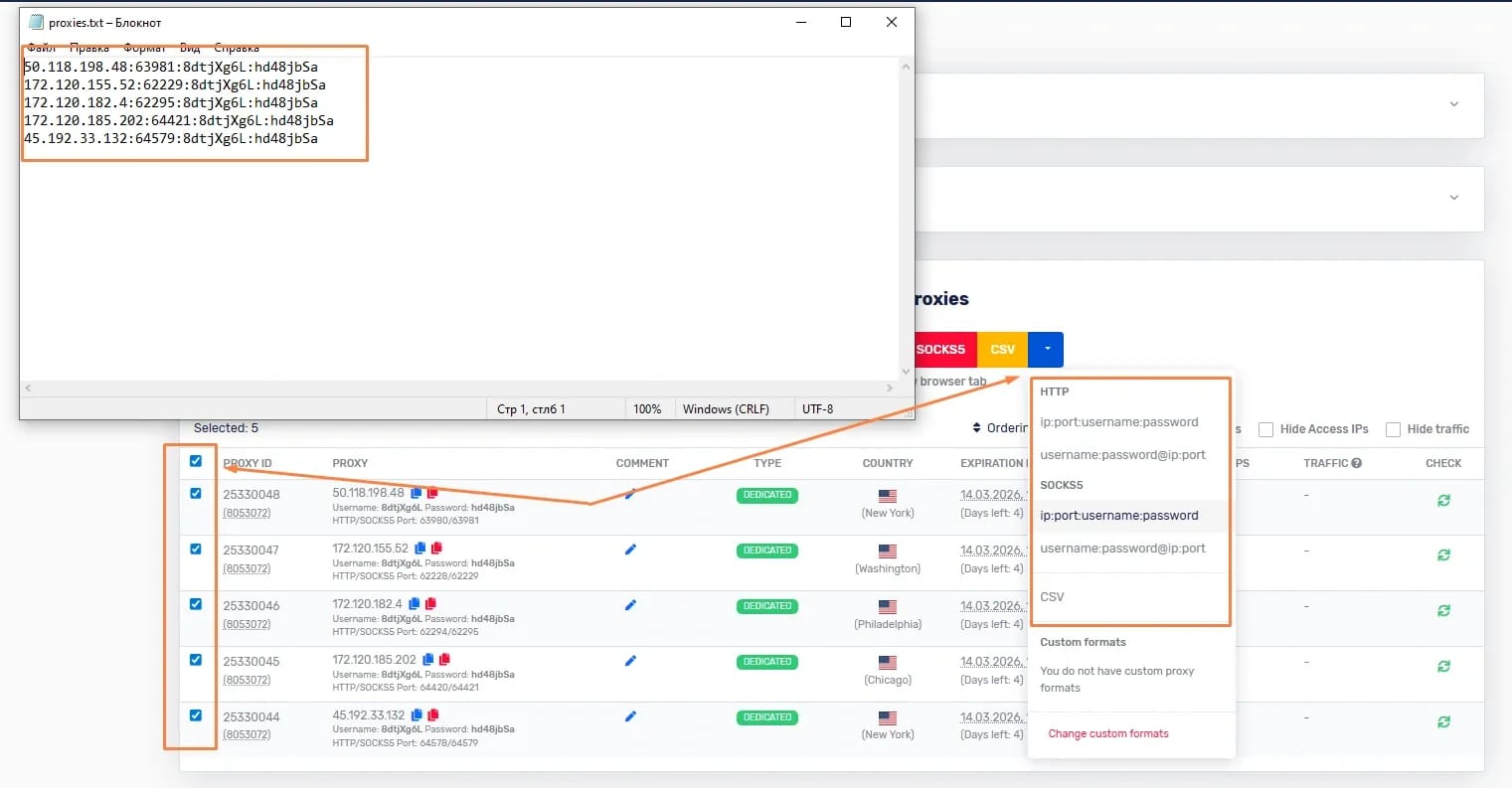
4. In Linken Sphere, you can add all proxies at once to the proxy manager by copying and pasting the data as a list (the browser will automatically recognize the IPs and assign a name to each), making it convenient to add proxies to existing profiles.
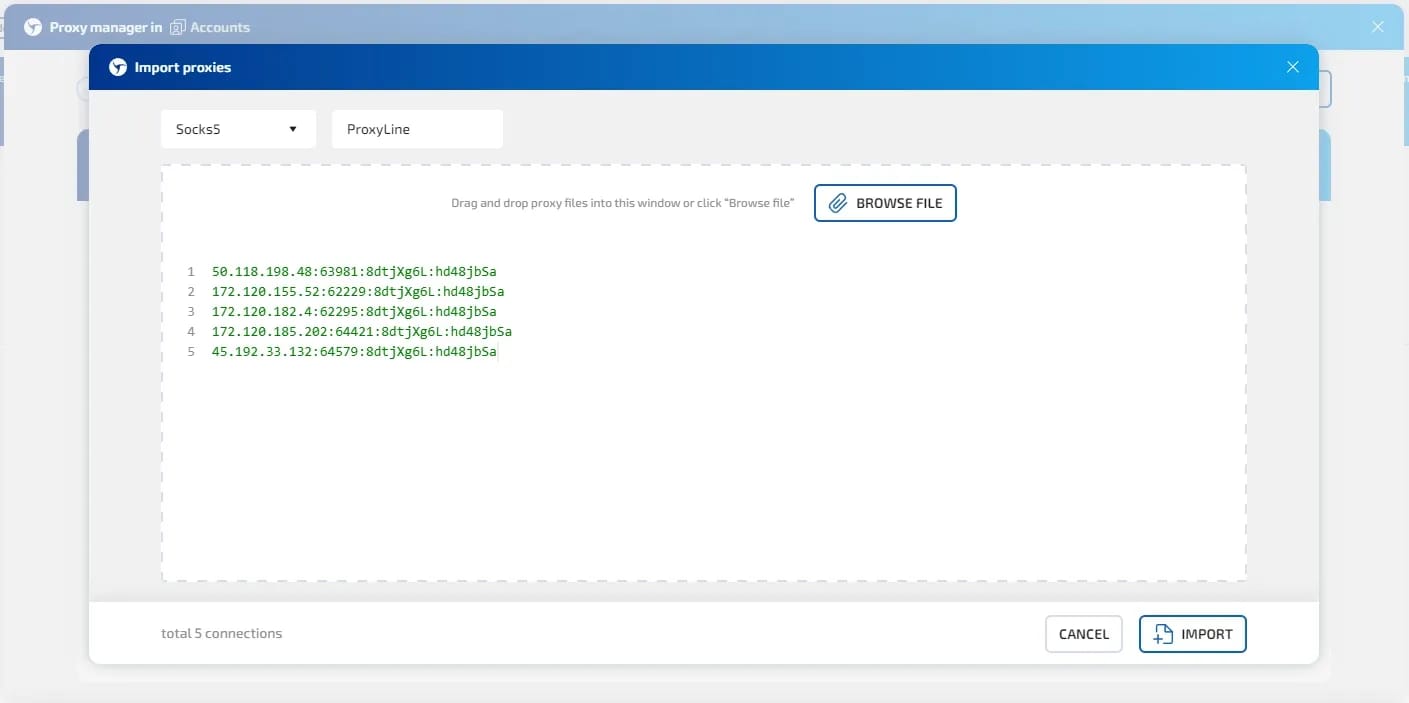
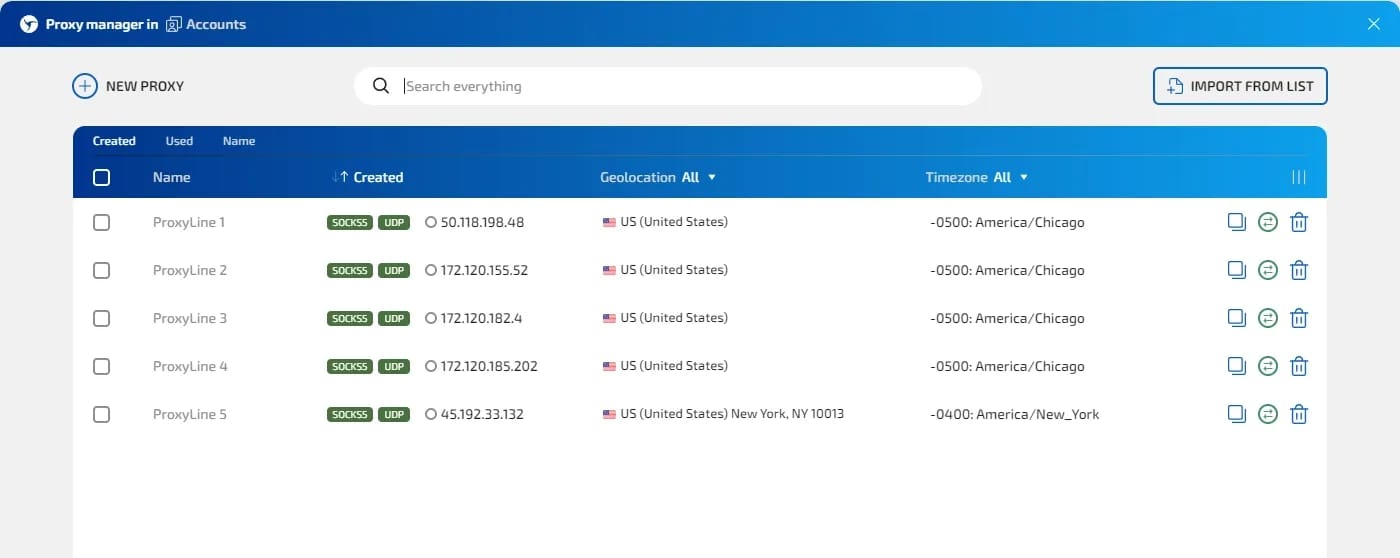
Alternatively, you can manually add proxies when creating a new session. Simply copy the data of the desired IP at the connection type selection stage and paste it into the corresponding field:
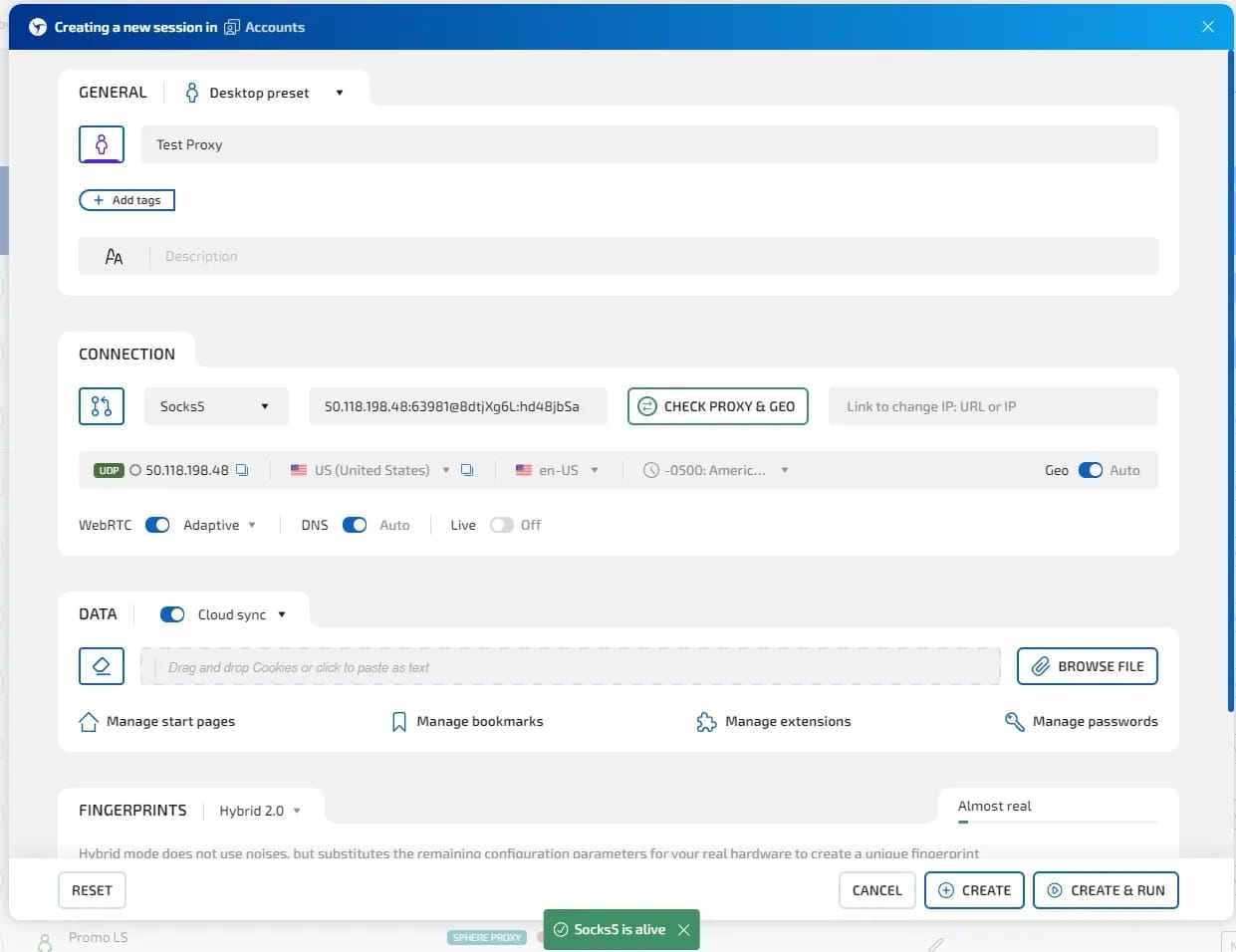
The browser will verify the proxy's operability and its compliance with the country you selected in ProxyLine.
5. Specify the remaining profile parameters in the browser: name, additional description if necessary, browser fingerprint, and import cookies if required. Save and launch the profile.
6. Check the proxy's connection speed and country compliance using an independent service.
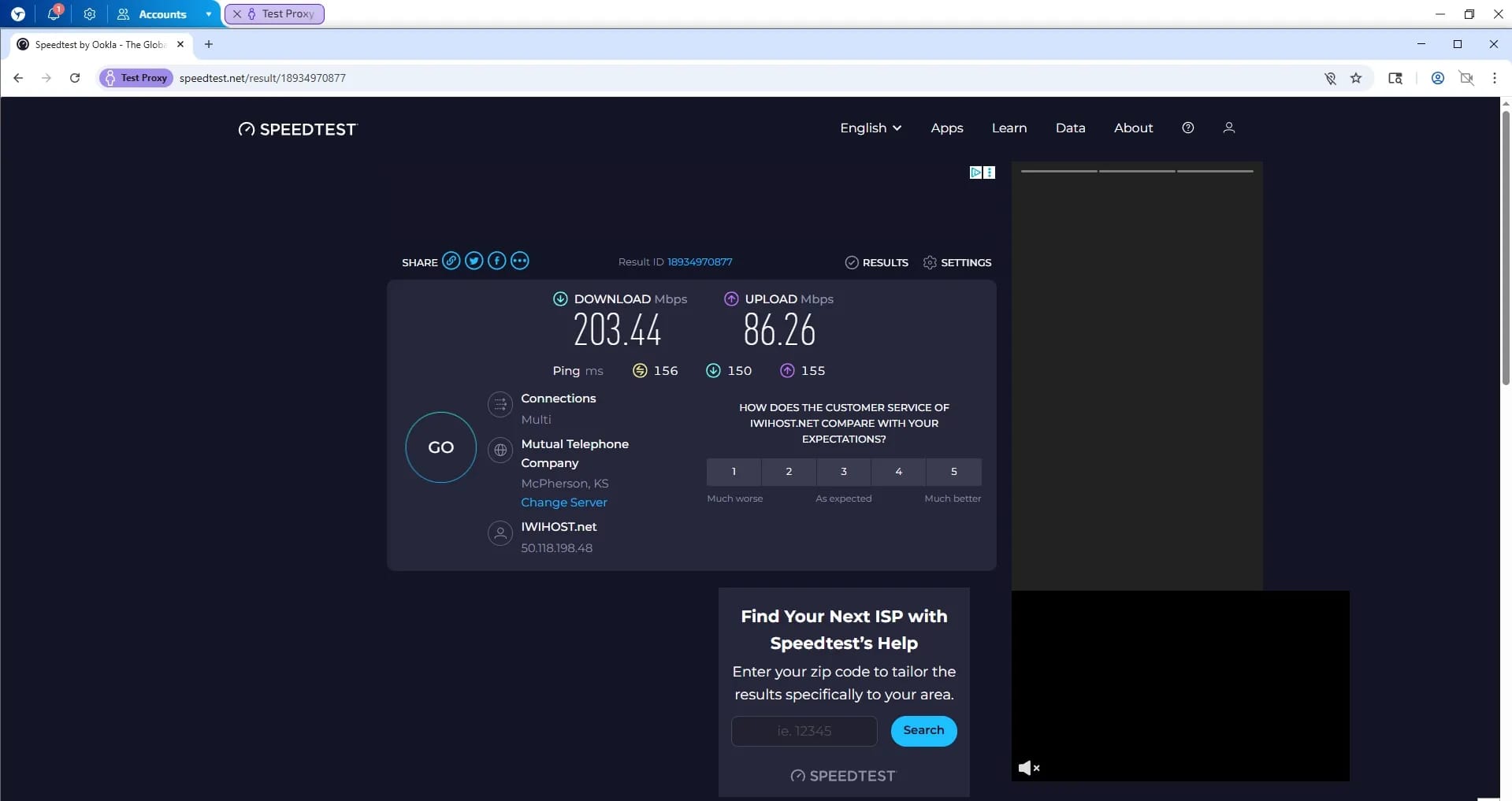
The proxies demonstrated stable high speeds and worked seamlessly with the Google search engine – without captchas or other restrictions.
Should You Use ProxyLine with Linken Sphere?
If you need a high-quality solution in the form of server-based proxies, ProxyLine offers excellent conditions: low prices, no minimum deposit, the ability to purchase even 1 IP with convenient payment, wide GEO coverage, and high connection speeds.
Proxies from ProxyLine will be an optimal solution for most tasks: with unlimited traffic, no captchas on popular services, and the ability to finely tune with subnet selection.
You can export your proxy list in two clicks and import them into Linken Sphere – quickly and conveniently. Both HTTP and SOCKS5 connection protocols are available for use.
We recommend testing the proxies for your specific tasks and forming your own opinion.
SOCKS vs HTTP Proxy: What’s the Real Difference and Which One to Choose?
There are times when you don’t want a website to link the request back to your device. That’s where a proxy comes in, it acts like a middle layer and sends the request for you. The site sees the proxy’s info instead of yours. It’s a go-to trick when you’re trying to see a page that’s not available in your region, pull content that’s restricted by location, or avoid hitting a wall when sending lots of requests.

How SOCKS5 Proxies Work: Explained in Simple Terms
What is this technology and how does SOCKS5 work when transferring data between a user and a website?

Linken Sphere 7th anniversary
Exactly 7 years ago, we turned a new page in the industry by releasing the first public version of Linken Sphere. All these years people have looked up to us, but we have inspired our colleagues and to this day we do not follow trends, but create them.