How to choose and configure proxies in Proxys.io: a complete guide
The efficiency of working in an anti-detect browser directly depends on how "clean" your digital fingerprint looks to the target resource. Even perfectly spoofed device parameters will not be able to protect the account from blocks if the used IP address is already on the blacklists of anti-fraud systems or has a dubious history. That is exactly why choosing a proxy provider is not a matter of savings, but a matter of the security of your assets.
As part of our series of reviews of proven solutions for Linken Sphere users, today we will study the Proxys.io service in detail. This platform has been on the market for a long time and claims to provide high-quality IP addresses. What the service actually offers — we will break down in the article.
Proxys service review: all types of proxies in a single dashboard
Proxys.io is a proxy server rental service that has been working in the market since 2016. The platform provides server, mobile, and residential proxies — both dedicated and with access for multiple people.
The target audience of the service: affiliate marketers, SMM and SEO specialists, various areas of multi-accounting, work on data collection and automation, as well as ordinary users who need anonymity.
| Type of proxy | Features | Price (from) |
| IPv6 | Suitable for social networks (Instagram, Facebook) that support this protocol. The most budget-friendly option. | $0.13 / mo. |
| Shared IPv4 | Shared addresses that are used simultaneously by up to 3 people. | $0.67 / mo. |
| Individual IPv4 | Issued to a single person. Optimal for stable work with any websites. | $1.35 / mo. |
| Residential | IP addresses of real home providers. Have the maximum level of trust from security systems. | $3.60 / IP or $1.5 / GB |
| Mobile | 4G/LTE proxies with dynamic IP rotation and unlimited traffic. | $40 / mo. |
Technical capabilities and functionality
- Protocol support: all proxies work via HTTP, HTTPS, and SOCKS5 protocols.
- Automation: the issuance of addresses occurs instantly in the dashboard right after payment.
- Authorization methods: authorization is available both by login/password and by the user's static IP address.
- Geography: more than 88 countries are available (including the Russian Federation, CIS, Europe, the USA, and Asia).
- Speed and stability: the average channel speed is about 7 Mbps (for server solutions), which is enough for comfortable surfing and working with software.
Let's break down step by step the purchase of proxies, their configuration, and integration into Linken Sphere.
How to connect a proxy from Proxys.io in Linken Sphere
- We register on the Proxys website and log in.
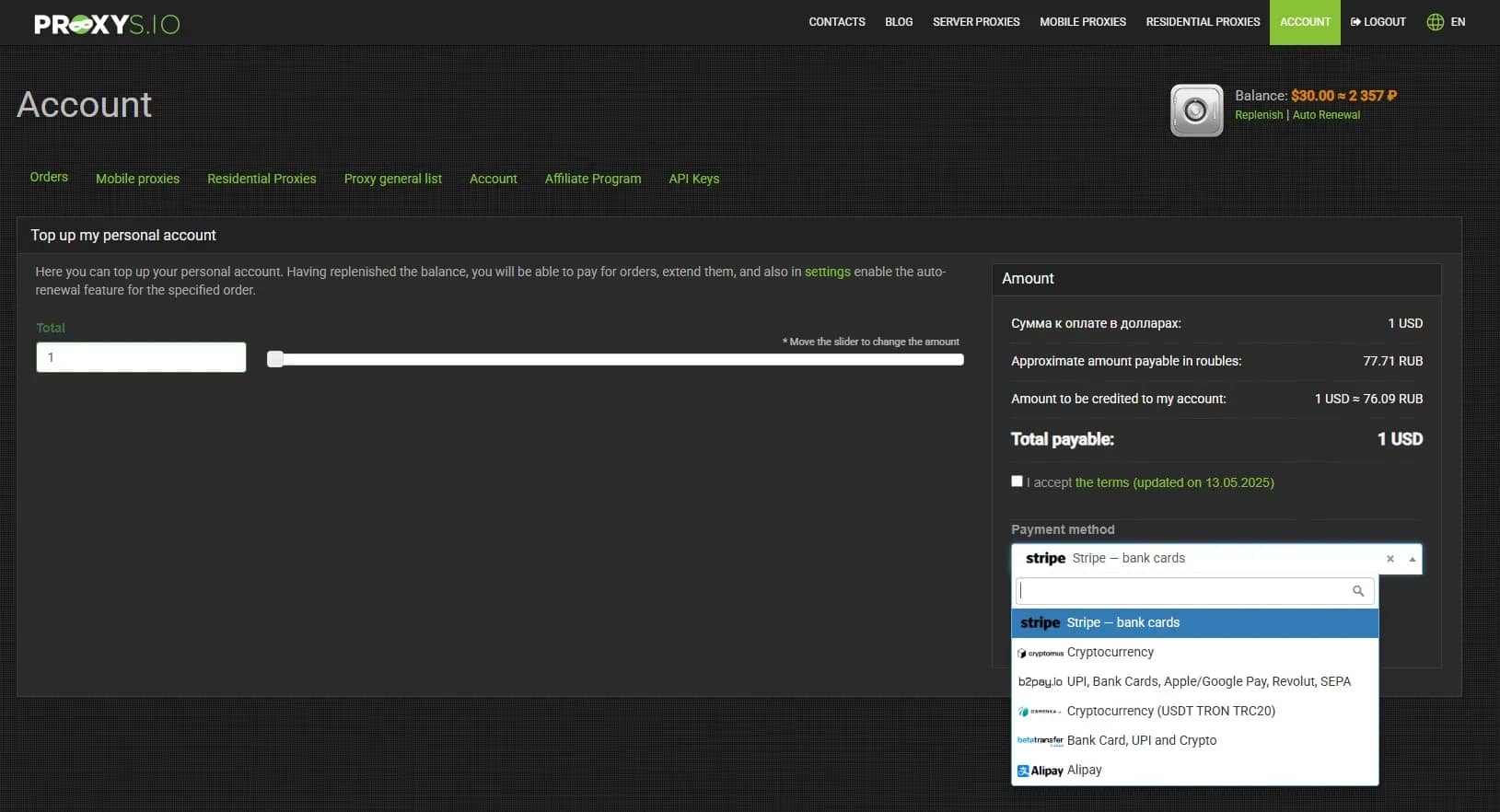
2. Bank transfers, card top-ups, cryptocurrencies, Revolut, Google Pay, Apple Pay, and other payment systems are available to fund the account.
3. We choose the required type of proxy and country, as well as the rental period.
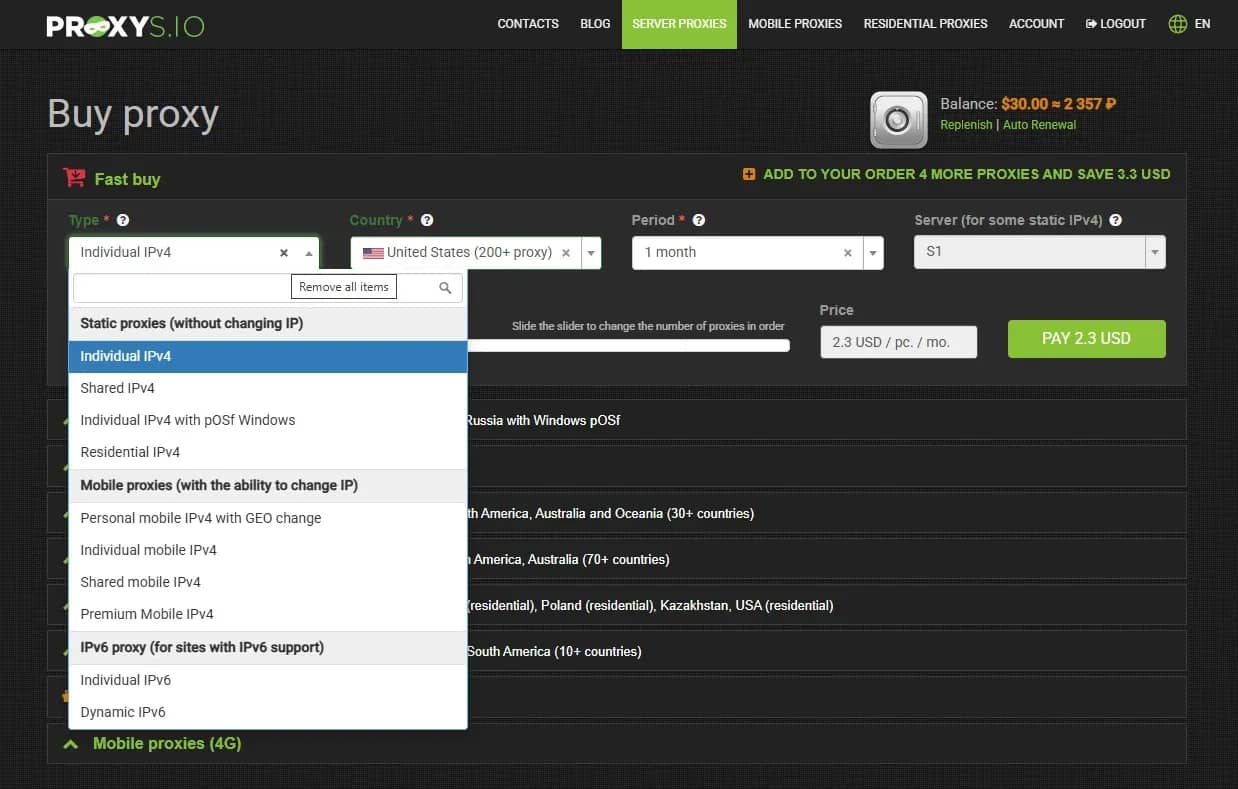
When buying mobile proxies, there is also the option to choose the city and mobile operator.
4. We get the data for connecting to our IP in the dashboard. Both http-protocol and socks5 are available for connection. We copy the login data and go to Linken Sphere.
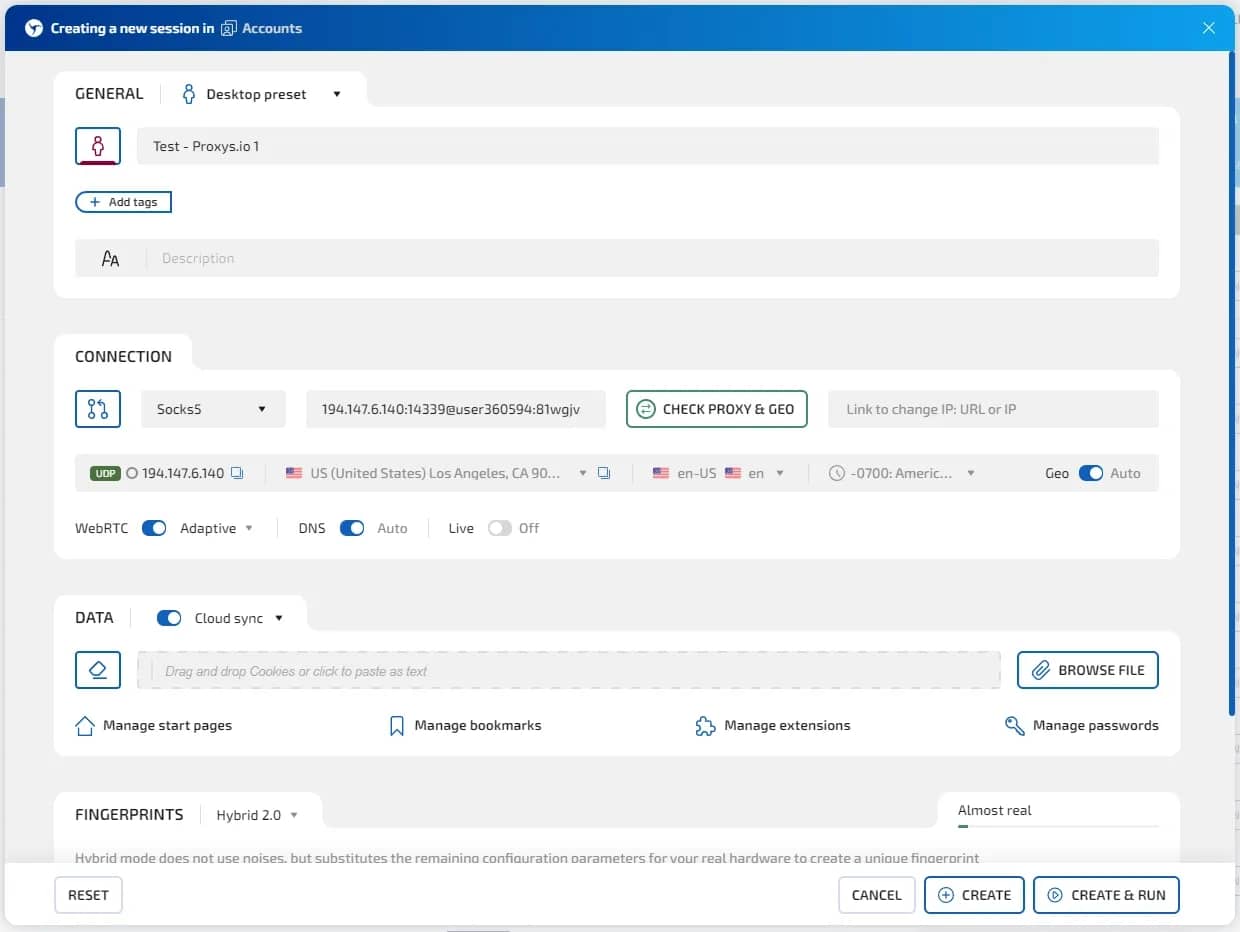
You can add a proxy either when creating a new session (or editing an old one), or load proxies into the proxy manager as a list or individually for further selection of an IP address and connection to the desired session.
We select the protocol type, paste the connection data, and click “Check Proxy & GEO”.
Next, we select the digital fingerprint settings, create, and launch our session.
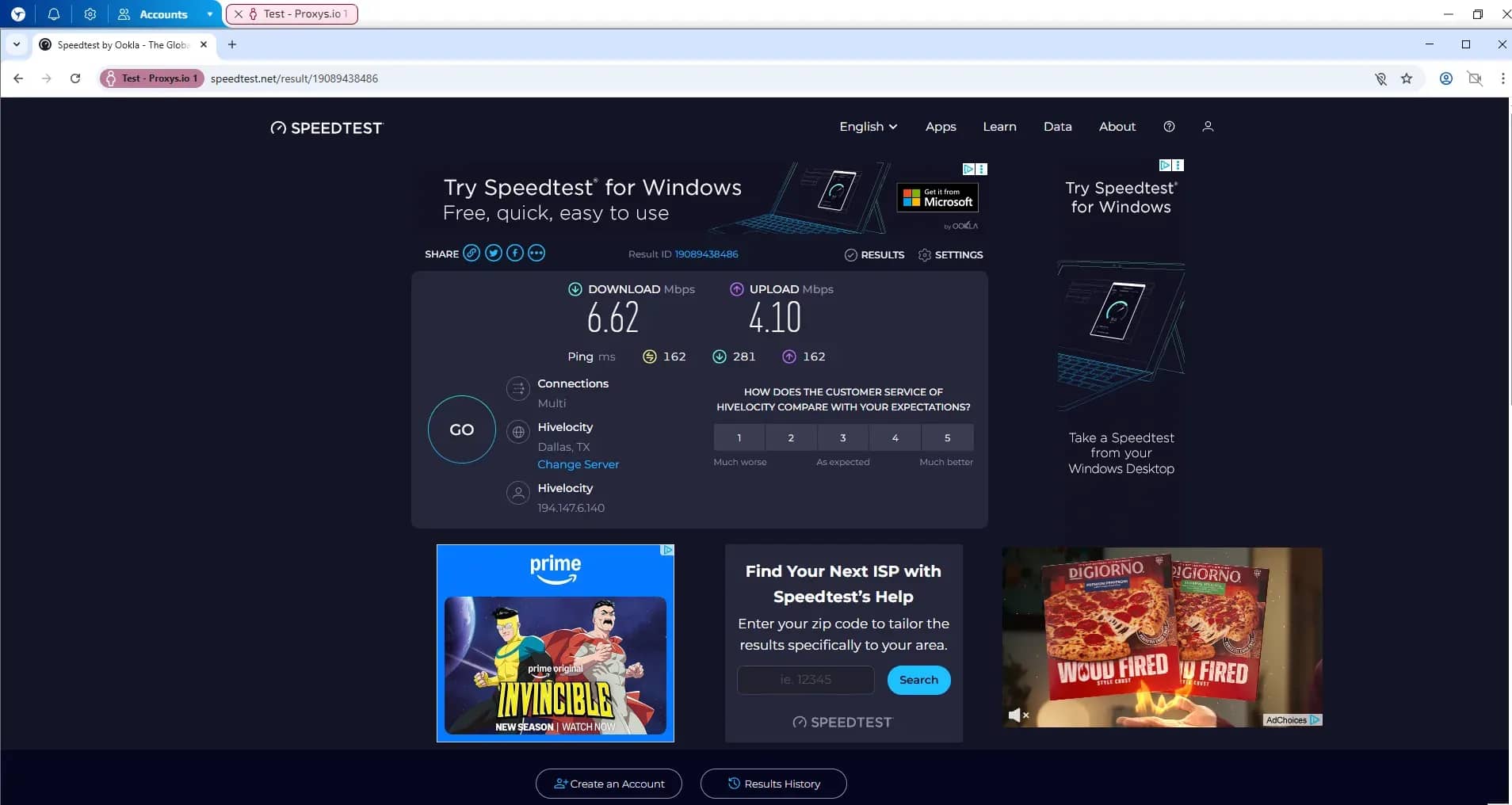
5. We check the connection speed in a service like Speedtest. Google works without captcha, the speed of server proxies is at the level of 5 MB/s:
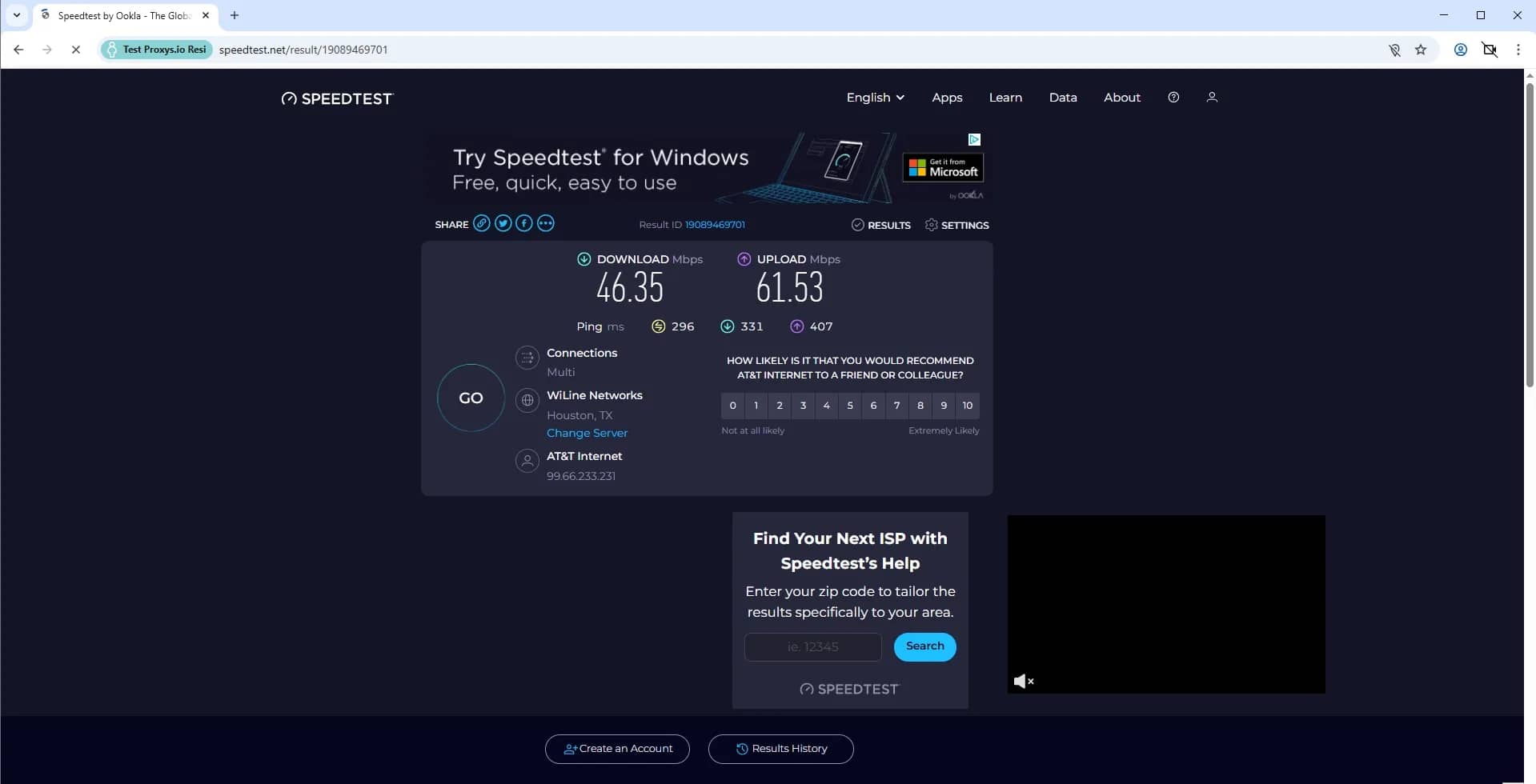
Residential ones showed a significantly better result: the speed was about 50 MB/s:
Is it worth using Proxys.io with Linken Sphere?
If you want to have different types of proxies in a single dashboard, with a wide coverage of countries, then Proxys.io is a good solution. All proxies showed a good level when interacting with systems like Google — without captcha and other restrictions, but the speed varies depending on the type of proxy and the selected GEO. We recommend independently exploring the capabilities for your tasks.
The provider offers a wide selection of payment solutions for topping up the balance, and also does not have a minimum deposit and order size — for a couple of dollars you can fully test the performance of IP addresses from the desired region.
The interface is quite conservative, there are areas that can be improved, but by exporting proxies, you can add them to Linken Sphere in one click. Prices are market-level, so it is definitely worth considering the service for use.

Why Google Blocks Accounts and What Your Antidetect Has to Do With It
Google has once again complicated the mechanisms of digital identification by deploying a new, more sophisticated layer of protection based on proprietary HTTP headers. This quiet change caught most of the market off guard, triggering a wave of rushed updates. While others hastily released superficial 'fixes', we realized that we were dealing not with a minor issue but with a fundamental shift that required deep and comprehensive analysis.

SOCKS vs HTTP Proxy: What’s the Real Difference and Which One to Choose?
There are times when you don’t want a website to link the request back to your device. That’s where a proxy comes in, it acts like a middle layer and sends the request for you. The site sees the proxy’s info instead of yours. It’s a go-to trick when you’re trying to see a page that’s not available in your region, pull content that’s restricted by location, or avoid hitting a wall when sending lots of requests.

The Best Alternative to OBS Studio
Working with a webcam on many online platforms can turn into a real challenge. A strict oval or rectangular frame appears on the screen, but your image doesn’t align perfectly with it. As a result, the system blocks further progress, demanding perfect alignment, and your workflow is disrupted before it even begins.