
Creatives in Affiliate Marketing: How to Analyze Competitors Using the Tyver Spy Tool
In affiliate marketing, you can dial in your targeting to perfection, pick a high-converting offer, and allocate a solid budget, yet the funnel can still bleed down to zero if the creative fails to grab attention. A user decides whether to watch further or keep scrolling in fractions of a second, and it is the visual that determines whether an ad scales or flops.
Algorithms on Meta, TikTok, and push ad networks learn from audience reactions within the very first hours of delivery. If the creative does not hook the viewer, CTR drops, CPC rises, and the platform automatically throttles reach. The budget burns while leads fail to materialize. Targeting parameters and landing pages only begin to do their job after the user has watched or read through the creative and clicked.
Why visuals come first:
- Speed of perception. In a social feed, an ad has literally a second to a second and a half to stop the scroll. What makes the difference is a high-contrast opening frame, motion at the start of a video, an unusual camera angle, or an image that appears odd at first glance.
- Emotion overpowers logic. A user rarely reads the full text of an offer; they first react to the image emotionally (curiosity, anxiety, personal relatability), and only then digest the substance.
- Creative burnout. Even a top-tier creative loses CTR after a few days of active delivery within a single geo, driving CPM upward. Refreshing visual assets on an ongoing basis is not an optional luxury — it is an absolute necessity.
- Moderation scrutiny. In both gray-hat and white-hat verticals, banners and video ads frequently face bans due to specific phrasing or imagery. Successfully navigating moderation via visual framing is a tangible competitive edge that cannot always be conceived from scratch.
The takeaway is straightforward: a campaign setup survives only as long as its creative delivers. That is why media buying teams that consistently dominate the market do not reinvent the wheel from square one; they analyze what has already proven effective among their competitors.
What to Look for in a Competitor's Creative
Before diving into a spy service, it is helpful to know exactly which creative elements to deconstruct. Otherwise, you risk scrolling through hundreds of ads without understanding what actually drives performance.
- The first frame or first second of video. The core hook that captures attention in the feed.
- Composition and color palette. Contrast against the standard feed background, a close-up on a face or product, and distinct visual presentation.
- On-banner copy. The primary headline, bullet points detailing the offer, the use of numbers, and social proof such as before/after shots and testimonials.
- Format. Static banners, carousels, videos with subtitles, or native-style UGC — each format performs differently depending on the geo and vertical.
- CTA button and core message. What exact action is being prompted: buy, install, subscribe, or register.
- Delivery duration. If an ad has been running continuously for more than a week without changes, it is generating profit and the media buyer is in no hurry to replace it.
- Volume of duplicate ads. If multiple distinct advertisers run the exact same concept simultaneously, it represents a proven, repeatable pattern rather than a random test.
Doing this analysis manually means spending hours scrolling through feeds behind proxies, resulting in an arbitrary and non-representative sample. This is where a dedicated spy service steps in, providing systematic access to an ad database rather than sporadic glimpses.
What Tyver Is and Why Media Buyers Need It
Tyver is an ad spy platform specifically engineered for monitoring campaigns across the Meta ecosystem: Facebook, Instagram, Threads, and Messenger. Essentially, it functions as a search engine for competitor advertising campaigns. By inputting a keyword, target geo, date range, or landing page domain, the platform returns all ads currently running that match those parameters.
The database expands by approximately 4 million new ad listings daily, making emerging trends visible in near real-time rather than with a week-long delay.
What Tyver offers over the free Meta Ad Library:
- the ability to download any creative in a single click;
- over 20 granular filters covering geo, placement, launch date, domain, keywords, and creative format;
- comprehensive advertiser analysis by root domain or connected Fan Page;
- dedicated gambling creative sections organized by specific slot titles and offers;
- ad impressions and delivery reach metrics;
- integrated AI-powered creative unique-making capabilities directly within the interface;
- automated text translation, which is valuable when entering unfamiliar foreign-language geos;
- redirect chain inspection to identify the real destination lander rather than just intermediate cloaking pre-landers.
There is a free tier with restricted query volumes, while paid plans start at $79 per month. For media buying teams actively driving traffic across Facebook and Instagram, this delivers major time savings compared to manual research.
Tyver Workspace: Interface Breakdown
Upon logging into the dashboard, you are presented with a primary search bar and a filter sidebar on the left. Here you can configure target geo, language, destination platform (Facebook, Instagram, Threads), placement, launch date, and creative format (static, video, carousel). Search results appear immediately as an ad card feed, each containing a creative preview alongside top-line metrics.
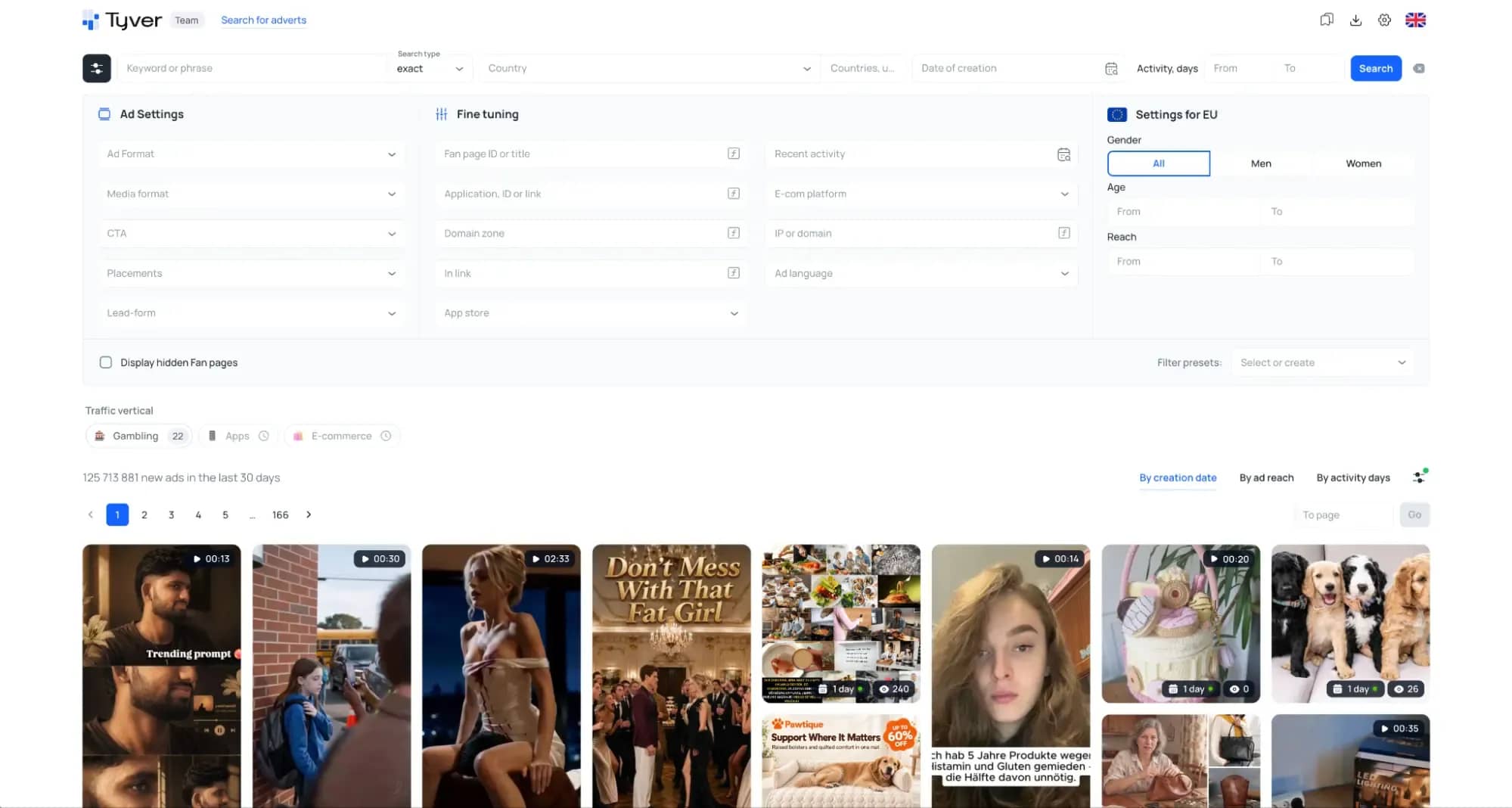
Conveniently, filters can be combined and saved as presets if you routinely track the same niche or geographic market. This eliminates the need to configure parameters from scratch on every session.
The Creative Card: Detailed Breakdown
Clicking on an individual ad card opens a detailed performance breakdown. This view reveals not only the high-resolution visual with an instant download option, but also technical and performance data that standard social feeds never expose.
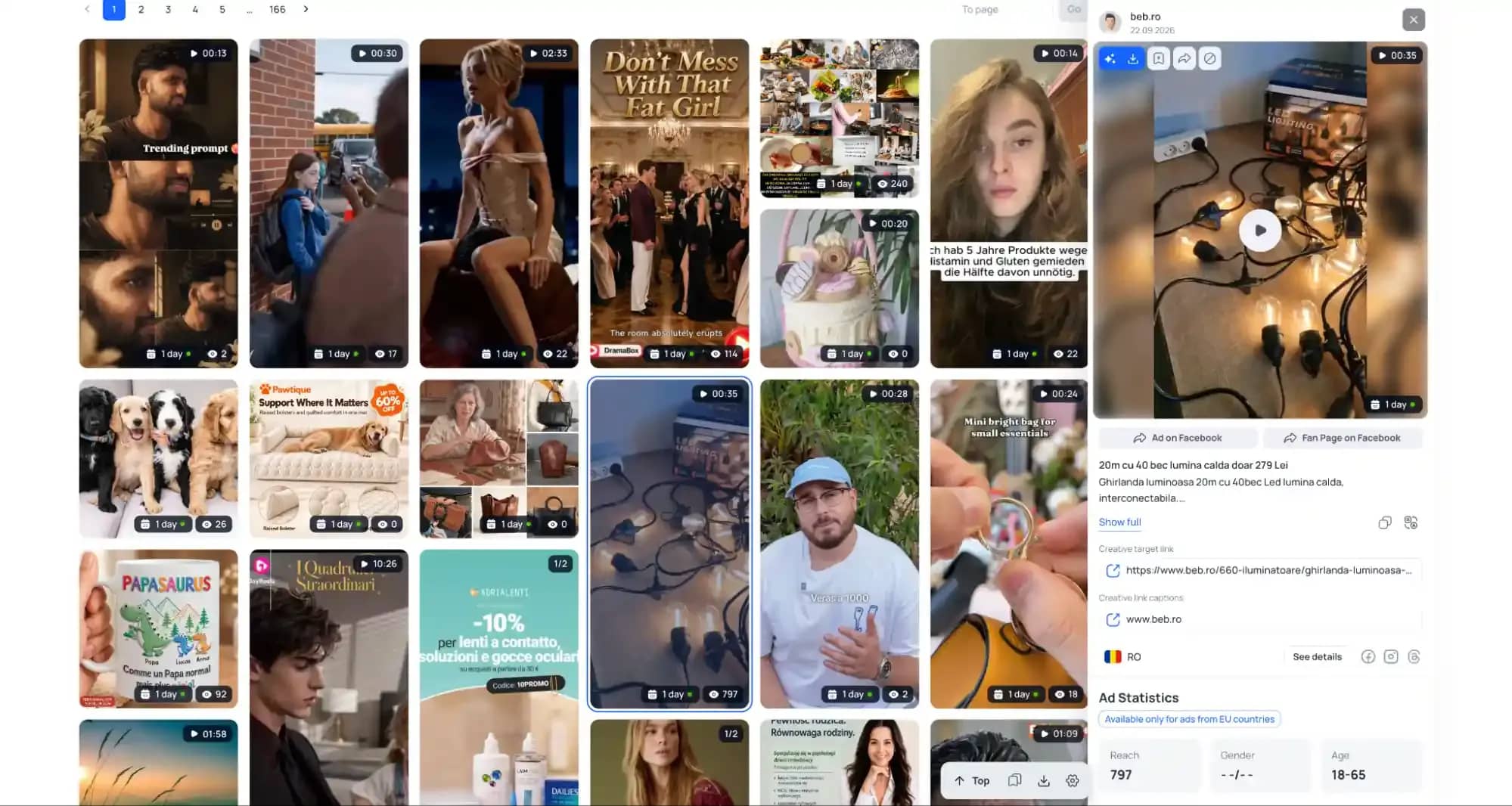
The detail card typically provides:
- number of consecutive days of active delivery;
- target geo and language settings for the ad;
- ad copy accompanied by automated translation into your chosen language;
- outbound destination link to the lander or pre-lander;
- target audience demographics: reach, gender, and age distribution;
- a dedicated button to export the source creative in original quality.
Delivery duration represents the single most critical metric here. If an ad runs for a week or longer, it is almost certainly operating profitably, which explains why the media buyer leaves it live. These are the exact assets worth using as blueprints for your own campaign angles.
Team Collaboration in Tyver
When scaling campaigns within a media buying team rather than working solo, it is vital that high-performing creatives do not get siloed in individual buyers' personal bookmarks. Tyver includes team management features: you can invite colleagues, assign permissions, and curate discovered ads into shared folders and project collections.
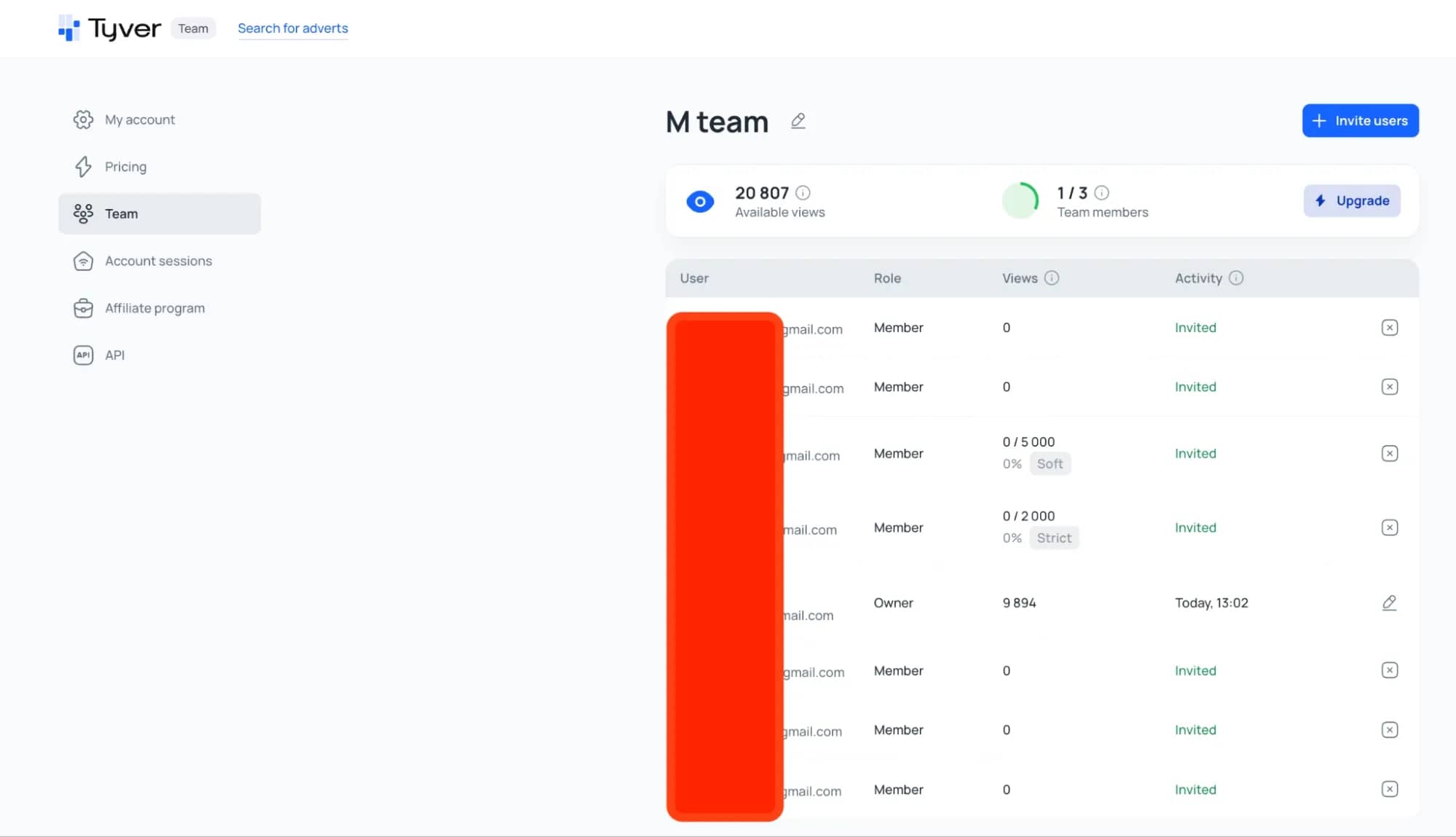
This resolves a common bottleneck within agencies and media buying operations where one buyer uncovers a winning angle, yet the rest of the team only hears about it during a weekly status sync. With shared boards, top findings are immediately accessible to all team members, and team leads maintain clear visibility into what each buyer is sourcing.
Gambling and Competitive Slot Titles
The iGaming and gambling vertical features some of the strictest policy enforcement in the industry, making visual moderation-evasion tactics especially valuable. Let us examine how to search for creatives running across competitive slot titles.
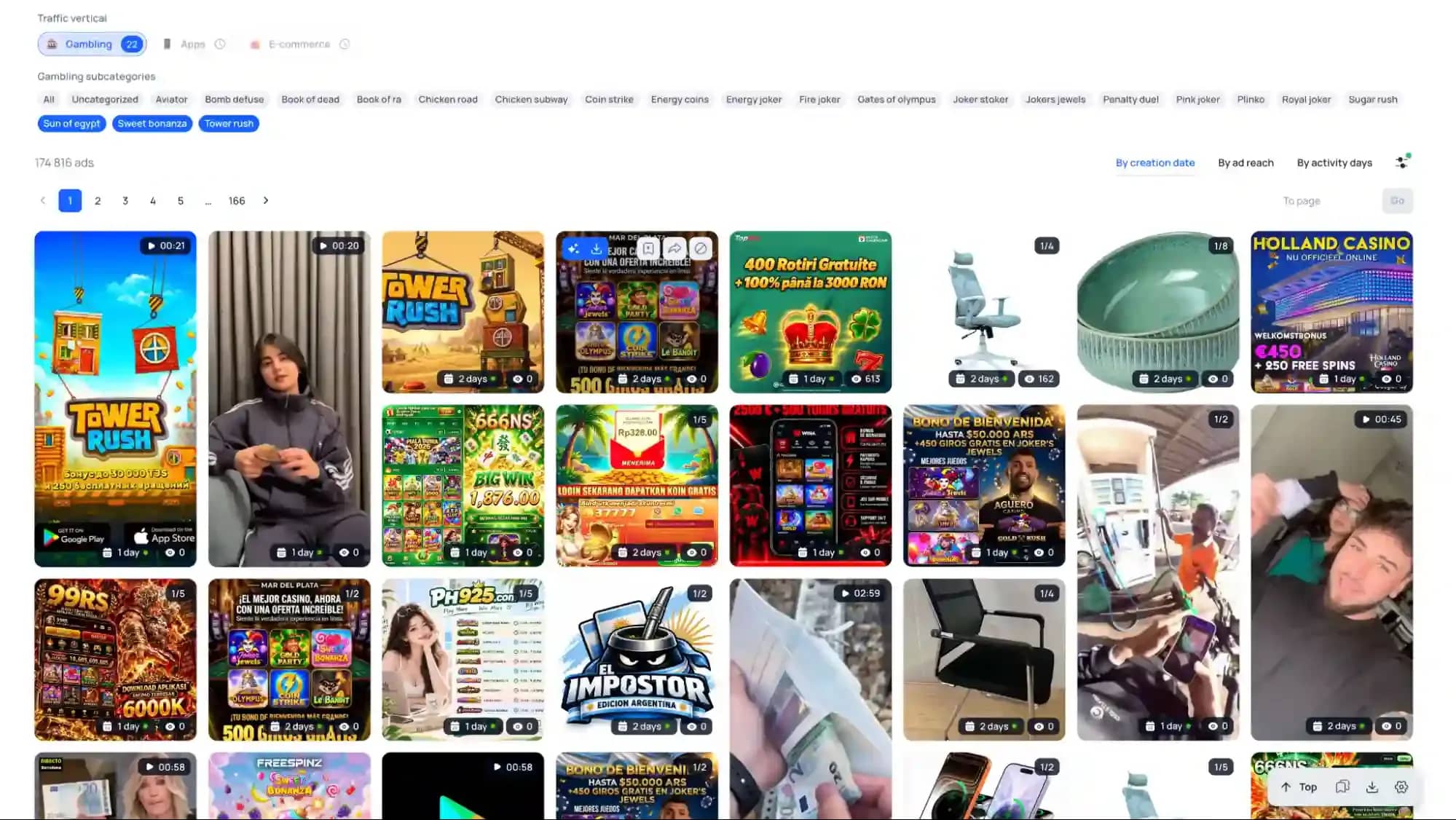
Enter a competitor brand name or broad industry keywords like "slots," "casino," or "spin" into the search bar to inspect the results. In gambling, it quickly becomes apparent how media buyers camouflage direct offers using interactive quizzes, narrative big-win stories, or utility wrapper apps to pass automated policy scans. If several distinct advertisers deploy a similar visual mechanic around the same slot title, this serves as strong evidence that the approach has survived automated checks and warrants testing on your specific offer and target market.
Nutra and Crypto by Keywords
Nutra and cryptocurrency verticals rely heavily on emotional hooks and rapidly evolving copy variants because promotional banners face high ban rates. In this context, Tyver's keyword search becomes essential.
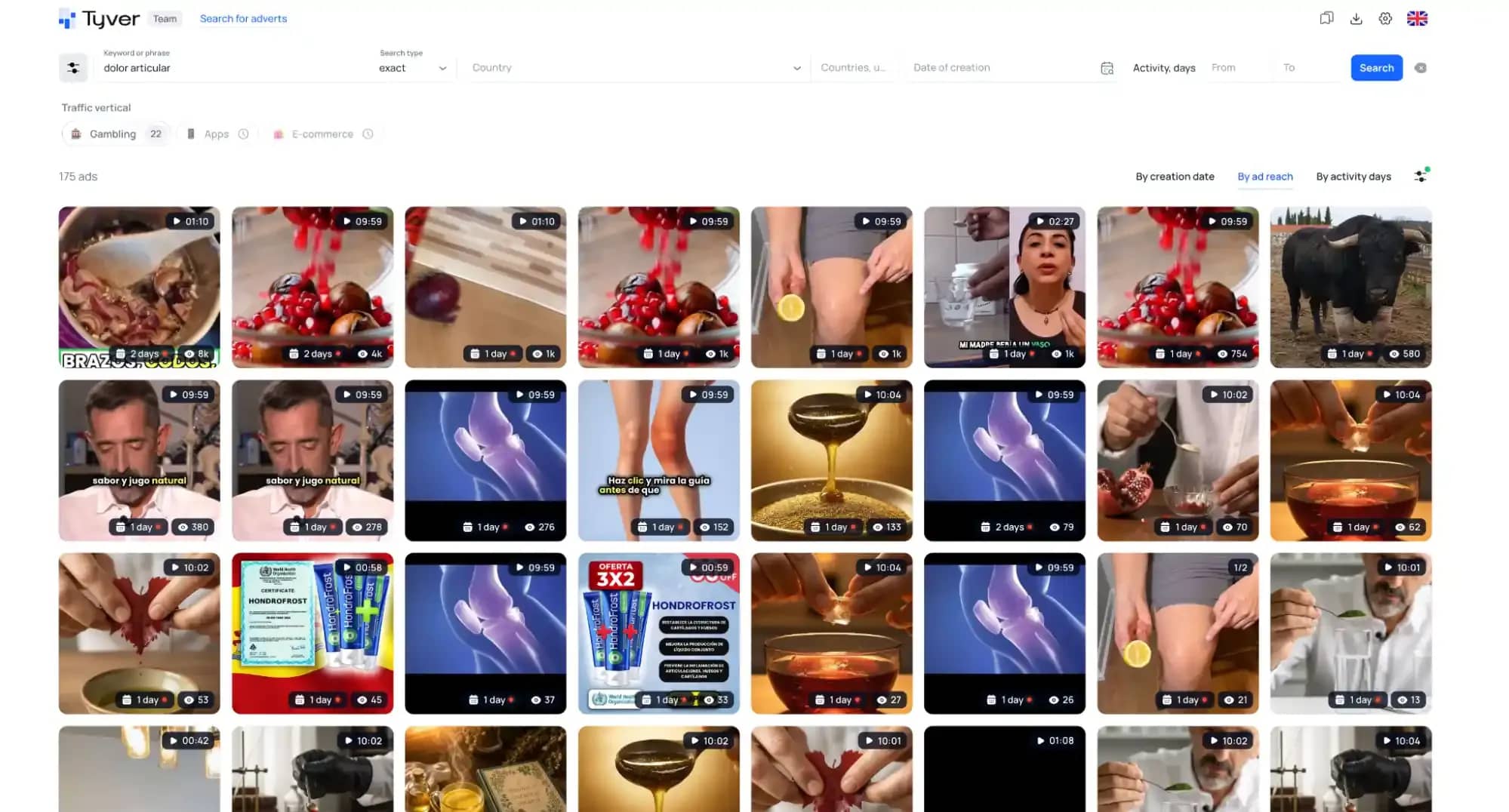
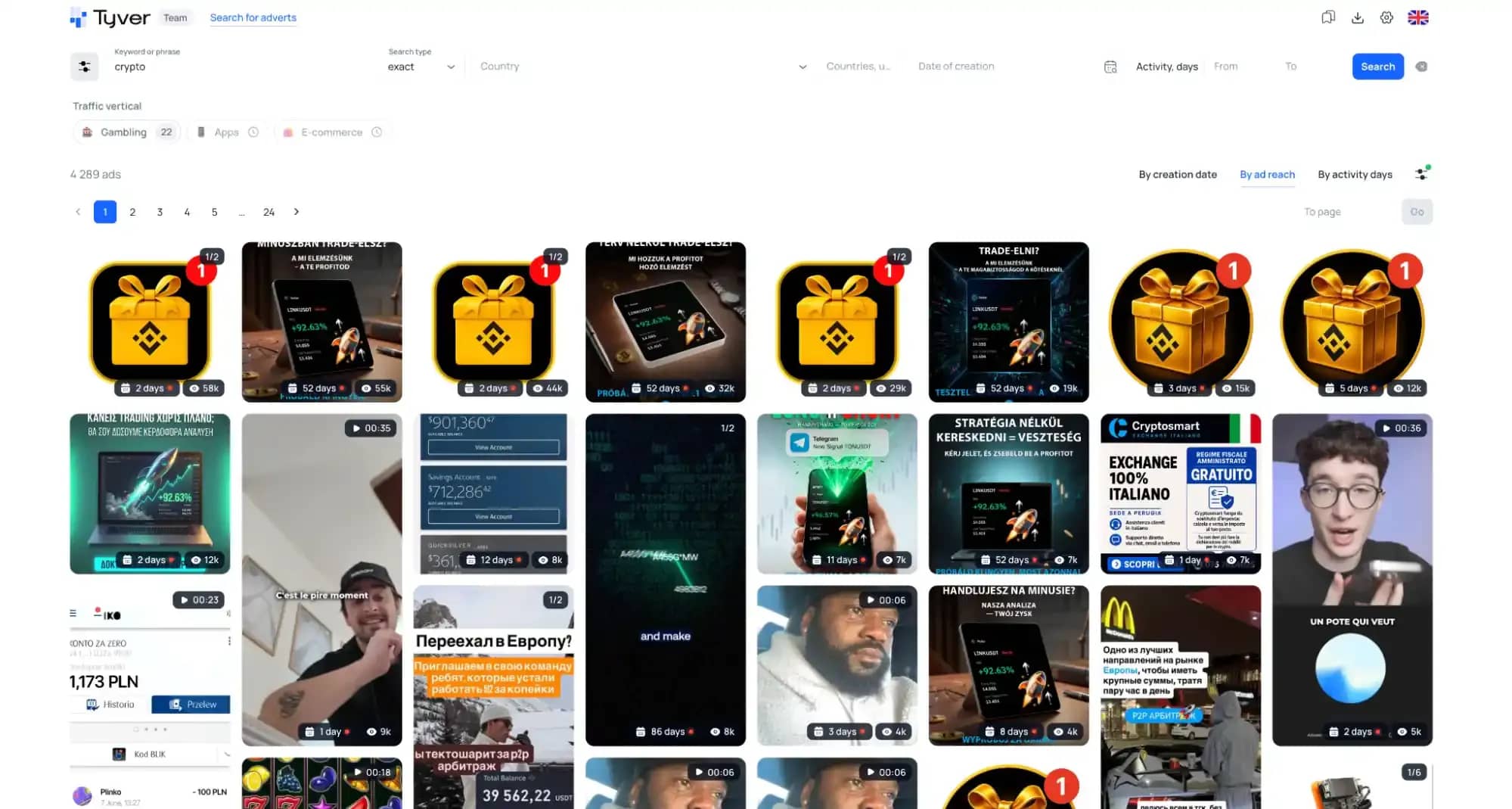
Search terms such as "weight loss," "detox," "joints," or "crypto," "trading," "invest" reveal the specific wording and visual angles currently clearing automated reviews. In nutra, dramatic before-and-after cases remain prevalent; in crypto, dashboards showing account balance gains or social proof touting rapid earnings lead the pack. By tracking which specific keywords and creative frameworks sustain the longest delivery histories, you can pinpoint the prevailing trend for a given geo without having to blindly test a dozen unvetted text variants.
How to Adapt Competitor Creatives Without Getting Flagged for Duplication
Finding a high-converting creative is only half the battle. Re-uploading an identical asset is a high-risk move for two key reasons: first, ad platforms often issue account restrictions for unoriginal or duplicate content; second, target audiences have already encountered that visual on competing pages, causing creative fatigue to set in even faster.
Adjustments to make before publishing:
- rewrite the headline and primary text in your own words while retaining the underlying hook and structure;
- swap the opening hook during the first few seconds of video, alter the framing angle, or reorder scenes;
- re-record voiceovers using neural audio tools if the source asset targets another language;
- scrub downloaded landing pages of third-party tracking pixels and competitor analytics scripts;
- process the final visual through Tyver's integrated AI-powered unique-making module.
The objective is not to copy blindly, but to extract the core persuasion mechanic that has already demonstrated market viability, tailoring it directly to your offer, geo, and target audience.
Conclusion
A creative is not a secondary component of an affiliate campaign — it is the primary factor determining whether an ad scales profitably or drains ad spend. Target settings and offer terms can be dialed in, but without an eye-catching visual hook, platform algorithms will not grant the ad sufficient inventory or competitive reach.
A dedicated spy tool like Tyver solves a major pain point: replacing hours of manual feed scrolling through proxies with structured access to a searchable competitor ad library equipped with granular filters, metric tracking, and delivery timelines. While not an automatic guarantee of profit, it operates as an essential competitive intelligence asset, reducing the time required to locate a working campaign angle from several weeks down to a couple of days. From there, success comes down to adapting the concept to your specific offer, geographic market, and vertical.

Why Google Blocks Accounts and What Your Antidetect Has to Do With It
Google has once again complicated the mechanisms of digital identification by deploying a new, more sophisticated layer of protection based on proprietary HTTP headers. This quiet change caught most of the market off guard, triggering a wave of rushed updates. While others hastily released superficial 'fixes', we realized that we were dealing not with a minor issue but with a fundamental shift that required deep and comprehensive analysis.

SOCKS vs HTTP Proxy: What’s the Real Difference and Which One to Choose?
There are times when you don’t want a website to link the request back to your device. That’s where a proxy comes in, it acts like a middle layer and sends the request for you. The site sees the proxy’s info instead of yours. It’s a go-to trick when you’re trying to see a page that’s not available in your region, pull content that’s restricted by location, or avoid hitting a wall when sending lots of requests.

The Best Alternative to OBS Studio
Working with a webcam on many online platforms can turn into a real challenge. A strict oval or rectangular frame appears on the screen, but your image doesn’t align perfectly with it. As a result, the system blocks further progress, demanding perfect alignment, and your workflow is disrupted before it even begins.