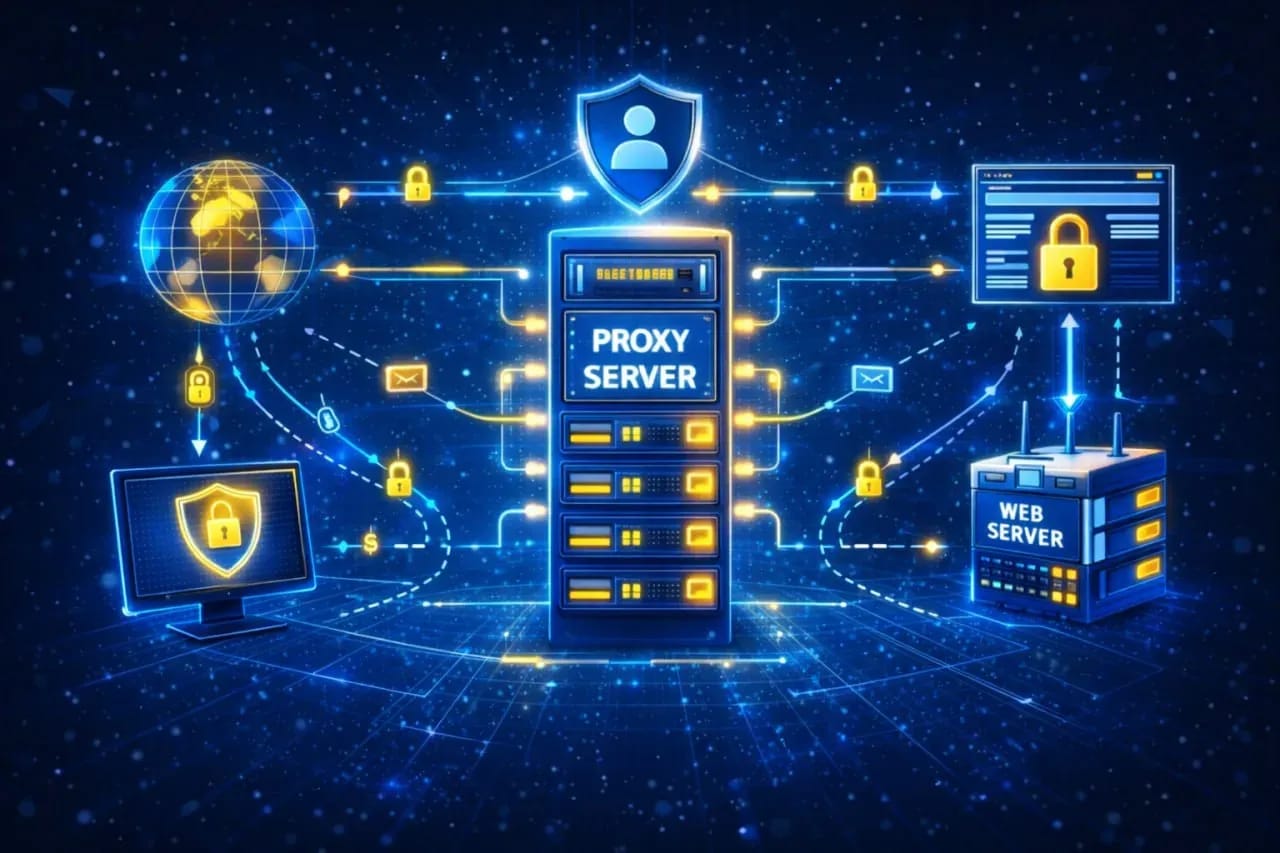
What a proxy server does and how to use it
In this article, we will look at how proxies work, their types, and the correct algorithm for choosing the right option for your tasks.
How a proxy server works
With a regular, direct connection to the internet, the device transmits data packets to the target server in clear text. The headers of these packets reveal your real IP address, provider data, and routing parameters to the algorithms. A proxy server changes the logic of work, acting as an intermediate gateway to intercept and redirect traffic.
The proxy accepts the connection, erases the original IP address, substitutes its own, and forms a new request to the target website. As a result, the website sees the intermediary server as the session initiator, while your real geolocation and network data remain hidden.
When the target website generates a response, it sends it to the proxy server's IP address, treating it as a regular user. The intermediary server receives the data and transmits it back through the already established connection.
Traffic transmission depends on the selected protocol and the network model used. It is based on two key transport protocols.
- TCP (Transmission Control Protocol) establishes a connection between the client and the server, controls data delivery, and confirms the receipt of each packet. If some data is lost, it is resent. This ensures the stability and integrity of the transmission. It is used for websites, email, and most internet services.
- UDP (User Datagram Protocol) does not establish a connection and does not check packet delivery. Data is transmitted without confirmations, which reduces delays but does not guarantee integrity. It is used where speed is important: streaming, online games, voice services.
From here, two main approaches to data transmission through a proxy are formed:
- HTTP/HTTPS proxies operate at the application layer of the OSI model. To establish a secure connection, the browser uses the HTTP CONNECT method. The proxy creates a TCP connection with the target server and acts as a blind gateway: it simply forwards encrypted TLS packets (HTTPS) in both directions without having the keys to decrypt the content.
- SOCKS5 proxy accepts the connection and transmits all traffic indiscriminately — both TCP and UDP. Data passes through it without changes, without adding service headers like X-Forwarded-For or Via. The entire flow goes through a single channel.
Types of proxies: server, residential, and mobile
In addition to the protocol, proxies differ by the origin of their IP addresses. This parameter affects the level of trust from anti-fraud systems. In regular surfing, the difference is almost imperceptible, but in tasks involving multi-accounting and advertising, it directly impacts operational stability and the risk of blocks.
Server proxies
These addresses are rented from large commercial data centers. Their main advantages are gigabit communication channels, minimal ping, and low price. However, the autonomous systems of such IPs are strictly tied to hosting providers. Regular users do not scroll through news feeds or make purchases from an Amazon or DigitalOcean server rack.
On platforms with strict security, server IPs quickly fall under suspicion. Any non-standard activity from such an address often ends in a block. Therefore, such proxies are used mainly for parsing, data collection, and working with resources without smart anti-fraud.
Residential proxies
Residential proxies are IP addresses provided by real internet service providers for home devices. To a website, this looks like a regular home connection.
There is usually more trust in such IPs, but the connection stability is lower. For this reason, residential proxies are more often sold by traffic volume rather than by time. They are used for account registration, e-commerce, and working with platforms where it is important to look like a regular user.
Mobile proxies
Mobile proxies work through the infrastructure of cellular operators. A different model is used here: the operator releases a large number of subscribers to the internet through a single IP. As a result, the exact same external address is simultaneously used by a large number of real users. To websites, such traffic looks like regular mobile network activity, without being tied to a specific device.
Blocking a single IP simultaneously affects many real users, so such sanctions are rare. Major advertising platforms take this feature of mobile networks into account, therefore, in the case of suspicious activity, they more often limit the session: trust drops, captchas appear, or access to functions is reduced. Changing the IP is solved by restarting the connection, when the operator assigns a new address from its pool and work can be continued.
Main tasks of a proxy: from anonymity to bypassing restrictions
In arbitrage and multi-accounting, intermediary servers solve three important tasks. Without them, working with large volumes of traffic is technically impossible.
- Bypassing regional restrictions. Many services restrict access by country. A proxy allows you to connect through the desired state and work with resources that are unavailable from your location.
- Multi-accounting. If you launch business accounts from a single home router, algorithms will quickly identify the single source. If one profile breaks the rules, the rest also get blocked. Binding a separate proxy to each profile breaks this connection. The platform sees different IPs and locations, without network intersections.
- Hiding the real network footprint. When parsing, analyzing competitors, or working with financial services, you should not use your primary IP. The proxy passes all traffic through itself, and websites see only its parameters. Your real connection and your provider's data are not disclosed in the process.
Why merely changing the IP is not enough
Changing the IP solves only the network part of identification, that is, it spoofs the IP address. The platform sees a different connection, but the rest of the device parameters remain the same.
If you use only a proxy for multi-accounting, the profiles will still intersect by fingerprints: the browser, fonts, graphics card, and system settings do not change from an IP change. Accounts are linked to each other based on this data.
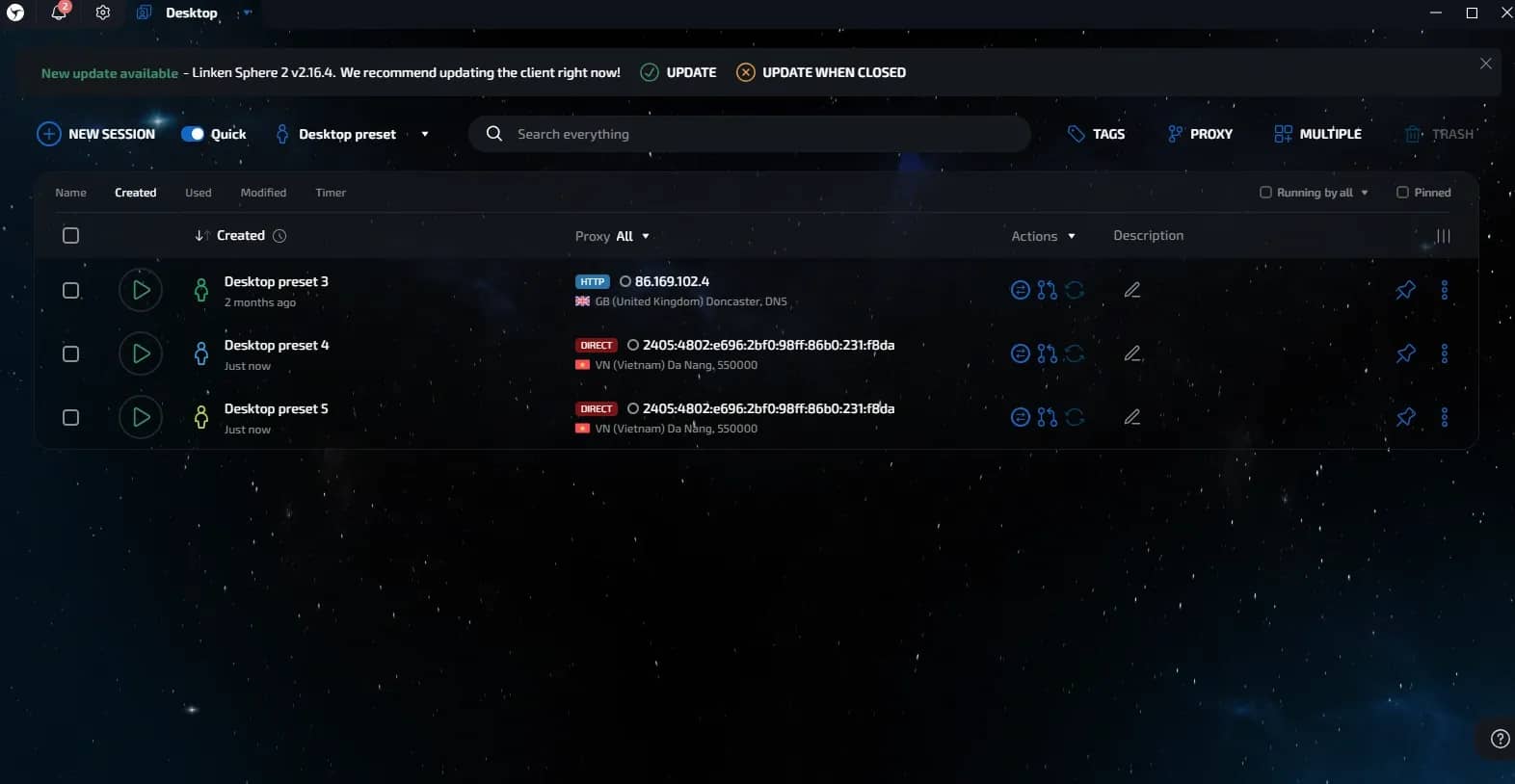
An anti-detect browser, for example, Linken Sphere, creates a separate environment for each profile. But without a proxy, all connections come from a single network, and the link appears again. Therefore, both tools are used together: the proxy is responsible for the IP and GEO, the anti-detect for the device parameters.
Why free proxies kill accounts
Trying to save on consumables and taking IP addresses from open sources is the fastest way to lose all profiles. Free proxies are not suitable for work due to technical limitations and poor IP reputation.
The main problem with public proxies is that they do not hide the source of traffic. When transmitting requests, service headers are added, which show that a proxy is being used, and the real IP may be transmitted.
The second reason is absolute spamminess. Open lists are constantly scraped by botnets and scammers around the clock. By the time you find a supposedly working address, thousands of junk mailings and bot attacks have already been driven through it. Such IPs are already on global blacklists. Many major websites will determine the real reputation of this node and restrict the account or access to the resource itself right at the page loading stage.
And finally, free proxies are a direct threat of theft of your assets. Very often, public gateways are specially set up by attackers to intercept data. They intentionally do not encrypt the connection and scan all passing packets. By running your work through such a node, you are handing over logins, passwords, payment information, and session cookies from your accounts to the server owner with your own hands.
How to choose a reliable proxy provider
How long accounts will live directly depends on the proxy quality. Clean IPs and stable operation are especially important.
Criteria for choosing a proxy:
- IP Type. Residential or mobile addresses are used for work. Server IPs quickly catch restrictions, as they belong to data centers. Home and mobile IPs look like regular users' addresses to systems.
- Rotation. IP change should be controllable, at the right moment for you, and not on a rigid schedule. If the address changes only by itself on a timer, this can happen during work and interrupt the session.
- GEO. It is important to have the functionality to choose the country, city, and provider. An exact location reduces the number of suspicious signals for the security system.
- Payment model. In residential networks, you usually pay for traffic. This is more convenient than fixed ports, especially if work is not continuous.
Before launching the main volume of work, each new pool of addresses must be checked. Bona fide providers always offer trial access to evaluate the stability and cleanliness of the issued IPs.
Verification algorithm before use:
- Fraud Score analysis. Use specialized checkers, for example, IPQualityScore or Pixelscan. These services will show the trust level of a specific address, its presence on blacklists, and the likelihood that a security system will mark it as a bot.
- ASN type verification. Check the ownership of the autonomous system via Whoer. If the provider claims the address is residential, but the checker defines it as Hosting — this is a reason to abandon cooperation. The ISP and organization parameters in the check results must match real internet service providers.
- Stability and ping test. A proxy must provide a stable response without critical delays. High ping or frequent connection drops not only slow down work but are also an indirect sign of a poor-quality server side of the provider.
- WebRTC and DNS verification. Make sure that when the proxy is enabled, the browser does not reveal your real IP via WebRTC and does not use the DNS servers of your current provider.
High-quality network setup is the foundation. Even with perfect digital fingerprint spoofing, a compromised proxy will lead to the instant blocking of the entire network of accounts.
Conclusion
Even with the correct spoofing of fingerprints, the lifespan of accounts depends on proxy quality: security systems primarily analyze the network footprint, therefore residential or mobile IPs with precise GEO selection and controlled rotation are used for work. Before buying, be sure to check proxies for the real origin of the IP. Server and free addresses quickly lead to blocks of the entire grid of accounts.
Frequently asked questions
- A VPN encrypts all traffic at the operating system level and changes the IP address for all the device's applications simultaneously, which makes multi-accounting impossible. A proxy, on the other hand, works selectively: you can configure a separate IP for each specific profile within the anti-detect browser. For a regular user, a VPN is enough for basic circumvention of blocks, but only proxies are suitable for professional work with grids of accounts.
- IPv4 is the classic format of IP addresses the entire internet is used to; it has maximum trust and is supported by absolutely all websites. IPv6 is a newer and cheaper protocol, however, its main problem is that many major platforms, social networks, and payment gateways still do not read it. For arbitrage, parsing, and e-commerce, it is always more reliable to take IPv4 to avoid connection errors.
- The golden rule of safe work: there is one static IP address per account. If you link multiple profiles of the same platform to one proxy, anti-fraud will instantly link them into a cluster and block the entire chain. The exception is mobile proxies with rotation: through one such port, you can alternately manage dozens of accounts, updating the IP before each login to a new profile.
- The use of proxy servers and anti-detect browsers in itself is absolutely legal in most countries of the world. These are standard IT tools for privacy protection, ad testing, and working with geolocation data. Only specific illegal actions on the network can be considered a violation. Using software for multi-accounting only violates the internal rules (Terms of Service) of the websites themselves, which poses a threat exclusively of account banning, but not legal liability.
- Rotation is an automatic change of the external IP address through which you access the network, while maintaining an active connection with the provider's server. It can happen by time (for example, every 5 minutes), with every new HTTP request, or forcibly by clicking on a special API link. Controlled rotation via a link is the safest option for work, as it eliminates a sudden address change right in the middle of an important session.

Why Google Blocks Accounts and What Your Antidetect Has to Do With It
Google has once again complicated the mechanisms of digital identification by deploying a new, more sophisticated layer of protection based on proprietary HTTP headers. This quiet change caught most of the market off guard, triggering a wave of rushed updates. While others hastily released superficial 'fixes', we realized that we were dealing not with a minor issue but with a fundamental shift that required deep and comprehensive analysis.

SOCKS vs HTTP Proxy: What’s the Real Difference and Which One to Choose?
There are times when you don’t want a website to link the request back to your device. That’s where a proxy comes in, it acts like a middle layer and sends the request for you. The site sees the proxy’s info instead of yours. It’s a go-to trick when you’re trying to see a page that’s not available in your region, pull content that’s restricted by location, or avoid hitting a wall when sending lots of requests.

The Best Alternative to OBS Studio
Working with a webcam on many online platforms can turn into a real challenge. A strict oval or rectangular frame appears on the screen, but your image doesn’t align perfectly with it. As a result, the system blocks further progress, demanding perfect alignment, and your workflow is disrupted before it even begins.