Account replenishment and payment
Linken Sphere offers two ways to pay and renew your license:
Cryptocurrency
Bank card
How to pay or renew your license
Click on the Sphere icon in the upper left corner of the interface.
Select the desired action using the button:
“Buy license” if you are purchasing it for the first time.
“Renew license” if you already have an active subscription.
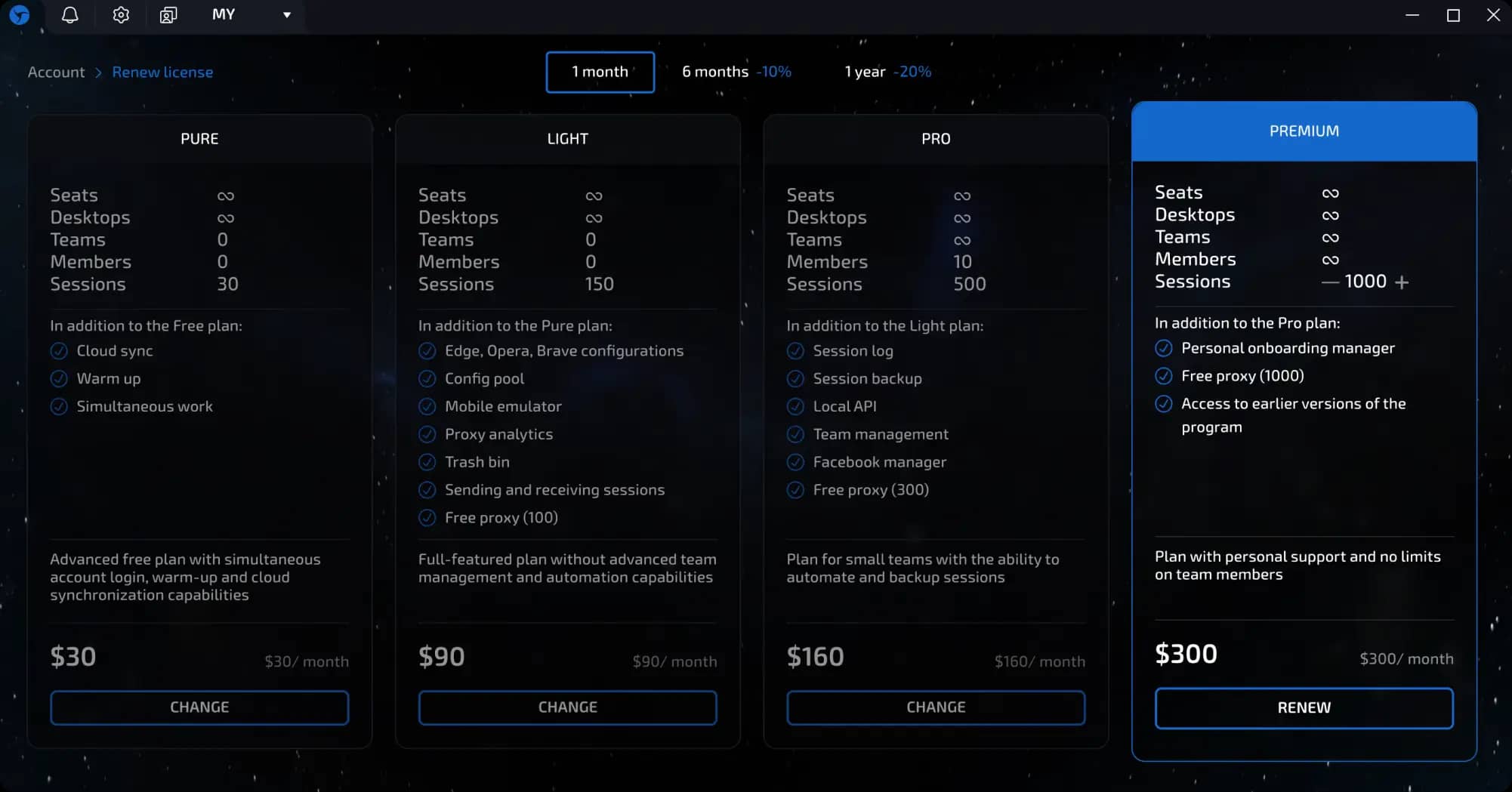
You will be taken to a page with available rates.
invisible text for space
The following license duration options are available:
1 month
6 months (10% discount)
1 year (20% discount)
Select the desired plan and click the “Buy” or “Renew” button.
Method 1. Payment with cryptocurrency
After selecting a plan, a window with payment options will open.
Select a cryptocurrency from the drop-down list (more than 100 currencies are available) or use one of the popular options offered.
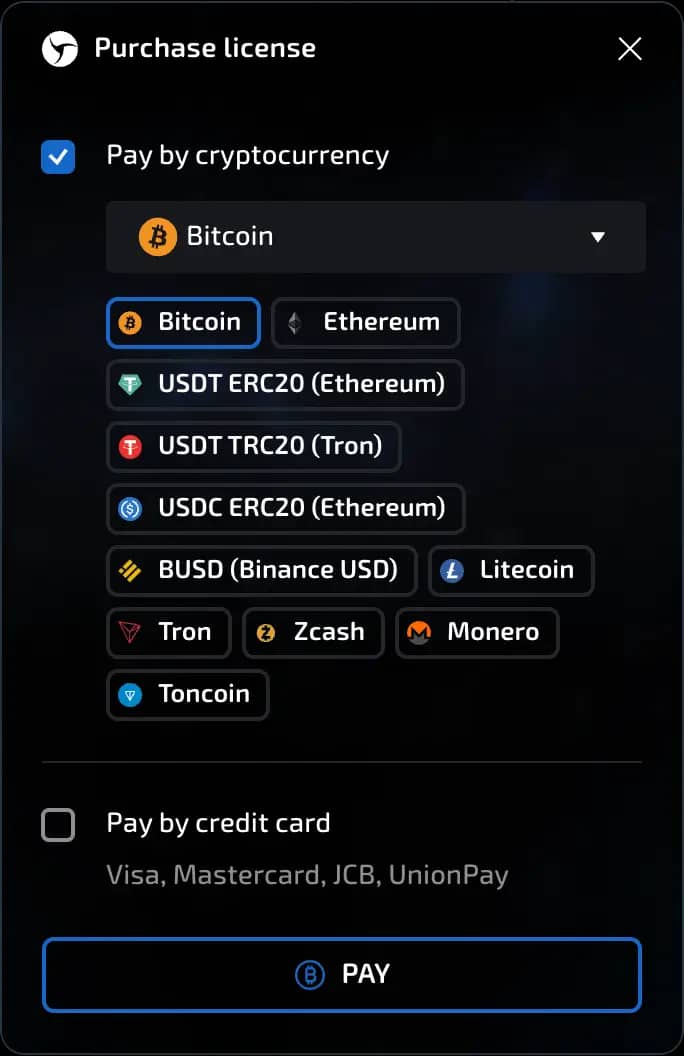
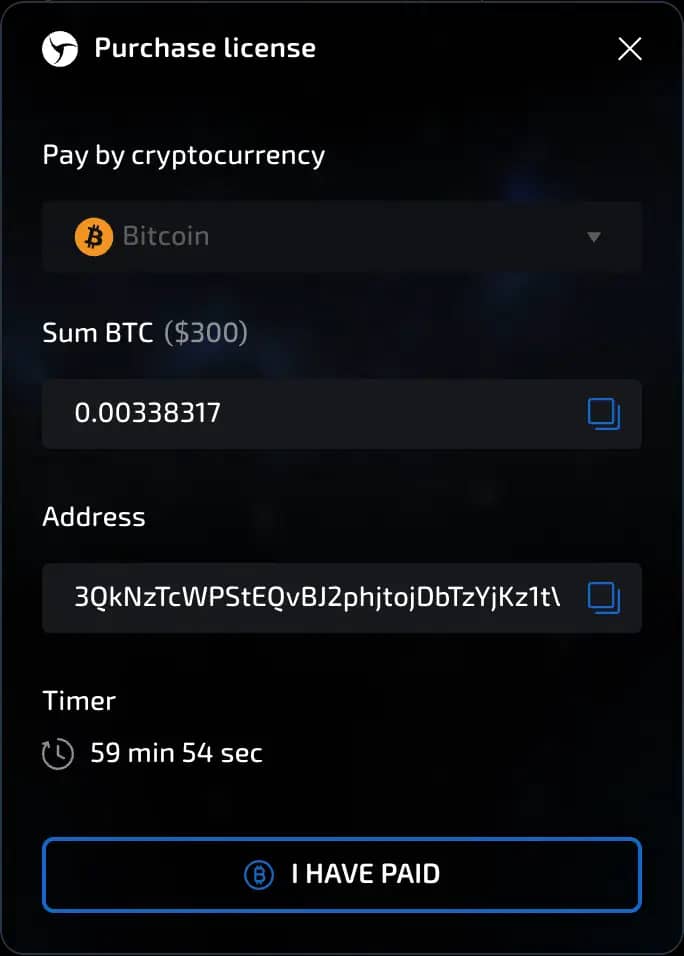
The system will display:
the name of the cryptocurrency;
the exact amount to be paid;
the wallet address for the transfer.
Copy the amount and address using the copy icon to the right of them.
Open your cryptocurrency wallet and transfer the exact amount to the specified address.
Important: it is recommended to make the payment within 1 hour to avoid delays in crediting.
Method 2. Payment by bank card
In the payment selection window, check the box next to “Pay by card.”
Click the “Pay” button.
A payment form will open, indicating the amount to be paid.
invisible text for space
If you are paying for the first time, fill out the payment form:
Card number - 16 digits without spaces;
Expiration date - month and year (e.g., 08/27);
CVV/CVC code - three digits on the back of the card;
Cardholder's first and last name - in Latin characters, as indicated on the card.
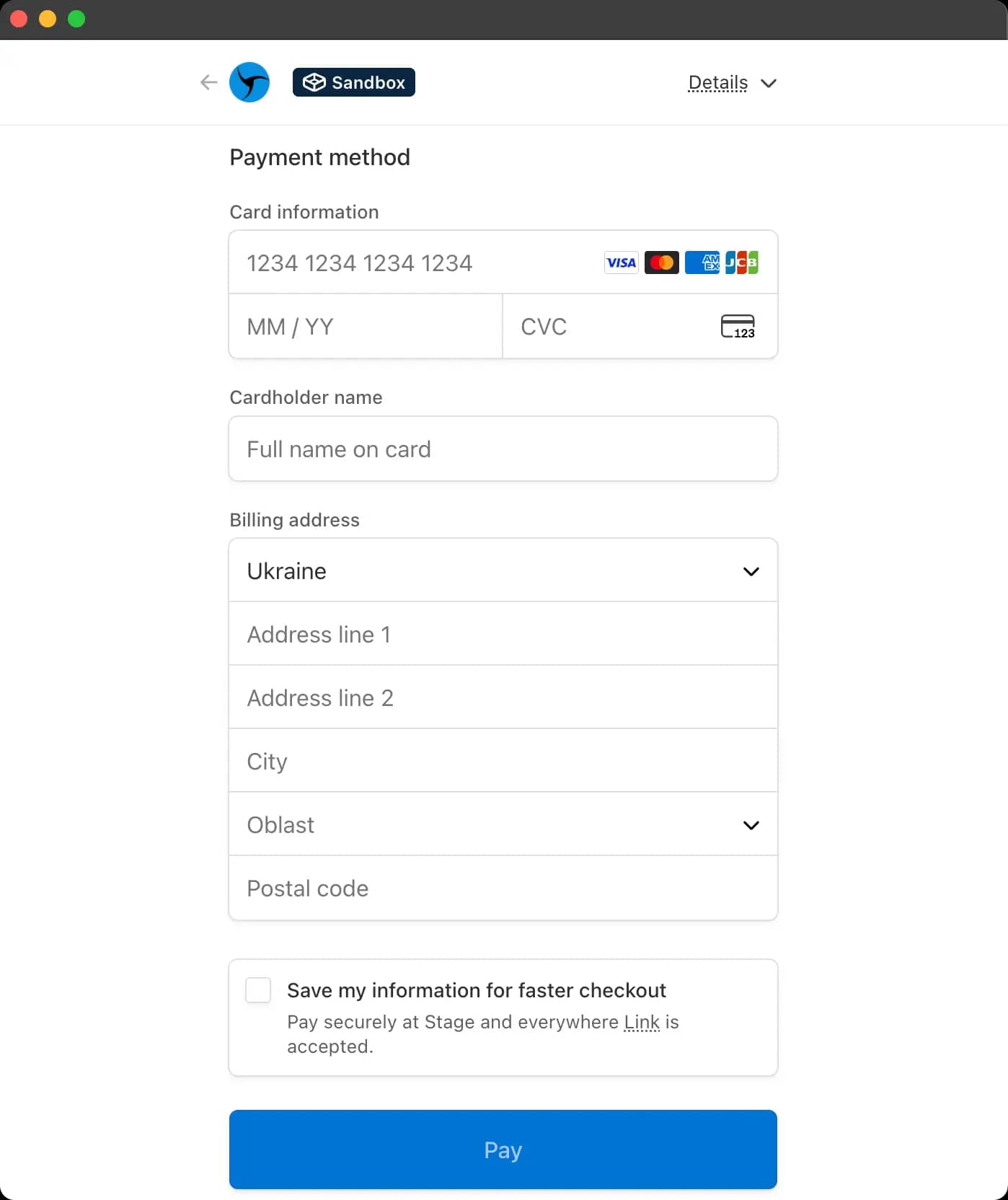
If you want to save your card for future payments, activate the Save my info for 1-click checkout with Link option:
Enter your phone number;
Confirm it with a one-time code from an SMS;
After that, the card will be saved, and you will not need to re-enter it for the next payment - just confirm the transaction via the SMS link.
invisible text for space
If the card is already saved:
You only need to enter the code from the SMS, and the payment will be processed automatically.
Click the “Pay” or “Confirm” button.
After successful payment:
The license will be activated automatically;
You will return to the program interface with updated information;
An email with payment confirmation and an invoice will be sent to the email address you provided during registration.
IMPORTANT!!! Make sure you have enough funds on your bank card to pay for your selected tariff plan.
Underpayment for a tariff plan
If you have made a payment, but the amount is slightly less than the full cost of the tariff (a small difference), the tariff can be activated manually after contacting support.
invisible text for space
After activation:
the tariff is activated,
the user can work in the system,
the missing amount remains to be paid.
Overpayment for a tariff plan
If you accidentally overpaid, the extra funds are not automatically carried over to the next month.
To accrue additional days, as well as if the overpayment amount is significant or you have questions, we recommend contacting customer support.
Previous page
Next page