Changing your subscription
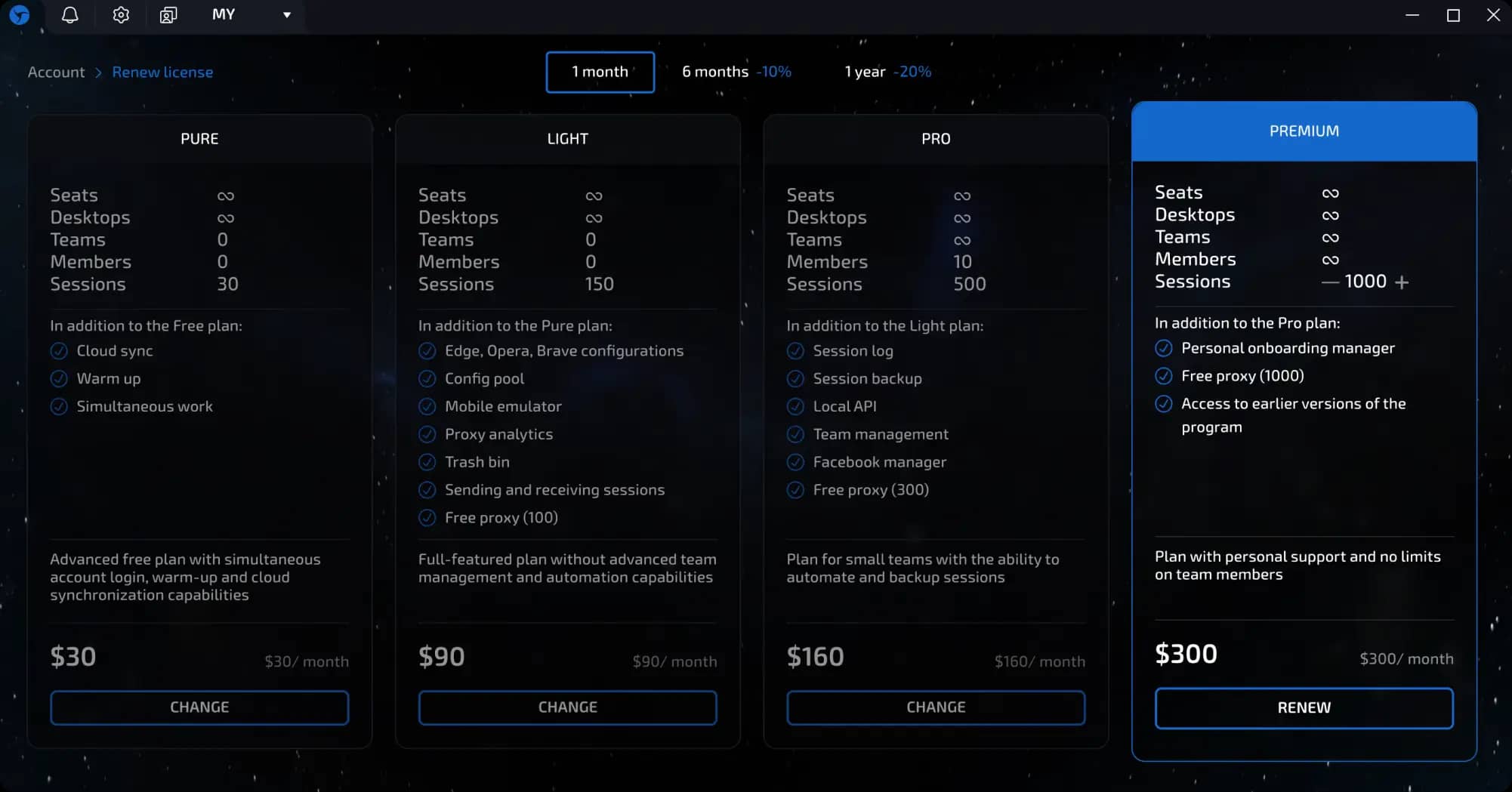
You can change your plan at any time, depending on your needs. Below are two options: upgrading and downgrading your plan.
Upgrading to a more expensive plan
If you need more advanced features, you can switch to a plan with more features at any time. In this case, you only pay the difference between your current plan and the new one.
IMPORTANT!!! You can only switch if the remaining balance of your current plan is less than the difference in price.
invisible text for space
Example:
You have an active Pure plan ($30/month) and want to upgrade to a Lite plan ($90/month).
The price difference is $60. If the remaining value of your current plan is, for example, $20 (after using the Pure plan for 10 days), you can upgrade by paying only $70.
Switching to a cheaper plan (downgrade)
If you no longer need the advanced features, you can switch to a simpler plan. However, this is only possible after your current subscription expires.
invisible text for space
Example:
You have a Pro plan ($160/month), but you want to switch to Lite ($90/month).
You will not be able to do this until the license expires. Once the license expires, select the desired plan in the Linken Sphere client.
Switching to a free plan (Free)
After the paid license expires, you can return to the free plan.
Important: when switching to Free, all sessions, tags, and settings are deleted.
Where to change your plan
All actions to change your plan are performed in the license management section (click on the Sphere logo in the upper left corner > License Management).
Previous page
Next page