Promo codes and discounts
How to use a promo code
There are two ways to apply a promo code:
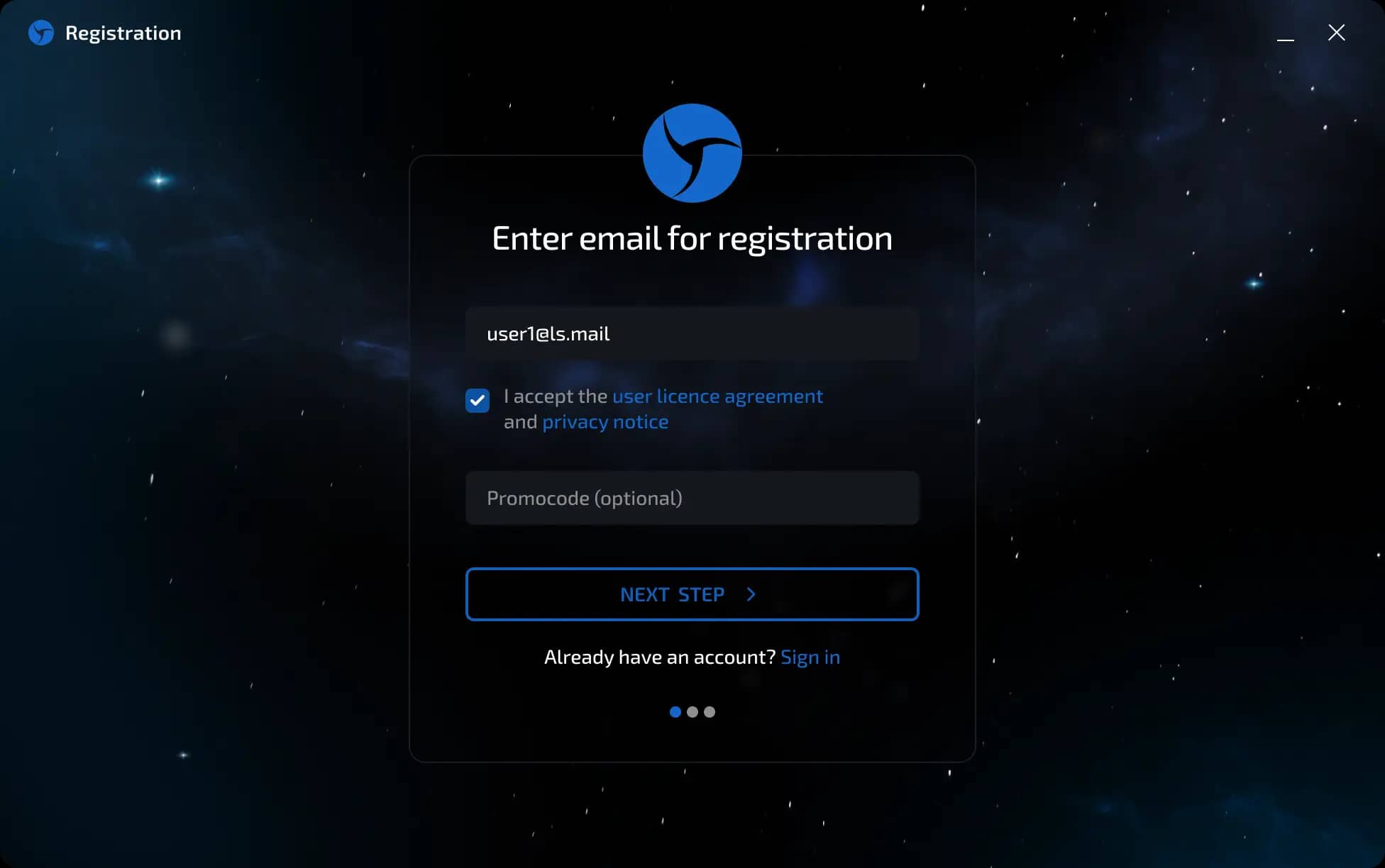
Method 1: Manual registration
On the registration page, find the “Promo code” field.
Enter your promo code in this field.
Complete the registration—the promo code will be activated, and you will receive a discount.
Method 2: Via a referral link
If you register via a referral link, the promo code will be applied automatically.
You don't need to enter anything manually—the discount will be applied automatically during registration.

When the promo code does not work
The promo code will not be activated in the following cases:
You are already registered with Linken Sphere.
Promo codes only work for new users when they register for the first time.
The promo code has expired.
If you are unsure about the validity of the code, please contact our support team.
The promo code has been entered incorrectly or does not exist.
Make sure that the promo code has been entered without spaces or extra characters.
Discounts for long-term purchases
The following discounts are available when purchasing a Linken Sphere subscription:
10% discount - when paying for 6 months at once.
20% discount - when paying for 12 months (1 year) at once.
The discount is applied automatically when purchasing the corresponding tariff.
Important!!! The promo code discount and long-term subscription discount can be combined. The standard promo code is valid for the first payment, but periodically, loyal users are assigned a Legacy promo code, which gives discounts on all renewals. Discounts do not apply to Sphere Proxy and are only valid for browser licenses.
Previous page
Next page