Connection types and recommendations for their use
Linken Sphere supports various types of network connections that can be used to configure sessions and proxy traffic. Each of them has its own characteristics and scope of application.
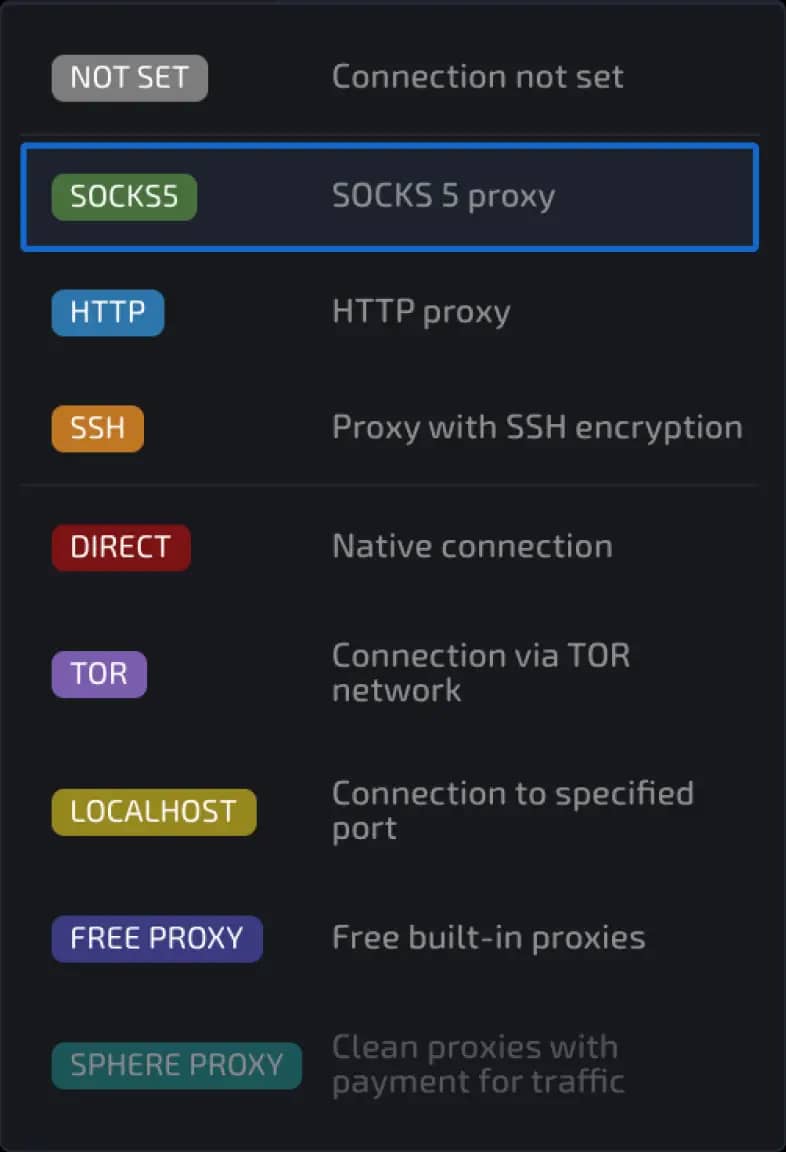
DIRECT
A DIRECT connection means a direct connection to the Internet without using a proxy server. This mode can be useful for:
local testing and debugging;
using your own IP (e.g., system-level VPN, external proxy, or 4G/5G hotspot);
SOCKS5
A common proxy protocol available in most proxy services. Supports login and password authentication, unlike SOCKS4.
HTTP/s
One of the popular proxy protocols, also available in most proxy services. Designed exclusively for working with web traffic (HTTP and HTTPS protocols).
SSH
Allows you to use SSH tunneling as a proxy. Can be useful in cases where you need to use a secure data transfer channel through your own or a rented server.
invisible text for space
The configuration requires specifying:
The server's IP address;
The port;
The login and password.
TOR
Connection to the Tor network is available as a separate connection type. This provides a high level of anonymity through multi-level encryption and routing through the Tor node network. Also, as in the classic Tor Browser, when using the Tor connection type, you have the ability to visit .onion resources.
Features of the Tor network: connection speed may be significantly lower than other proxy types.
Tor network IPs are not suitable for multi-accounting on classic sites, as they have long been known to various anti-bot systems and will cause unnecessary suspicion when verifying a user.
LocalHost (proxying to a local port)
The LocalHost connection type is designed for simplified connection to proxies using SOCKS5 or HTTP protocols, which are run directly on your computer (address 127.0.0.1) and do not require a login and password for authentication.
This is convenient when working with proxy services that provide their own desktop application (client) for connection.
Instead of specifying “socks5 127.0.0.1:50000” each time, you can simply enter the port number “50000” and the protocol will be recognized automatically.
IMPORTANT!!! When using LocalHost in presets, you can set a range of ports, and each new session will use the ports in order until they run out. In normal session settings, only one port is specified.
Free proxies (Free proxy)
This is the ability to use free proxies as a connection type in sessions. Proxies from different countries are available, and the list changes periodically. They provide high connection speeds and have no traffic volume restrictions.
invisible text for space
Feature: Designed for testing, checking, or surfing the Internet, but not recommended for work. Since proxies are available to most users, the IP addresses of most of them may be blacklisted.
Resident Sphere Proxy (built-in Linken Sphere solution)
These are dynamic resident proxies with the ability to select geolocation (country, city/region).
Available to all Linken Sphere users, including those with a free license. Purchased separately and not included in the cost of the Linken Sphere license.
Designed for performing work tasks. More detailed information at the link
Previous page
Next page