Paste Like Human Print (human-like input)
What it is
Paste Like Human Print is an emulation of text input from the clipboard that mimics the behavior of a real user. Each character is entered with a slight delay, as in normal human typing.
Why is it needed
Most serious anti-bot systems track and analyze user behavior, including the method and manner of text input.
Detection of automated actions can lead to increased attention to your account and, as a result, to various restrictions, additional checks, or even blocking.
Thanks to its sophisticated technical implementation, Paste Like Human Print accurately mimics manual text input, reproducing all system events and natural delays. This makes your input indistinguishable from the actions of a live user.
Where it is used
For entering any prepared text into various forms. For example:
Names, logins, and email addresses when registering accounts
Payment details when creating advertising accounts
Text of appeals when unbanning advertising accounts
Comments and messages as part of SMM activity
How to use in Linken Sphere
Copy the desired text (for example, login, password, or address)
Left-click on the desired field on the website to focus on it.
There are two ways to activate the function:
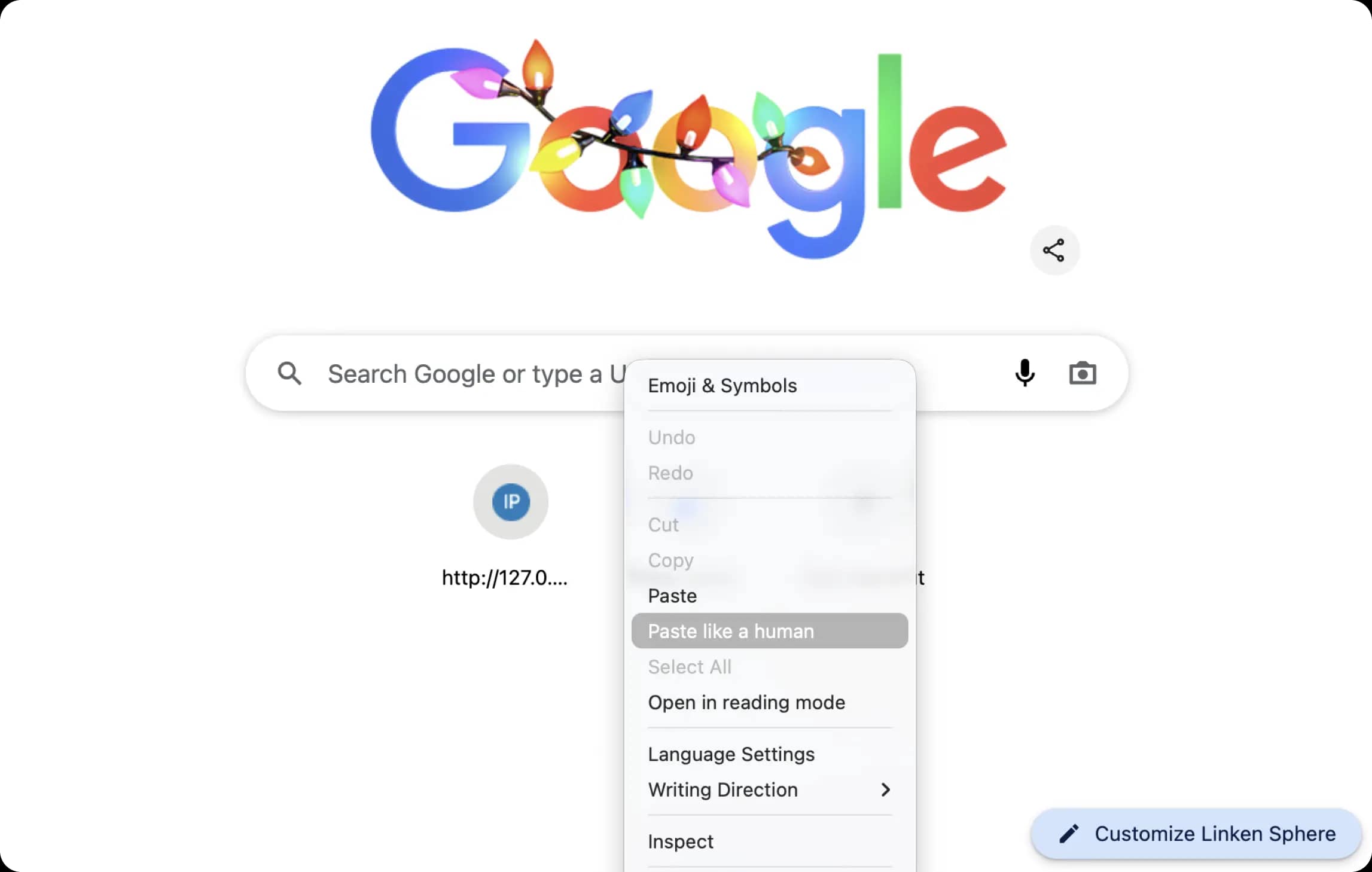
Through the context menu. Right-click on the input field > Paste like a human in the drop-down menu
Using a hotkey combination. For Windows - CTRL+SHIFT+V. For macOS - CMD+SHIFT+V
The text will start to be printed letter by letter, as if you were entering it manually
Why is this important
Paste Like Human Print is a simple but very useful tool. By automating routine work with multiple accounts, it saves your resources while remaining invisible to verification systems.
Learn more from the article Simulating manual text input — what's “under the hood” of popular anti-detection tools? | Linken Sphere
Previous page
Next page