Trash
The Trash feature allows you to temporarily or permanently delete unwanted sessions and restore them within 72 hours of deletion if necessary. This is useful if you want to tidy up but are not sure whether you want to delete the sessions permanently.
invisible text for space
There are several ways to move your session(s) to the trash
Method 1. Moving multiple sessions to the trash
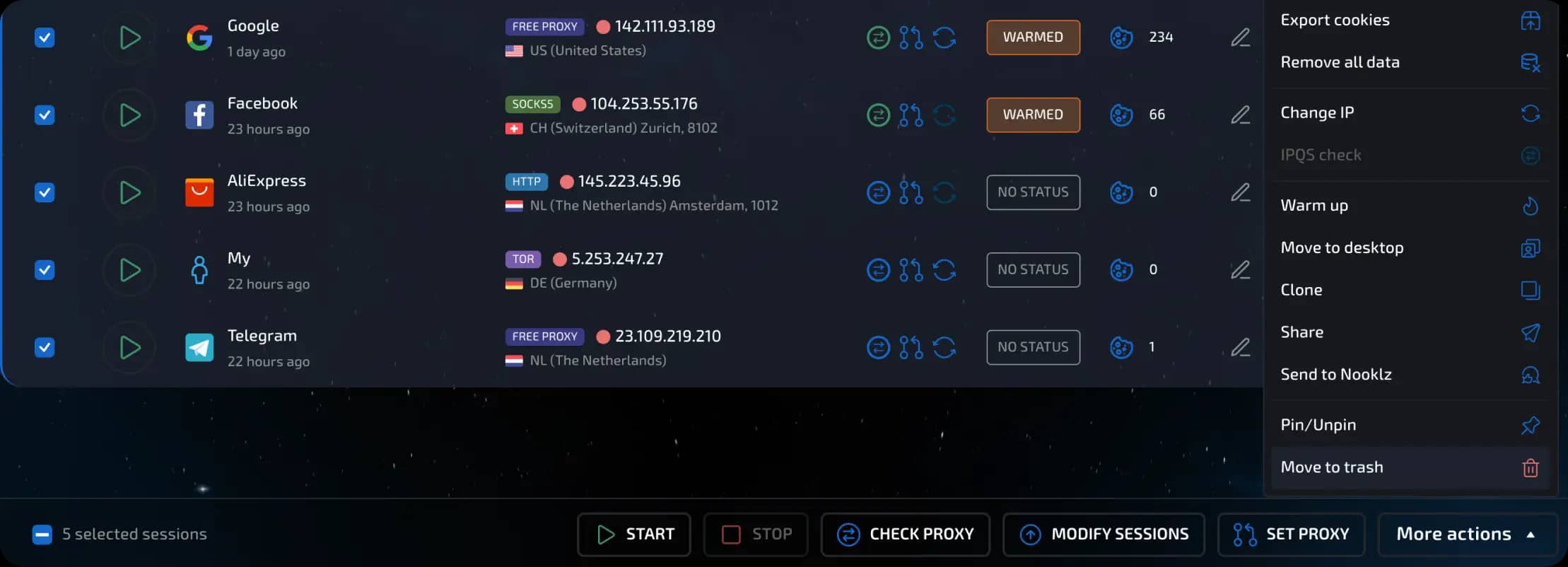
Go to the desktop where your sessions are located.
Select one or more sessions that you want to delete.
At the bottom of the screen, click the “All Actions” button.
Select “Move to Trash.”
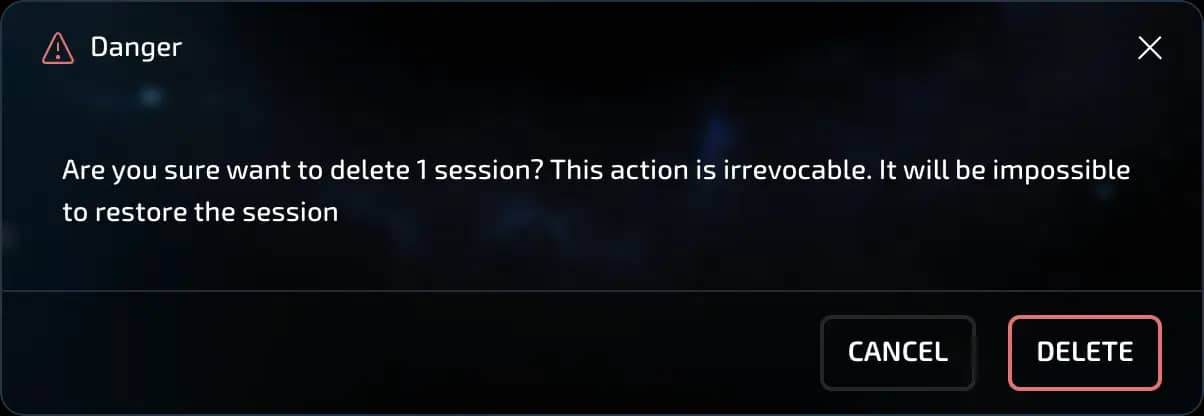
In the window that appears, confirm the action by clicking “Delete.”
If you change your mind, click “Cancel.”
Method 2. Moving a single session to the trash
Go to the desktop you need
Go to the main screen where all your sessions are displayed.
Find the session you need.
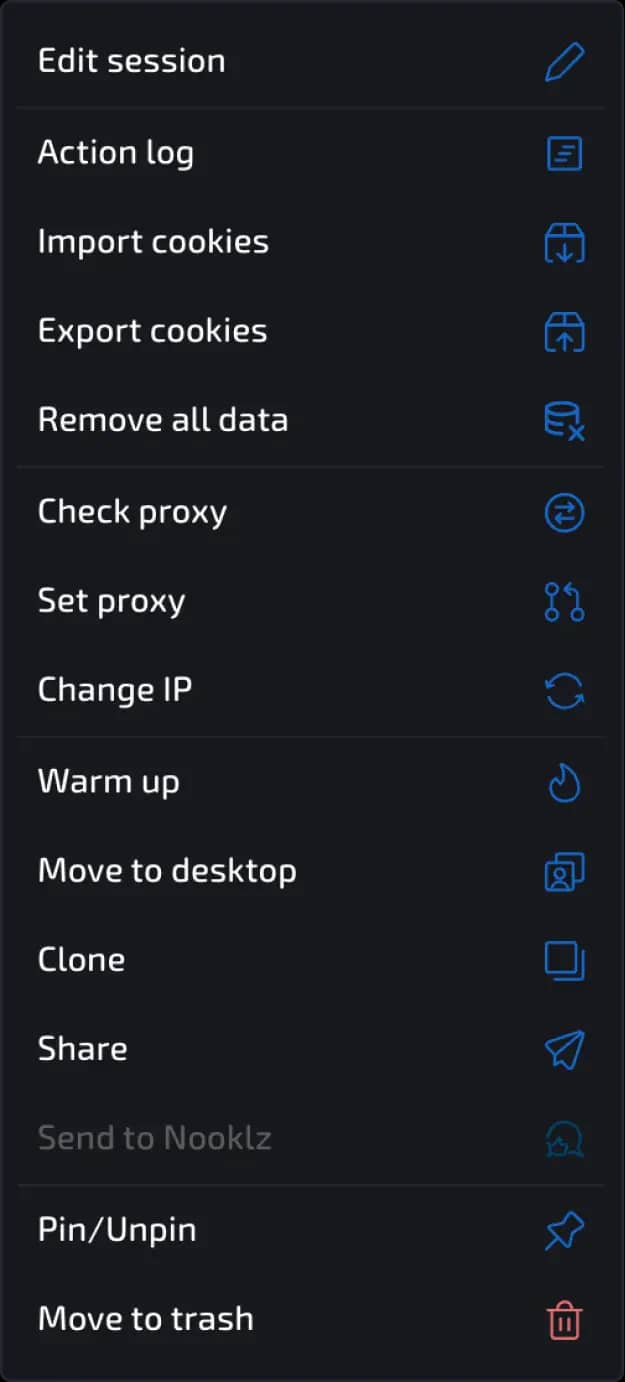
Open the session context menu by clicking on the three dots on the right.
In the drop-down menu, scroll down and click “Move to trash.”
Confirm the deletion.
invisible text for space
A window with two buttons will appear:
Delete - confirms the move of the session to the trash.
Cancel - cancels the operation, the session will remain in place.
invisible text for space
Done! The session has been moved to the trash and can be restored or permanently deleted later.
Actions with sessions in the trash
The trash is located in the upper right corner. If there are sessions in the trash, the icon will show a counter with their number.
After moving sessions to the trash, you can:
Restore a session
Click “Restore.” It will return to the desktop.
invisible text for space
Delete permanently
Click “Delete permanently.”
IMPORTANT!!! After that, it will be impossible to restore the session.
invisible text for space
Clear the basket completely
Click the “Clear basket” button.
Confirm the action in the pop-up window by clicking “Delete.”

While in the trash, you can also see
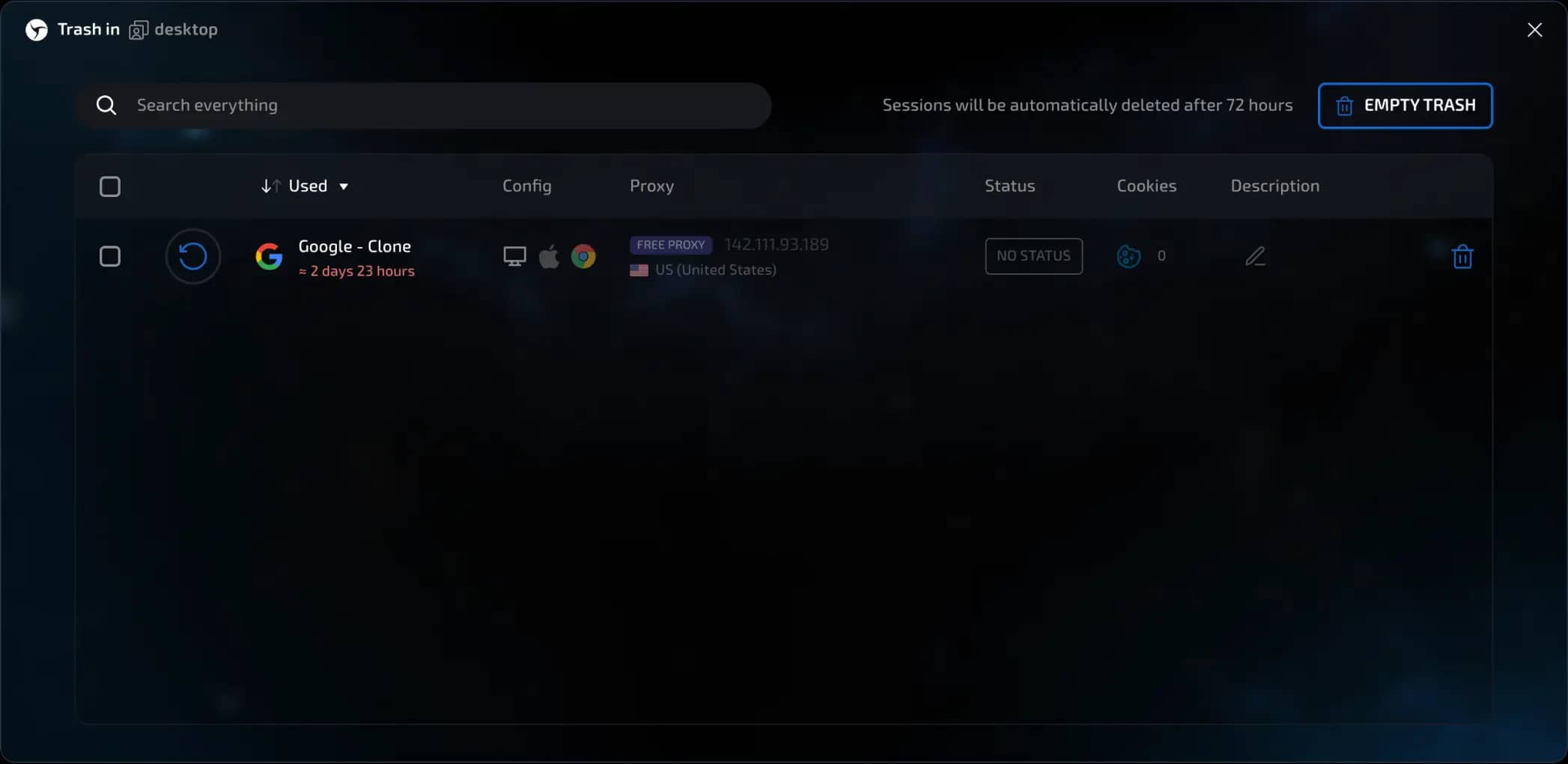
icons, names, configuration, connection, status, number of cookies, and description of deleted sessions
perform a search (you can search for literally anything in one line, including tags and statuses, just like in the session manager)
sort by time of use, name, creation time, last modification time (similar to the session manager functionality)
Automatic deletion
All sessions placed in the trash will be automatically deleted after 72 hours. This action is also irreversible.
Previous page
Next page