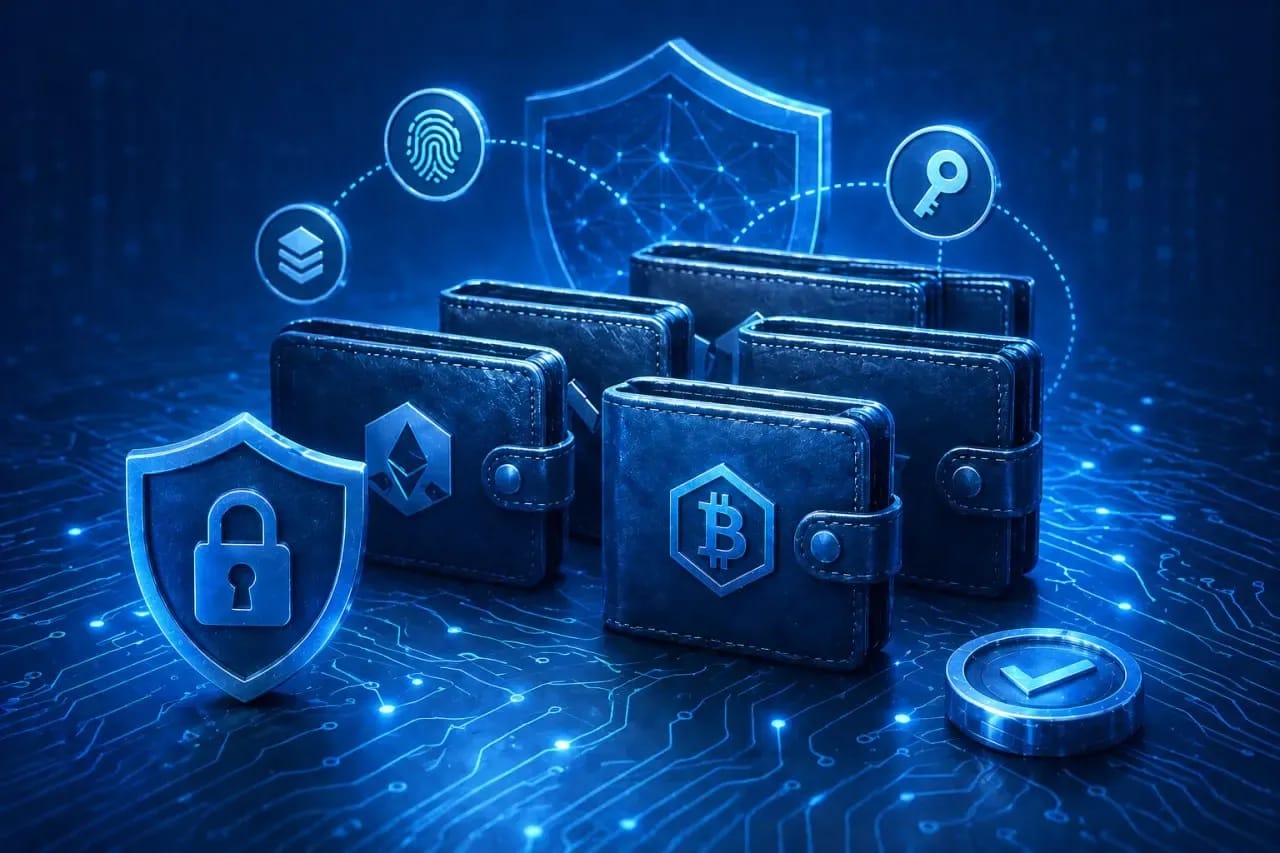
Как безопасно использовать несколько криптокошельков: руководство по управлению активами
Нужно ли иметь несколько криптокошельков или достаточно одного надежного приложения? Практика показывает: хранить весь капитал на одном адресе — все равно что носить все сбережения, паспорт и ключи от дома в одном незастегнутом кармане. Одно случайное подтверждение вредоносного смарт-контракта, и дрейнер уведет абсолютно все.
В этом руководстве мы разберем, как выстроить безопасную систему для управления криптокошельками и защитить свои активы..
Зачем использовать несколько криптокошельков
Даже если вы используете продвинутое аппаратное обеспечение, концепция «все в одном месте» работает против вас:
- Разделение рисков. Не стоит класть все яйца в одну корзину: если один из ваших кошельков будет скомпрометирован, потеря ограничится только теми средствами, которые находились на этом конкретном адресе.
- Изоляция холдов и активного трейдинга. Долгосрочные инвестиции не должны пересекаться с ежедневными операциями, где риск потери в разы выше.
- Защита от фишинга. У вас должен быть отдельный горячий рабочий кошелек для подписи смарт-контрактов и отдельный кошелек для хранения. Злоумышленник может украсть только то, к чему вы сами дали доступ подписью.
- Приватность. В публичном блокчейне любой может посмотреть ваш баланс. Раскидав средства по разным, не связанным между собой адресам, вы обеспечиваете себе базовую ончейн-приватность.
- Участие в дропах, фарминге и тестнетах. Для этих задач требуется мультиаккаунтинг. Использование одного адреса для десятка тестнетов не только небезопасно, но и часто банится антифрод-алгоритмами проектов.
Кому точно нужно больше одного кошелька
Если крипта вам нужна для разовой покупки, то заводить несколько аккаунтов нецелесообразно. Но в некоторых случаях без запасных вариантов не обойтись:
- Холдеры. Тем, кто покупает активы на годы вперед, критически важно холодное хранение, полностью отключенное от сети.
- Трейдеры и DeFi-фермеры. DeFi-фермерство подразумевает ежедневное взаимодействие с десятками протоколов. Без ротации горячих кошельков здесь не справиться.
- Разработчики и тестировщики. Для деплоя контрактов и взаимодействия с тестовыми сетями всегда нужна отдельная "песочница”.
Виды криптокошельков и их роли в мульти-кошельковой стратегии
Для каждой цели существует свой идеальный инструмент:
- Аппаратные (холодные): Ledger, Trezor, SafePal. Физические устройства в виде флешки или карты. Они не имеют прямого доступа в интернет, гарантируя максимальную безопасность приватного ключа. Идеальны для долгосрочного хранения активов.
- Мобильные горячие: Trust Wallet, Phantom, MetaMask Mobile. Приложения на смартфоне отлично подходят для оперативного доступа, оплат или быстрых p2p-переводов.
- Десктопные/браузерные расширения: MetaMask, Rabby, XDEFI. Ваш пропуск в мир Web3. Используются для DeFi-фермерства, минта NFT и ежедневного трейдинга.
- Мультисиг-кошельки: Safe, ZenGo. Кошельки на базе смарт-контрактов, требующие подтверждения транзакции от нескольких лиц. Лучший выбор для управления корпоративными деньгами или защиты семейных сбережений.
Таблица сравнения (для быстрого подбора)
| Тип кошелька | Безопасность | Удобство | Для чего |
| Аппаратный | Максимальная | Среднее | Основной холодный сейф |
| Браузерный | Средняя | Высокое | DeFi, подпись контрактов |
| Мобильный | Средняя | Высокое | Повседневные траты, обмен |
| Мультисиг | Высокая | Низкое | Корпоративные/семейные фонды |
Как распределять активы
Чтобы выстроить связку из 3–5 кошельков без дыр в безопасности, распределите свои активы, следуя логике:
- Кошелек №1: холодный. Здесь лежит 70-80% портфеля. Только для хранения. Никаких авторизаций на NFT-маркетплейсах, никаких подписей контрактов, только переводы на свои же адреса.
- Кошелек №2: горячий браузерный. Ваш главный рабочий инструмент. Держите здесь капитал для обеспечения позиций, свопов и пулов ликвидности.
- Кошелек №3: быстрый. Кошелек с суммой до $500–1000 для быстрых расчетов в дороге, оплаты подписок или переводов друзьям.
- Кошелек №4: песочница. Стейкаете токены в ноунейм-проекте? Забираете подозрительный аирдроп? Делайте это только с пустого кошелька, который не жалко потерять.
- Кошелек №5: мультисиг. Продвинутый уровень. Для хранения особо крупных сумм, совместного инвестирования с партнерами или на случай форс-мажора вроде наследования активов.
Чек-лист безопасности
В случае с криптой всегда лучше перебдеть. Проверьте себя по чек-листу — это база:
- Генерация сид-фраз в офлайн-среде. Никогда не создавайте сид-фразы для основного кошелька на устройстве с включенным Wi-Fi или сотовой связью.
- PIN-коды, пароли на приложения, биометрия. На каждое устройство или расширение устанавливайте сложный пароль + FaceID/TouchID там, где это возможно.
- Проверка автоподключений. В MetaMask и аналогах регулярно проводите ревизию и отзывайте разрешения у сайтов, которыми больше не пользуетесь.
- Проверка адресов перед отправкой. Чтобы осуществить безопасный перевод криптовалюты, всегда сверяйте первые и последние 5 символов адреса. Заведите адресную книгу, а перед отправкой большой суммы делайте тестовый микроперевод.
- Отдельные сети и RPC. Публичные RPC собирают данные о ваших IP. Подключайте приватные RPC для основных операций — это защитит от атак и слива данных.
Как не запутаться в сид-фразах и паролях
Когда у вас 5 кошельков и 10 сетей, память вас обязательно подведет. Поэтому придется организовать хранение доступов:
- Менеджеры паролей. 1Password, Bitwarden, KeePass — отличные решения для хранения паролей от приложений, но не для сид-фраз. KeePass выигрывает тем, что хранит базу локально на вашем устройстве, а не в облаке.
- Шифрованные контейнеры. VeraCrypt, Cryptomator. Программы, создающие зашифрованный "виртуальный диск" на флешке. Туда можно складывать бэкапы ключей для горячих кошельков.
- Чего нельзя делать категорически: делать скриншоты сидов, копировать их в буфер обмена, хранить в облачных заметках, пересылать себе в Telegram или записывать в Google Документы.
Типичные ошибки при использовании нескольких кошельков
- Использование одинакового пароля или PIN на всех устройствах. Без комментариев.
- Повторное использование сид-фразы в разных приложениях. Ввод сид-фразы от Ledger в MetaMask для "удобства" моментально превращает ваш аппаратный кошелек в горячий и полностью обнуляет весь смысл его покупки.
- Подключение всех кошельков к одному подозрительному dApp. Если зараженный сайт просит коннект, а вы по очереди подключаете к нему все 5 своих аккаунтов "на всякий случай" — вы подарите мошеннику ключи от всей фермы.
- Отсутствие учета. Забыл, на каком кошельке лежали USDT — бич продвинутого криптана. Забытые токены в стейкинге фактически равны потерянным.
- Смешивание "грязных" и "чистых" средств (AML-риски). Если на один из ваших адресов попала криптовалюта с даркнет-миксера, а потом вы свели ее вместе с "белыми" биткоинами с KYC-биржи на холодном кошельке — вы "испачкали" весь портфель. Биржа может заблокировать ваши средства при депозите.
Приватность: как разорвать цепочки транзакций и ончейн-аналитики
Блокчейн прозрачен. Чтобы не показывать всему миру размер своего состояния, соблюдайте правила ончейн-гигиены:
- Новый адрес для каждого входящего платежа. В сетях типа Bitcoin генерируйте новый адрес получения для каждого перевода (это стандартная функция современных криптовалютных кошельков.
- Использование миксеров. Технические инструменты вроде Wasabi или Tornado Cash разрывают связь в блокчейне. Однако помните про правовые нюансы: регуляторы многих стран и централизованные биржи жестко банят кошельки, взаимодействовавшие с миксерами.
- Мосты и обменники между кошельками. Вместо прямых переводов с кошелька A на кошелек B, иногда логичнее прогнать средства через DEX-агрегаторы или кросс-чейн мосты. Это создает информационный шум, скрывая ваш прямой след.
- VPN и антидетект-браузеры. При работе с Web3-сайтами используйте VPN и антидетект-браузеры, чтобы платформы не могли связать разные адреса ваших кошельков через один статический IP и отпечаток вашего браузера.
Заключение
Индустрия знает тысячи примеров, когда пренебрежение правилами стоило инвесторам целых состояний. Помните, что безопасность — это непрерывный процесс и привычка, а не просто разовая покупка Ledger. Наличие аппаратного устройства не спасет вас, если вы будете бездумно подписывать скам-контракты.
Начните действовать прямо сегодня: проведите аудит своих криптоактивов, закажите отдельный физический кошелек для холодного хранения и навсегда отделите свой долгосрочный инвестиционный портфель от рискованного трейдинга и экспериментов. Тогда ваш капитал будет в безопасности. Ну, теоретически.
Часто задаваемые вопросы
- Технически — да, но делать так категорически нельзя. Распределяя одну фразу в 3 разных приложениях, вы создаете 3 точки отказа. Взлом любого кошелька приведет к потере средств на всех остальных. Используйте уникальную сид-фразу для каждого устройства или профиля.
- Никак. Транзакции в блокчейне всегда требуют оплаты газа майнерам или валидаторам. Чтобы сэкономить, отслеживайте трекеры газа и переводите средства в моменты минимальной загрузки сети (например, ранним утром в выходные).
- Официальный и легальный антивирус не ворует ключи напрямую. Однако мошенники часто маскируются под "бесплатные антивирусы" или VPN в браузере. Если на ПК попал стиллер, горячий кошелек будет моментально скомпрометирован. Холодный кошелек от этого полностью защищен.
- Незамедлительно взять запасной телефон или ПК, скачать оригинальное приложение-кошелек, восстановить к нему доступ по вашей резервной сид-фразе и перевести все активы на совершенно новый запасной кошелек.

Лучшая альтернатива OBS Studio
Работа с веб-камерой на многих онлайн-платформах превращается в испытание. На экране появляется строгий контур — овал для лица или фиксированная рамка, а ваше изображение не совпадает с ним по размеру или положению. В результате система блокирует продолжение, требуя идеального попадания, и весь процесс работы оказывается под угрозой еще до его фактического начала. Долгое время единственным решением этой проблемы был обходной путь через OBS Studio.
SOCKS и HTTP-прокси: в чём ключевые отличия и как выбрать нужный вариант
Иногда бывает важно, чтобы сайт не увидел, с какого устройства пришёл запрос. В таких случаях на сцену выходит прокси, он становится прослойкой между вами и сайтом, берёт запрос на себя и отправляет его от своего имени. Сайт получает информацию не о вас, а о прокси. Это рабочий приём, когда нужно открыть страницу, заблокированную в вашем регионе, получить доступ к контенту с геозамками или не упереться в лимит, если отправляете много запросов подряд.
Почему Google блокирует аккаунты и при чем здесь ваш антидетект
Google в очередной раз усложнил механизмы цифровой идентификации, развернув новый, более сложный уровень защиты, основанный на проприетарных HTTP-заголовках. Это тихое изменение застало большую часть рынка врасплох, вызвав волну поспешных обновлений. Пока остальные спешно выпускали поверхностные «фиксы», мы поняли, что столкнулись не с мелкой проблемой, а с принципиальным сдвигом, требующим глубокого и всестороннего анализа.